All content © 2017, cmotion GmbH. All specications subject to change without notice. http://www.cmotion.eu
106/112
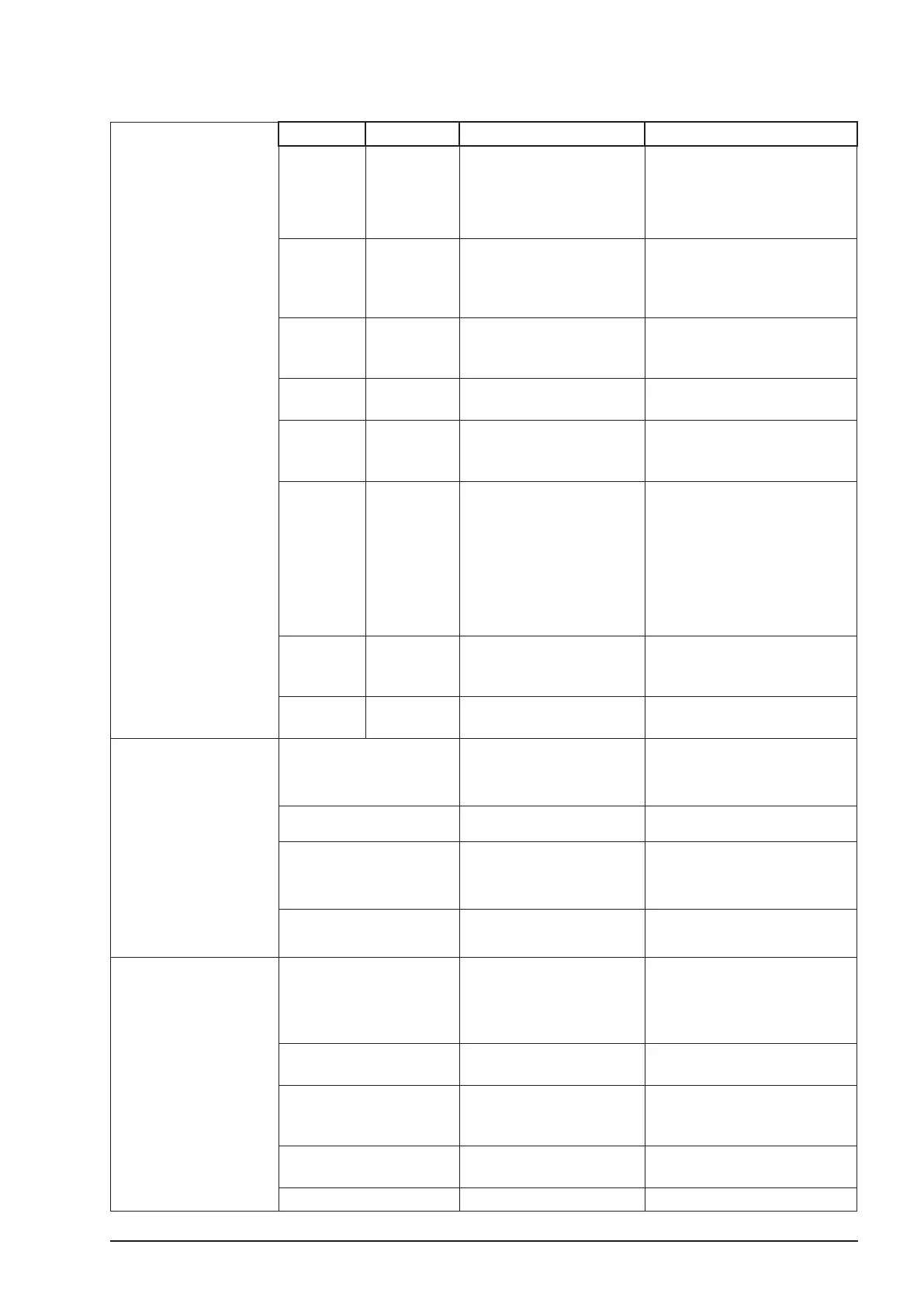
8.3.3. LED Status camin 2M/4M/8M
RF LED/ON LED
(Operation
Status)
RF LED ON LED camin Status Solution
O O
camin o
check camin ON/OFF switch
check power supply voltage
(9 V minimum)
check for cable damage
O
Flashing
Red/Green
camin ready, (cable
mode, channel selector
set at 0 or RF o)
no client logged on
turn on clients
Flashing
Red
Flashing
Red/Green
camin ready (wireless
mode), no client logged
on
turn on clients
O Green
camin ready, client
logged on in cable mode
OK
Green Green
camin ready, client
logged on in wireless
mode
OK
Red
Flashing
Red/Green
During Start-Up: camin
is booting up
Selected channel already
in use by another camin
Channel is currently be-
ing changed
Hardware fault
turn o camin and change
radio channel
If that does not work, please
contact cmotion.
Green
Flashing
Flashing
Red
Software incompatible
between camin and
clients
update all components
Red
Flashing
Red
Low battery camin will
not work
change Power Supply
Motor LED
Flashing Red Motor Error
check motor cable
If no reason can be found,
please contact cmotion
Green Motor ready
Green/ Flashing Red
System is calibrating
motor cannot reach its
position
check if lens torque is too
high and lens damage
check lens calibration
O No motor connected
check motor cable
check if camin is turned on
TC LED
O No time code input
check TC cable
check if TC generator is
powered on and set up
correctly
Green
Time code signal present
and device in sync
Flashing Green
Time code running out of
sync (40 minutes warning
before sync is lost)
Reconnect TC generator and
re-sync within 40 minutes
Red, followed by Green Syncing with TC signal
Do not disconnect the TC in
cable
Flashing Red, Red TC out of sync Re-sync with TC generator



 To Next Page