All content © 2017, cmotion GmbH. All specications subject to change without notice. http://www.cmotion.eu
47/112
4.3. System Power Up
4.3.1. camin
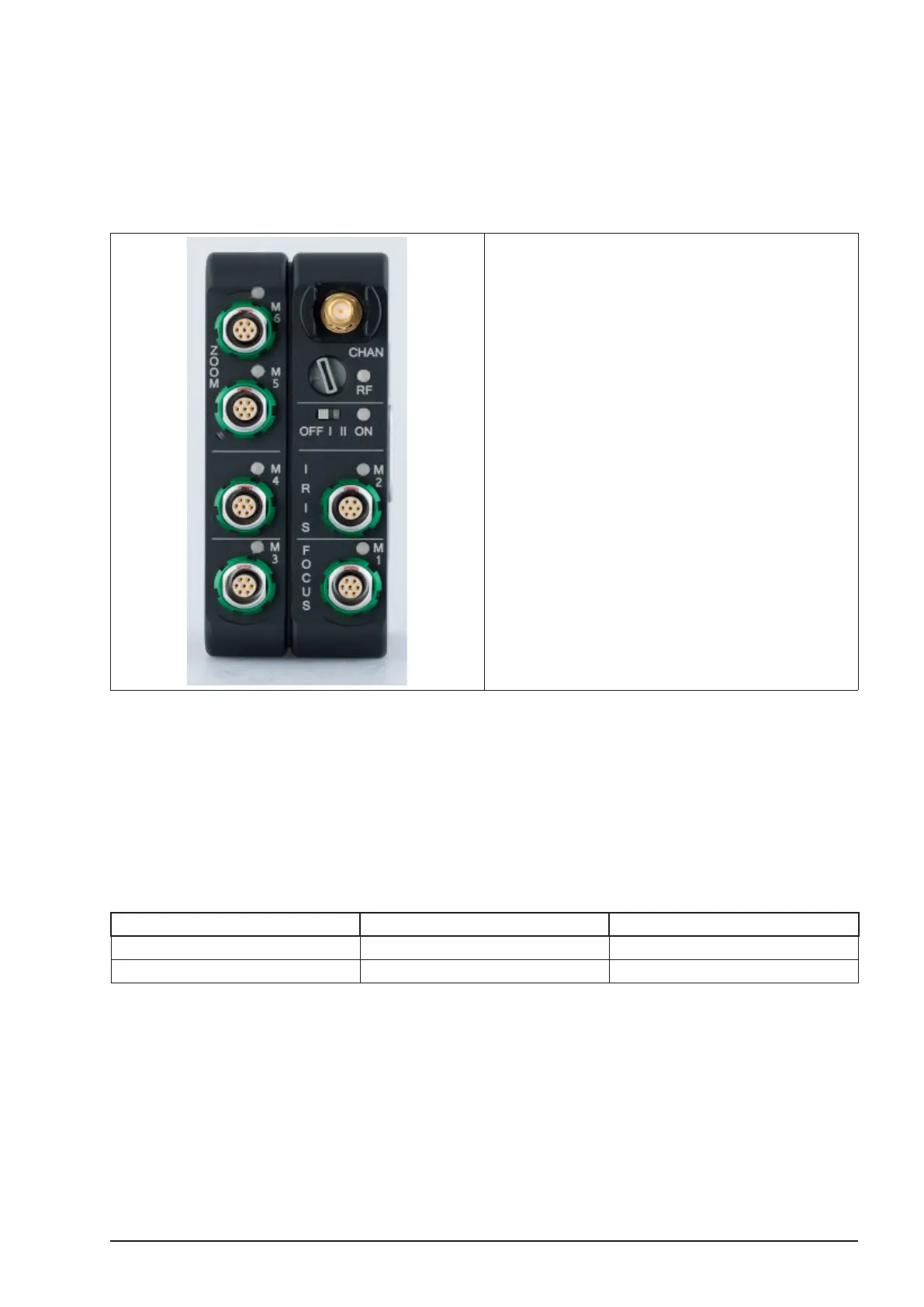
camin 2M, 4M, 8M and 8M-TC have a three way ON switch located on the Motor side. The
camin 3M has a two way switch located on the top.
Switch setting ON I: In this setting, the connected
motors are powered by supply voltage.
Switch setting ON II: In this setting, the camin
2M/4M/8M operates in boost mode allowing the
motors to run at a higher speed.
Note: Depending on the supply voltage, the camin 2M/4M/8M in boost
mode (ON = II) has a higher current requirement. Not all cameras
are capable of providing the required current. For these cameras, a
separate power supply for the camin 2M/4M/8M is necessary (e.g. a
battery).
Note: Boost mode for camin 3M is activated through hand unit menu:
Main > Boost > ON
Typical power requirements with one motor are as follows:
Supply voltage ON=I ON = II/Boost Mode
24V 0.5A 0.6A
12V 0.5A 1.1A
Before switching the camin on please check the following:
Warning! Make sure all motors are securely fastened to their support,
e.g. support rods.
Warning! Make sure that the rods are securely fastened.



 To Next Page