All content © 2017, cmotion GmbH. All specications subject to change without notice. http://www.cmotion.eu
70/112
4.16.4. Zoom scale
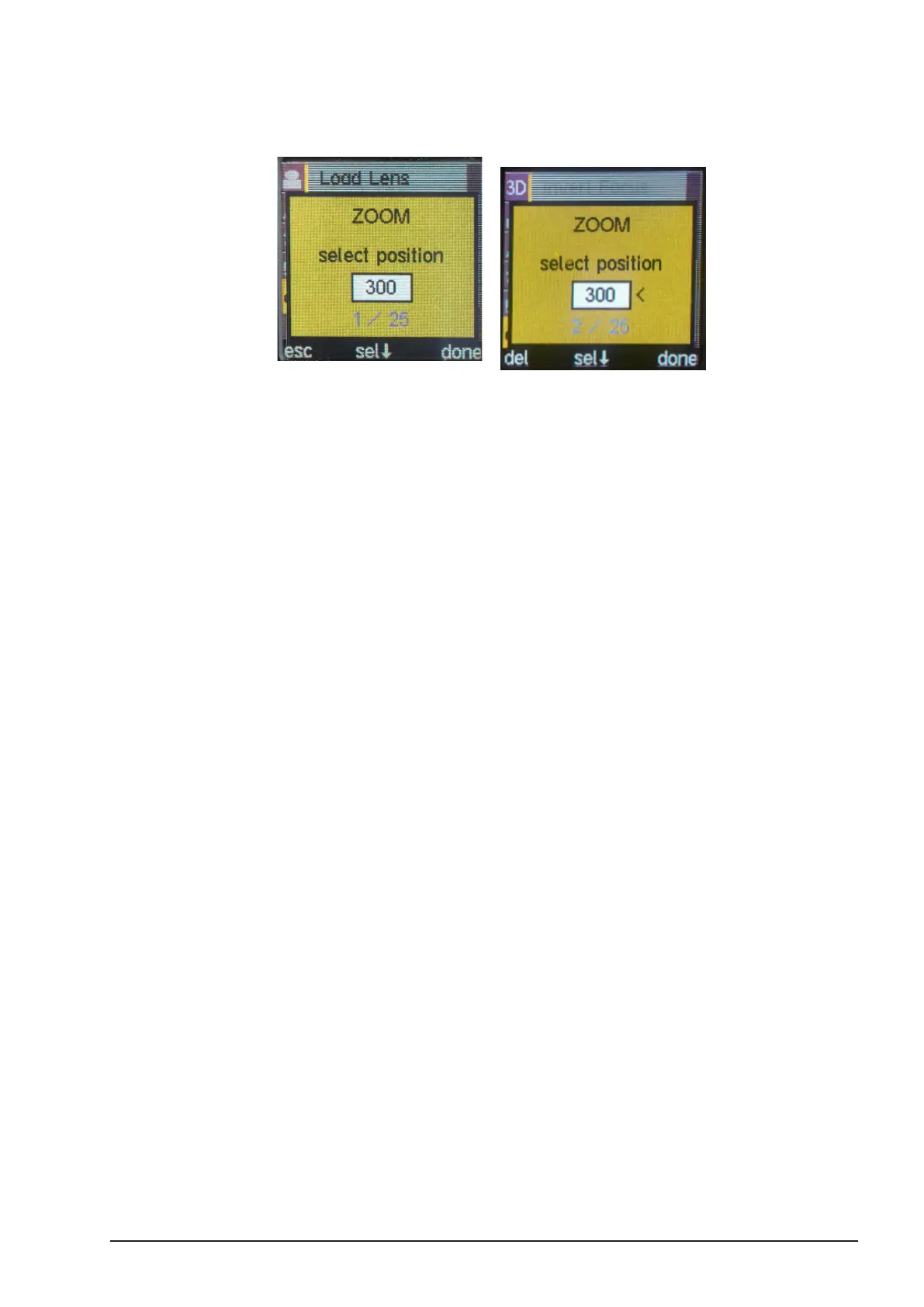
■ In order to create a zoom scale, move the scale controller to the longest zoom
position. Press the MENU SELECT WHEEL to set the value.
■ If the suggested zoom value does not exist on your lens, scroll through the values
using the MENU SELECT WHEEL until you nd a value which is also on your lens.
Align the lens to this value and press “sel” to conrm.
■ The next zoom value increment will be displayed automatically. Move the lens to
match this value.
■ Align the lens to this value and press “sel” to conrm.
■ Continue with all zoom values on your lens scale. Once nished with the shortest
zoom value, press “done” to save the lens le.
Note: Upto 25 motor positions per lens can be stored for the zoom
scale. By scrolling left or right using the select wheel, each set motor
position will be marked with a small arrow. In order to delete or change
the motor position, scrawl to the value to be edited and press “del” in
order to delete the motor position or simply overwriting the old one by
pressing “sel”.
Note: If using a prime lenses, scroll through the values using the MENU
SELECT WHEEL until you nd a value matching the focal length of your
lens respectively. Press “sel” to conrm. Press “done” to save the lens
le.
Note: You can store up to 20 lens les within the hand unit’s memory.
When a factory reset is performed you will be asked if you want to clear
all lensdata. Press “No” if you want to keep all lens les created and
saved on the hand unit.
4.17. Working with Pre-
Marked Marker Rings
To save time marking your focus marker rings for each lens, cmotion have introduced 3 imperial
and 3 metric pre-engraved marker rings for your cvolution system. With engraved scales from
innity to 3 close focus values, they are available for left and right handed operators and can be
used with a range of both wide and telephoto lenses. Before a pre-engraved marker ring can be
used, a lens le needs to be created using cvolution’s internal ‘create lens’ feature, a cdisplay
II or a cworld. For further information, please refer to ‘Creating a lens le using the cvolution



 To Next Page