All content © 2017, cmotion GmbH. All specications subject to change without notice. http://www.cmotion.eu
44/112
4. Basic System Operation
This chapter deals with the basic functions of the system. Please complete the following steps
to start working with the system.
4.1. hand unit Status Display
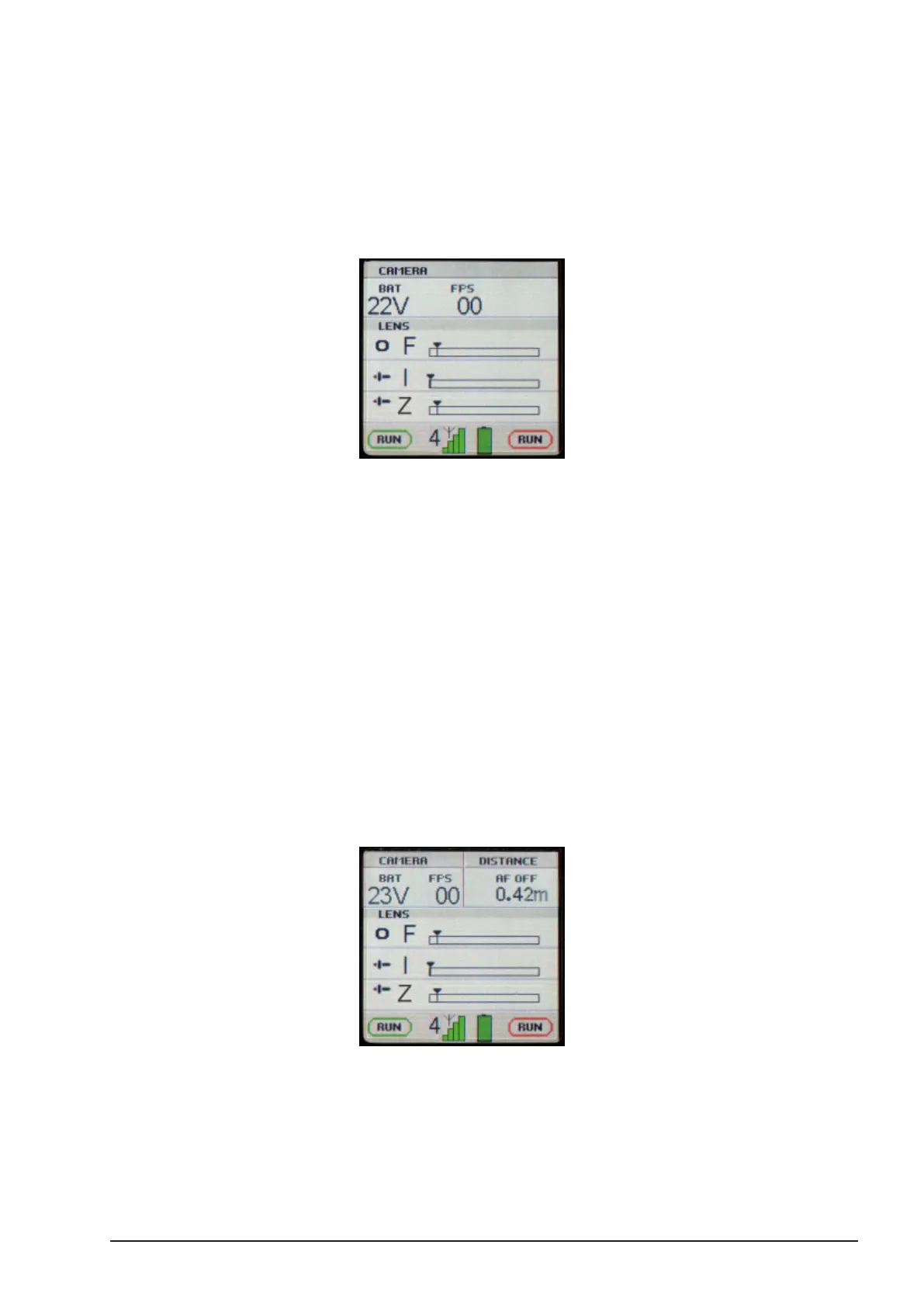
The display of the cvolution hand unit shows real time lens, camera and system status
information.
On the top line, the supply voltage to the camin and the camera speed in FPS (Frames per
Second) are displayed (where supported).
Below, you see the status and positions of the slider and knob. The capital letters behind the
respective controller icon is the axis the controller is congured for (I=Iris, F=Focus, Z=Zoom,
IA=Interaxial, C=Convergence, T=Tilt, M=Mirror, R=Rotation, H.I.T. = Horizontal Image
Translation).
At the bottom, the conguration of the red and green button is shown, as well as the RF
reception and the hand unit battery status.
When a cnder or other range nder is connected to the camin the measurement value will be
shown in the top right corner of the display..



 To Next Page