All content © 2017, cmotion GmbH. All specications subject to change without notice. http://www.cmotion.eu
73/112
4.18.1. Loadingalenslefrom
the cvolution hand unit
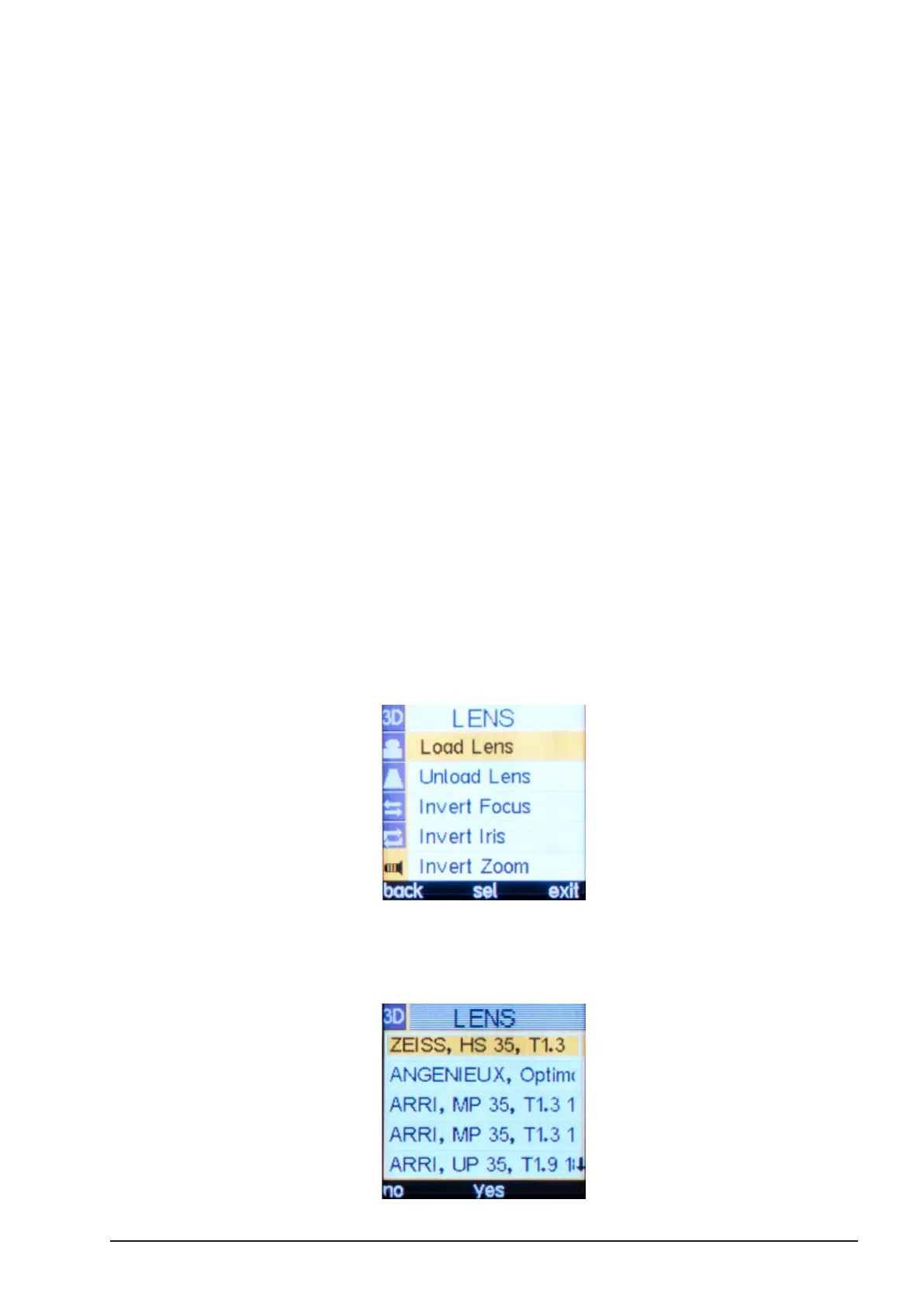
Press the MENU SELECT WHEEL twice to enter the Menu.
Select LENS, “Load Lens”.
Use the MENU SELECT WHEEL to highlight the desired lens and press ‘Yes’ to conrm and load
the lens le.
4.18.2. Using lens data saved
internally on a camin 3M
Up to 14 lens les can be transferred from any cworld database during prep and saved on the
internal memory of a camin 3M. This allows you to select and display accurate lens data for up
to 14 dierent lenses during your shoot without cworld being connected.
How to transfer a lens le:
■Using cworld, select ‘clensdatabase’
■Select required lens (e.g. Cooke S4/i T2.0 32)
■Select Send > LBUS Devices > cvolution camin3m (No. xxx)
After transferring Lens Data into the system via the cworld you can selected the desired lens
from the Lens Menu.
■Press the MENU SELECT WHEEL twice to enter the Menu.
■Select LENS, “Load Lens”.
■ Use the MENU SELECT WHEEL to highlight the desired lens and press ‘Yes’ to
conrm and load the lens data.



 To Next Page