All content © 2017, cmotion GmbH. All specications subject to change without notice. http://www.cmotion.eu
71/112
hand unit’ in section 4.16., the cdisplay II User Guide and the cworld User Guide respectively.
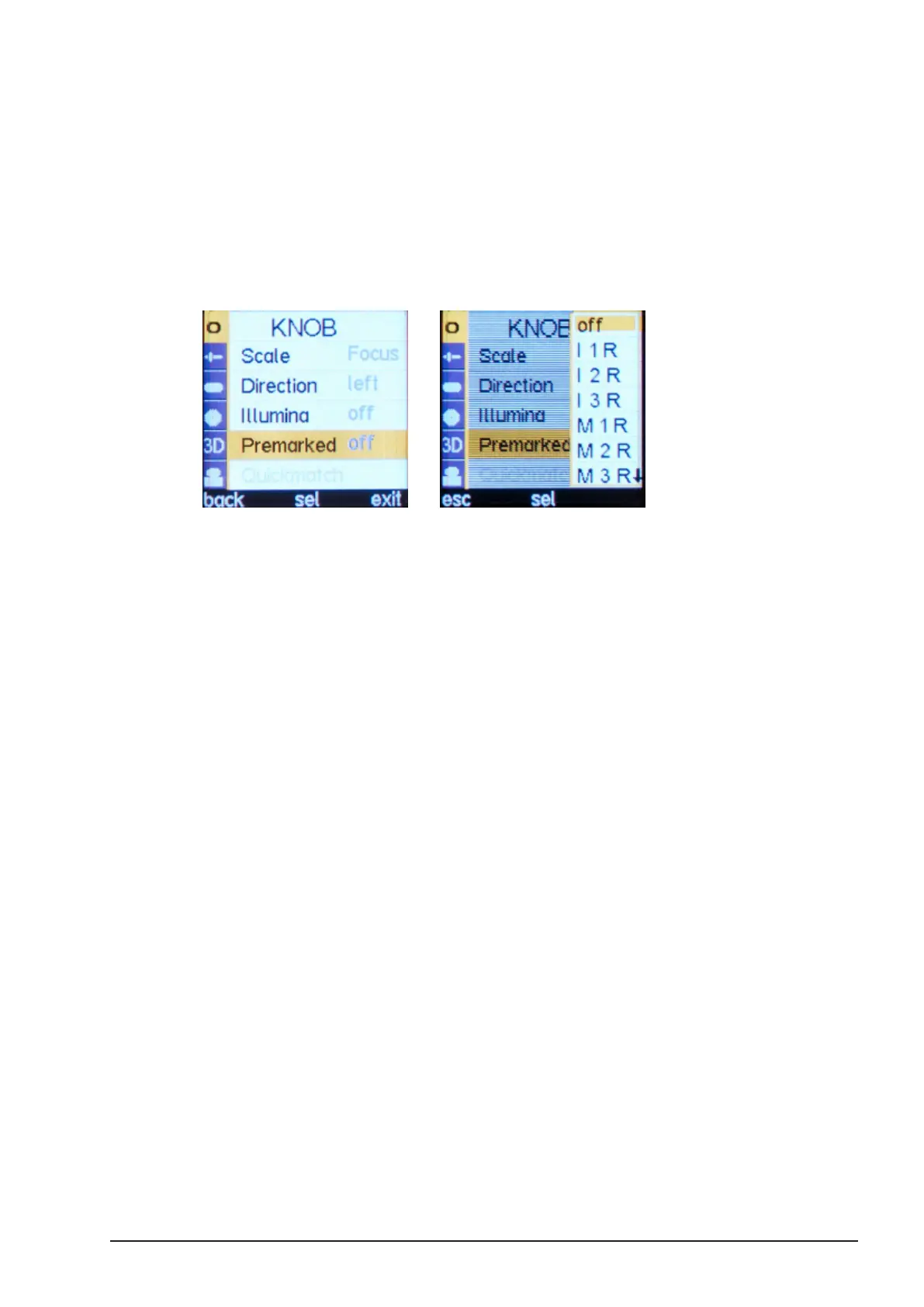
In order to use a premarked ring proceed as follows:
■ Calibrate the lens (please refer to section 4.4. “Motor Calibration”)
■ Load a lens le from the cvolution hand unit, from cdisplay II, from cworld, or from
the cvolution camin 3M’s internal memory
■ Choose the right pre-marked ring from your selection to match the close focus
value of the lens.
■ - Press the MENU SELECT WHEEL twice to enter the Menu.
.
■
■Select KNOB, “Premarked” and select the appropriate marker ring from the list.
NOTE: “I” denotes Imperial units, “M“ metric. “R” and “L” denote left
and right hand operation respectively.
NOTE: If you purchased your cvolution system before 20th December
2013, your cvolution knob will need to be calibrated at cmotion before
it can be used accurately with pre-marked rings. For more info contact
cmotion support.
4.18. Working with Lens Data
Lens data can be created for virtually any lens using either a compact or cvolution hand unit,
cdisplay II and cworld. This process allows you to pair the digital position of each connected
motor to ‘recommended’ or manually input lens values. Both cdisplay II and cworld are capable
of storing up to 1,000 lens les in easy to manage lens databases. Each saved lens will be
recognized automatically after a full motor calibration and will be loaded onto the connected
cvolution camin. Lens data including focus, iris, zoom, depth of eld and Hyperfocal will be
displayed as an animated depiction on any cdisplay II or any connected smart device (e.g.
phone or tablet) when paired with cworld. Values and the relative motor position for focus and
iris are also displayed on the hand unit’s main display while zoom information is displayed on
the zoom unit display (when set to ‘ABS/SCA’).
Note: Only 1 lens le can be uploaded at any one time from either
cdisplay II or cworld when using camin 2M, 4M, 8M and 8M-TC.
Note: Up to 20 lens les can be stored and uploaded using the
cvolution hand unit as described in section 4.16 and 4.17.2.
Note: Up to 14 lens les can be uploaded from cworld and saved



 To Next Page