All content © 2017, cmotion GmbH. All specications subject to change without notice. http://www.cmotion.eu
52/112
4.5.3. Motor Control
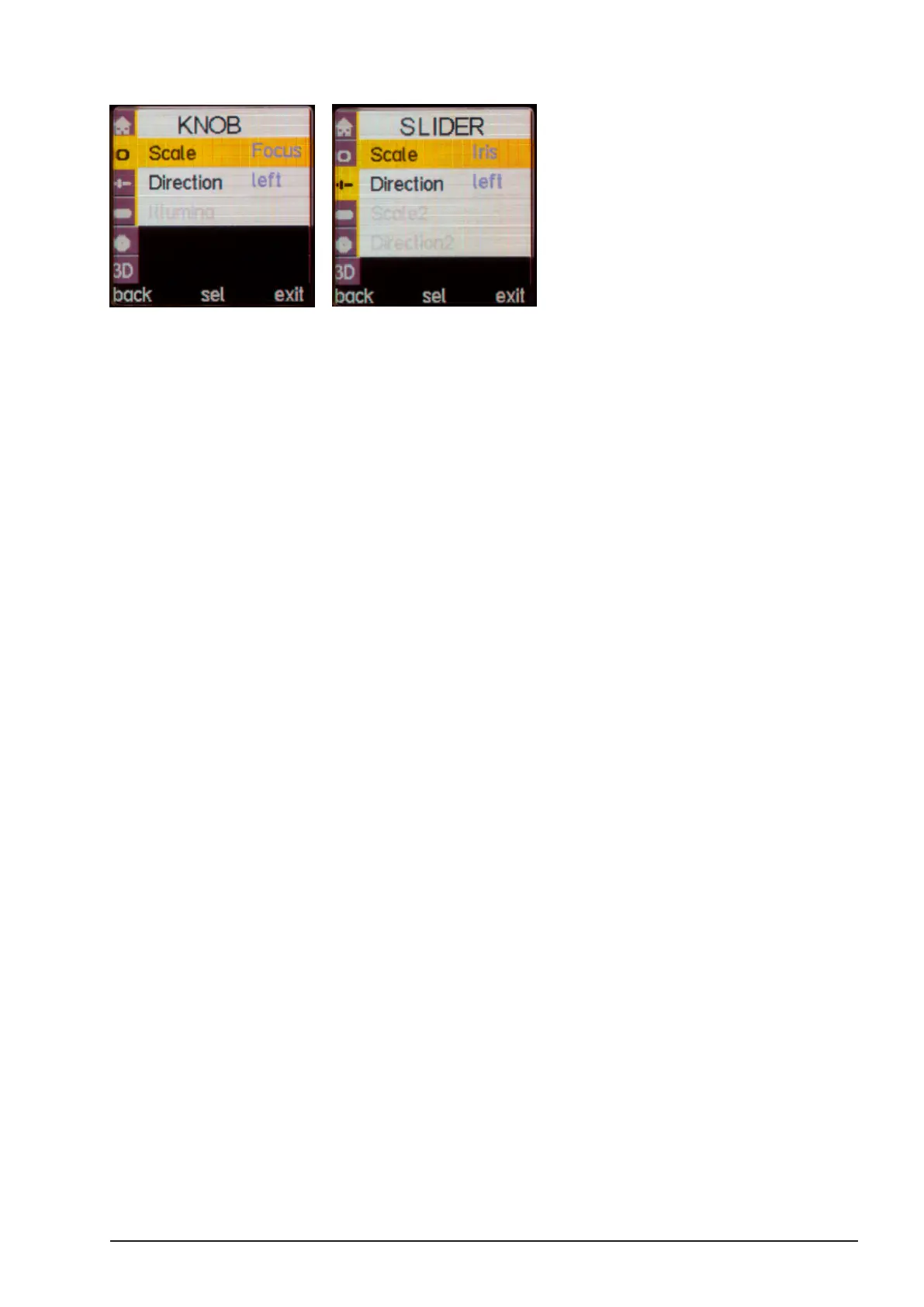
Any motor can be controlled by the knob or slider. However, the Knob is most commonly used
to control focus. To change this, go to menu KNOB (Slider respectively), choose “Scale” and
set the scale to your desired function (Focus, Iris, Zoom, Interaxial, Convergence, Tilt, Roll,
Height and H.I.T.).
Note: When you set the knob or a slider to control H.I.T. This scale will
NOT control a motor. For more information refer to section 6.6 on page
94.
To move the focus (or iris) motor: rotate/slide the knob/slider in the direction you wish to move
the motor. The faster you rotate/slide, the faster the motor will move.
Note: The maximum speed of the motors depends on the motor itself
and the power supply of the camin. The higher the voltage, the higher
the speed. If you’re running on 12V try using the boost mode for more
motor speed.
Note: If you want to change the direction of the KNOB or Slider, go to
the menu KNOB (Slider), choose “Direction” and change the direction
as needed.



 To Next Page