All content © 2017, cmotion GmbH. All specications subject to change without notice. http://www.cmotion.eu
60/112
4.13. zoom Functions
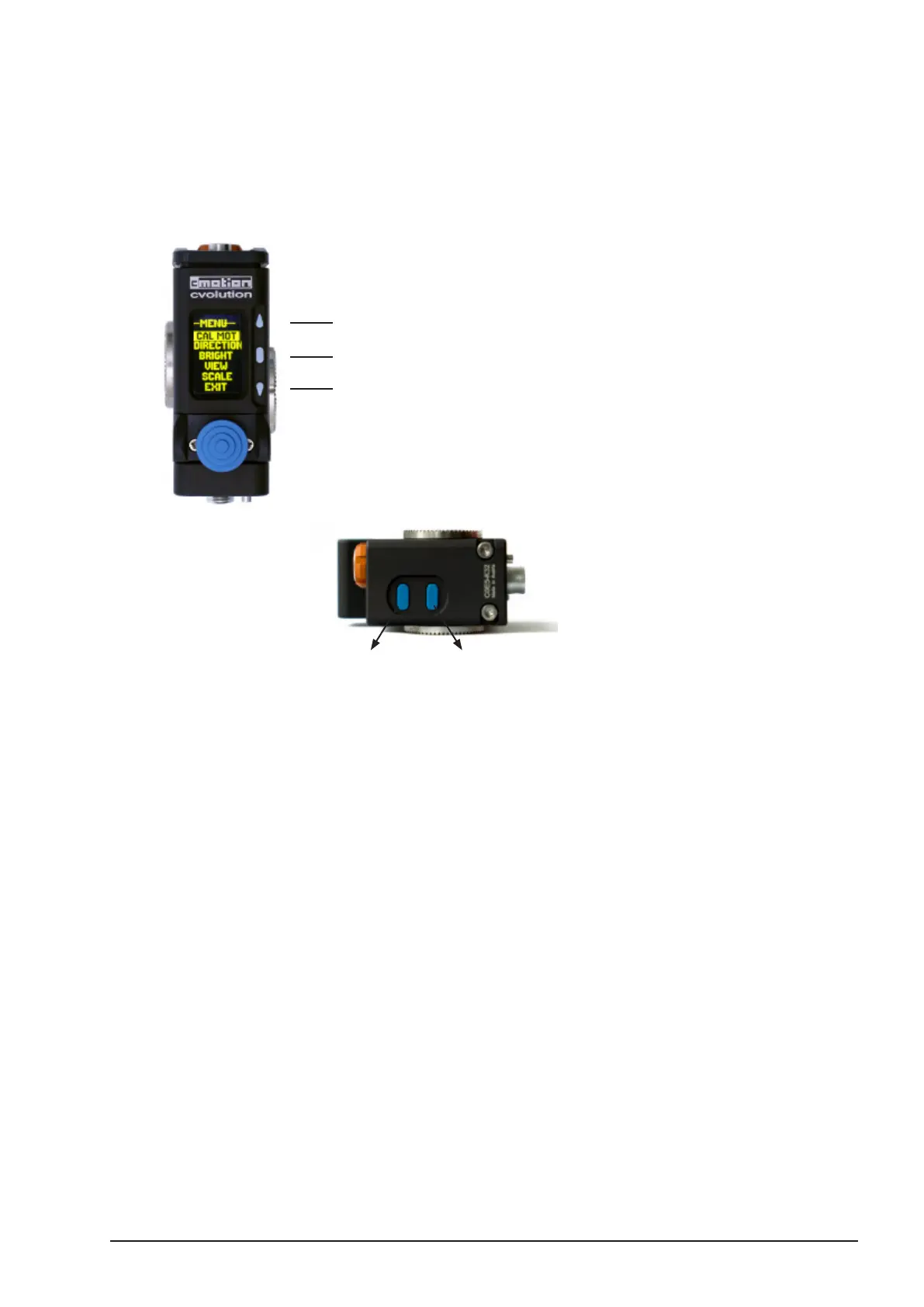
The cvolution zoom can be congured using the buttons on the zoom module and the zoom
menu.
4.13.1. zoom Menu
Cal Mot
Calibrate the motor assigned to the zoom’s controlled scale.
Joystick
to change all relevant Joystick functions like Scale, Dicrection, Speed and Sensitivity
Scale
Select the scale to be controlled by the zoom unit. “Focus”, “Iris” and “Zoom” are
available.
Direction
Set the direction of the scale motor to “left or “right”.
Speed
Set the speed of the zoom axis to a value between 0-99
Sensitivity
Set the touch sensitivity of the joystick to “MIN”, “MID” or “MAX”.
Menu – access menu/select
BUTTON UP, to be assigned as ZAP, LENS, REC,
RET, MARKER, SPD UP or SPD DOWN
BUTTON UP, to be assigned as ZAP, LENS, REC,
RET, MARKER, SPD UP or SPD DOWN
LENS / USER BUTTON 1 (for
latest revision units from 2015)
ZAP / USER BUTTON 2 (for
latest revision units from 2015)



 To Next Page