Appendix – Examples Control Station Duetto
146 2.0/0518
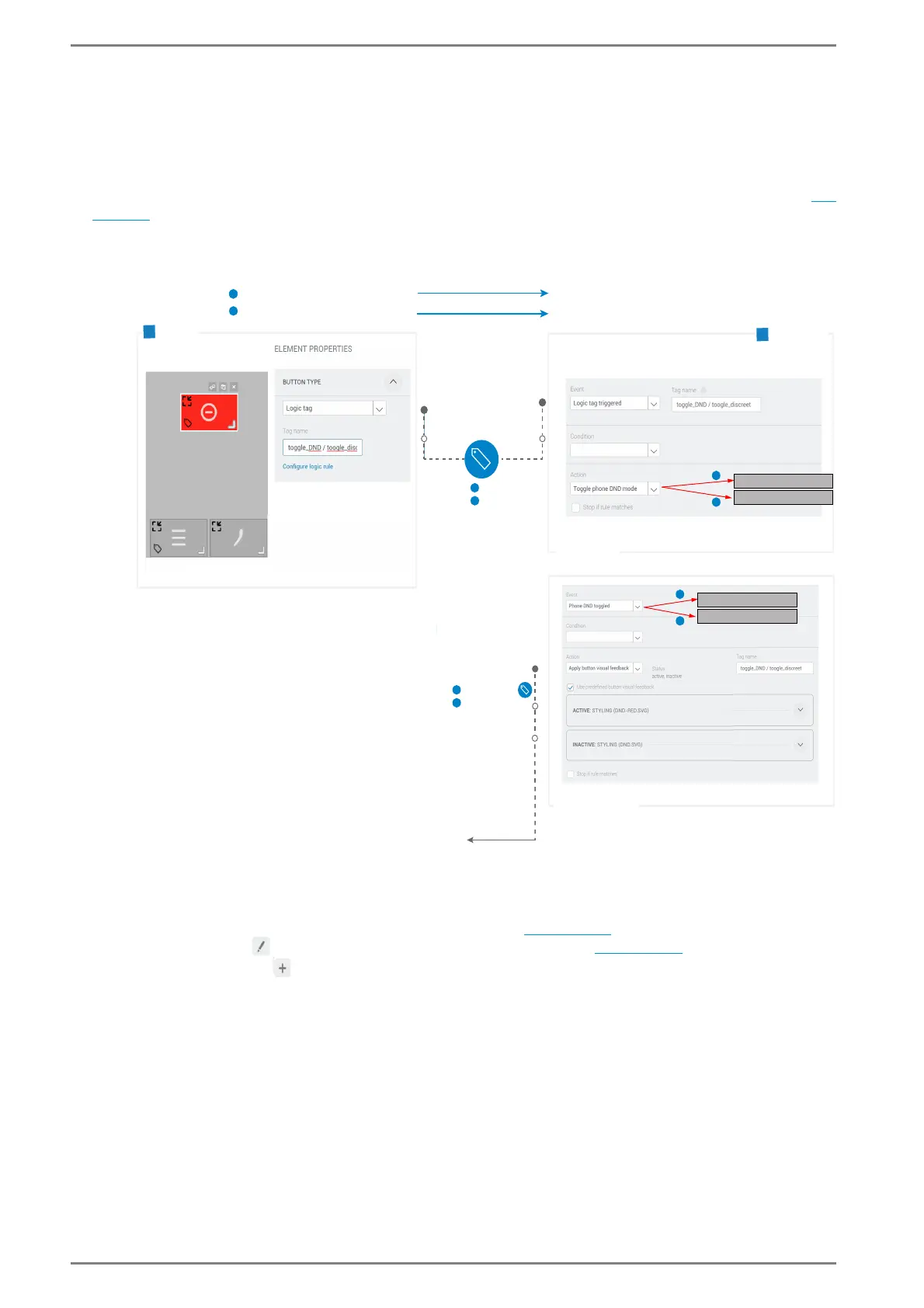
Example 2: Configuration of a DND button or Privacy Mode but-
ton
Configuration of functions with logic tags: By default, the buttons to activate and deactivate the DND
mode
1 (“Do-not-disturb-mode” for phone/SIP) or the Privacy Mode 2 (for Intercom) can be found on
the device in the regarding audio setting screen of the phone function or the intercom function (
see
page 96). You can also create buttons with similar functions on personalized screens. Tapping on this
buttons on the screen toggles the DND mode or the Privacy Mode. The function “button visual feed-
back” will show the regarding status.
Example “Configuration of a DND button”
a Create a button
Go to: Customization > Screens in the web interface (see page 57).
Click on the button to configure the respective keypad sidebar (see page 61).
Click on Add Screen . A new button appears in the screen configuration.
a Allocate a logic tag to a button
Click in the desired button to open the dialogue Element Properties.
In the dialogue Element Properties, click on the tab Button Type.
A
Screen
Toggles phone DND Mode (active, inactive)
Toggles intercom Privacy Mode (active, inactive)
Logic tag
Logic tag
triggered
Triggers logic rule
Tag name: toggle_DND /
toggle_privacy
Logic rule
„My Screen“
2
Visual feedback info statusButton
previewed on
1
Visual feedback
on button
2
Button visual feedback
on tagged button
Tag name: toggle_DND
toggle_privacy
Status: active
Status: inactive
Functionality
B
Press button „toggle_DND“
Press button „toggle_privacy“
1
1
2
1
2
1
2
Toggle intercom privacy mode
Toggle phone DND mode
1
2
Toggle intercom privacy mode
Toggle phone DND mode



 To Next Page