Control Station Duetto Appendix – Examples
2.0/0518 151
Define a logic rule: Open door
With this rule, a door opener signal connected with digital “Input #2“ can be sent to determined door
station.
Go to: Customization > Logic Rules in the web interface (see page 66).
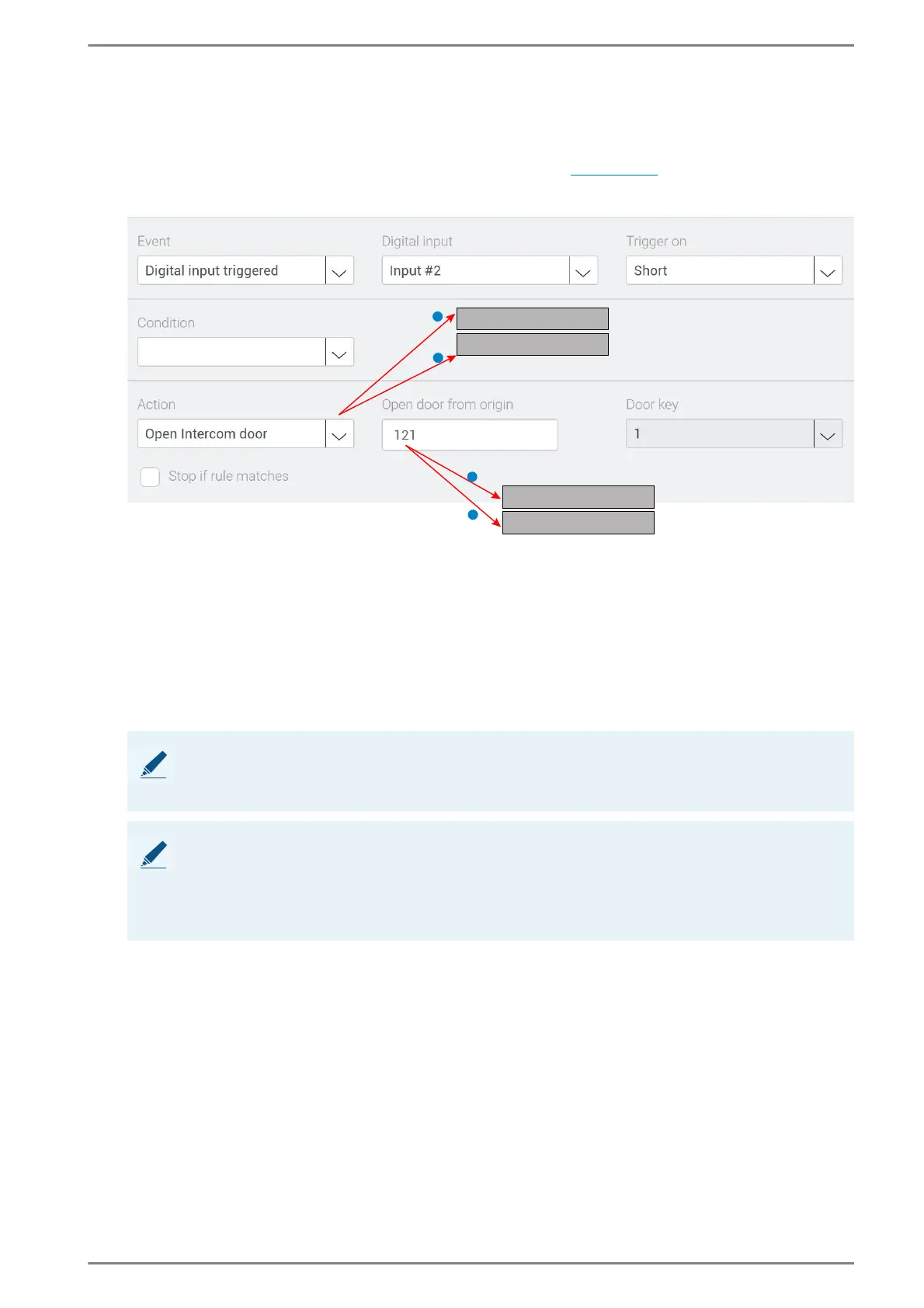
Add a new logic rule. See the following screenshot:
This logic rule opens a determined door
Select the Event “Digital input triggered”.
Select the Digital input which is connected to the external door opener switch.
Select Trigger on “Short“. The door open signal is transmitted on closed contact of the switch.
Select the Action “Open SIP Door” 1 or “Open Intercom door“ 2.
In the field Open door from origin, enter SIP-URI or Intercom call number from the desired door
station (e. g. “6000@10.10.1.119:5060”
1 or “121” 2).
In the field Door key, select the door key 2.
➥ Click on Save.
NOTE: Door opener works only with an established connection
To open the door, a connection between door station and the DUETTO device has to be established. The
operator has to accept the call before he can use the door opener switch.
NOTE: Open door from origin
Following settings are possible:
Any: The regarding door opener opens for any in the network connected station.
Intercom call number / SIP-URI: The regarding door opener opens only for defined intercom call
number or SIP-URI.
1
2
1
2
Open SIP door
Open Intercom door
6000@10.10.1.119:5060
121



 To Next Page