Control Station Duetto Web interface – Network
2.0/0518 27
CA certificate: Click on UPLOAD to upload the CA certificate with which the validity of the
authentication server can be verified.
802.1x mode- EAP-MD5:
The 802.1X function is enabled with the “Extensible Authentication Protocol” EAP-MD5.
If the 802.1X authentication mode “EAP-MD5” is selected, the following additional fields appear:
Username: Enter the appropriate user name.
Password: Enter the appropriate password..
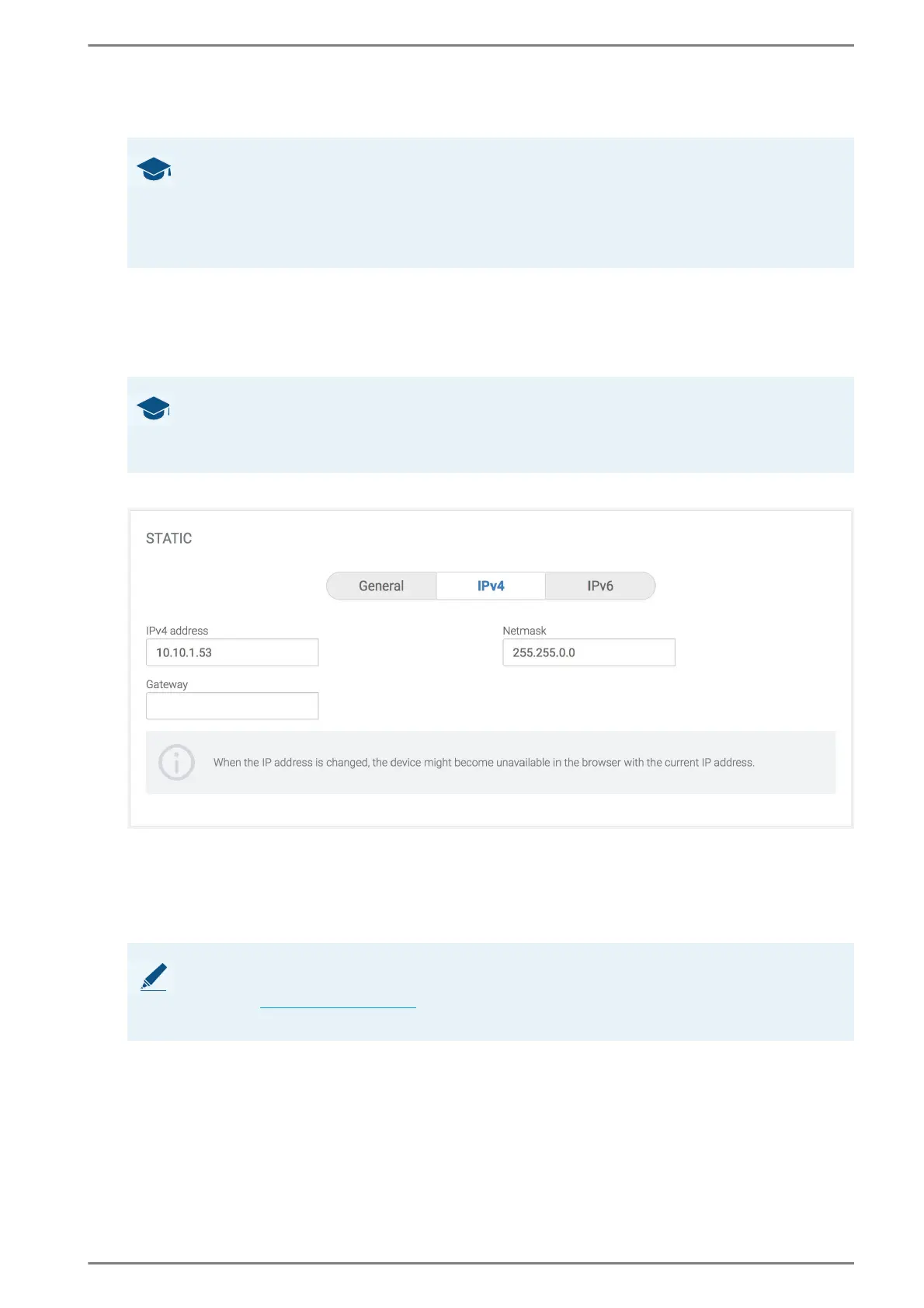
Static > IPv4
To enable this section and to configure the IP addresses manually, select the option box Static.
IPv4 address: In this field, enter the IPv4 address of DUETTO (dot-decimal notification).
Netmask: In this field, enter the subnet mask of DUETTO (dot-decimal notification).
Gateway: In this field, enter the gateway IP address of DUETTO for reaching IP addresses out-
side the local subnet.
GOOD TO KNOW: What is EAP-TLS?
“EAP Transport Layer Security” (EAP-TLS) is an IETF open standard that uses the Transport Layer
Security (TLS) protocol and is defined in RFC 5216. With EAP-TLS, the client certificate is used to guar-
antee a trusted authentication between the DUETTO device and an authentication server, on which the
corresponding server certificate is stored. Both certificates must be signed by the “Certificate Author-
ity” (CA).
GOOD TO KNOW: What is EAP-MD5?
EAP-MD5 is an IETF-standard-based EAP method and is defined in RFC 2284. EAP-MD5 is a low-secu-
rity authentication method that does not support key generation. It only provides unilateral authentica-
tion of the client, but not mutual authentication.
NOTE: Web interface must be reloaded
When the IP address has been changed, the web interface has to be reloaded so that the new IP address
can be used (
see ”Login” on page 20). Make sure that the IP configuration of the DUETTO device is cor-
rect. Otherwise, the web interface cannot be reached.



 To Next Page