Web interface – Customization Control Station Duetto
70 2.0/0518
ICX message received
(only Intercom)
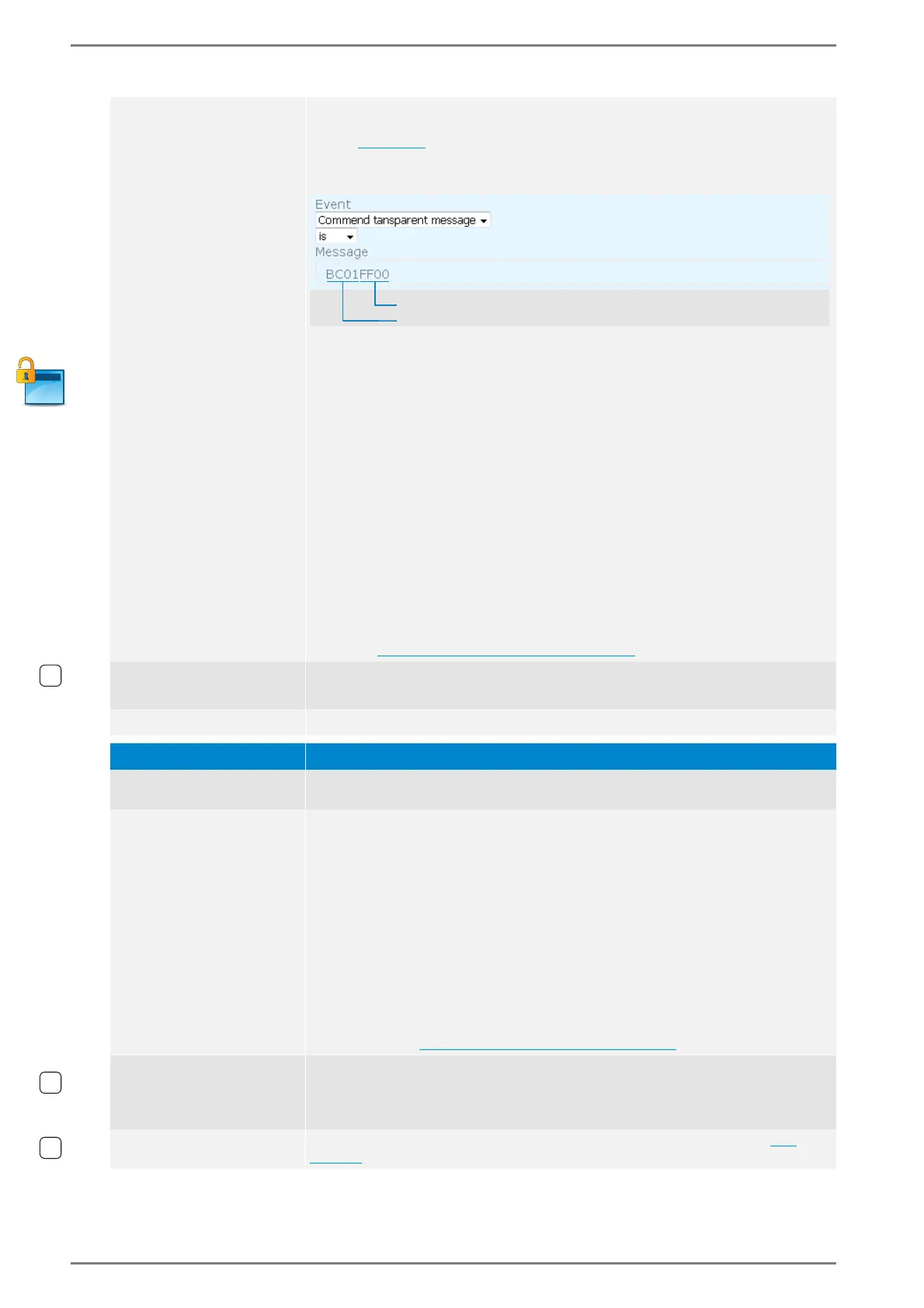
This event is fulfilled if the DUETTO device receives an ICX message with task
“81”, type “04”, string “BC01” and a freely definable data string (ICX message
syntax see below). In the field Message, enter the string “BC01”, followed by
the data string that triggers this logic rule (in hex; even number of characters
required). See the following illustration:
The data part of the ICX message consists of a constant and a freely definable
string
NOTES:
Do not enter spaces in the field Message.
If the field Message is empty, the event is fulfilled by each incoming ICX mes-
sage with the task “81” and type “04”.
Syntax incoming ICX messages
00 81 00 04 TTTT TTTT BC01 data
TTTT TTTT
8-digit call number of DUETTO in Intercom mode (leading,
empty digits are filled with “F”)
BC01 Constant string
data Freely definable data string (in hex; even number of charac-
ters required)
NOTE: For further information about the configuration of ICX messages, see
manual “ICX Protocol”.
In the field Message, wildcards can also be used. For more information about
wildcards see ”
Wildcards (variables)” on page 75.
Intercom registration
error
This event is fulfilled when the DUETTO device fails to register with an Inter-
com server.
Intercom privacy toggled This event is fullfilled when the intercom privacy mode is toggled.
Event > Others Function
Digital input triggered
This event is fulfilled if the selected input level in the drop-down list Trigger On
is detected at the selected input in the drop-down list Digital Input.
Value changed in
database
(for connection to third-
party systems)
This event is fulfilled if the DUETTO device receives an HTTPS request that con-
tains the freely definable values entered in the fields Key in database and
Value in database. Structure of the required incoming HTTPS request:
https://<IP address>:8080/keyvalue/set?key=<myconfigured-
key>&value=<myconfiguredvalue>
The following parameters have to be entered for a SIP subscriber:
<IP address>: IP address of DUETTO.
<
myconfiguredkey
>: Freely definable key that has to be entered in the field
Key in database.
<
myconfiguredvalue
>: Freely definable value that has to be entered in the
field Value in database.
For Value in database also wildcards can be used. For more information
about wildcards see ”Wildcards (variables)” on page 75.
Inactivity timeout
expired
This event is fulfilled when the selected timeout in the drop-down list Timeout,
has been exceeded while no display touch, gesture control or call interaction
occurred on the DUETTO device. The timeout will be reset after the last display
touch, gesture control or call interaction.
Home button clicked
This event is fulfilled when the home button is tapped on the display (see
page 94).
HTGGN[FGƂPCDNGFCVCRCTVKPJGZGXGPPWODGTQHU[ODQNUTGSWKTGF



 To Next Page