76
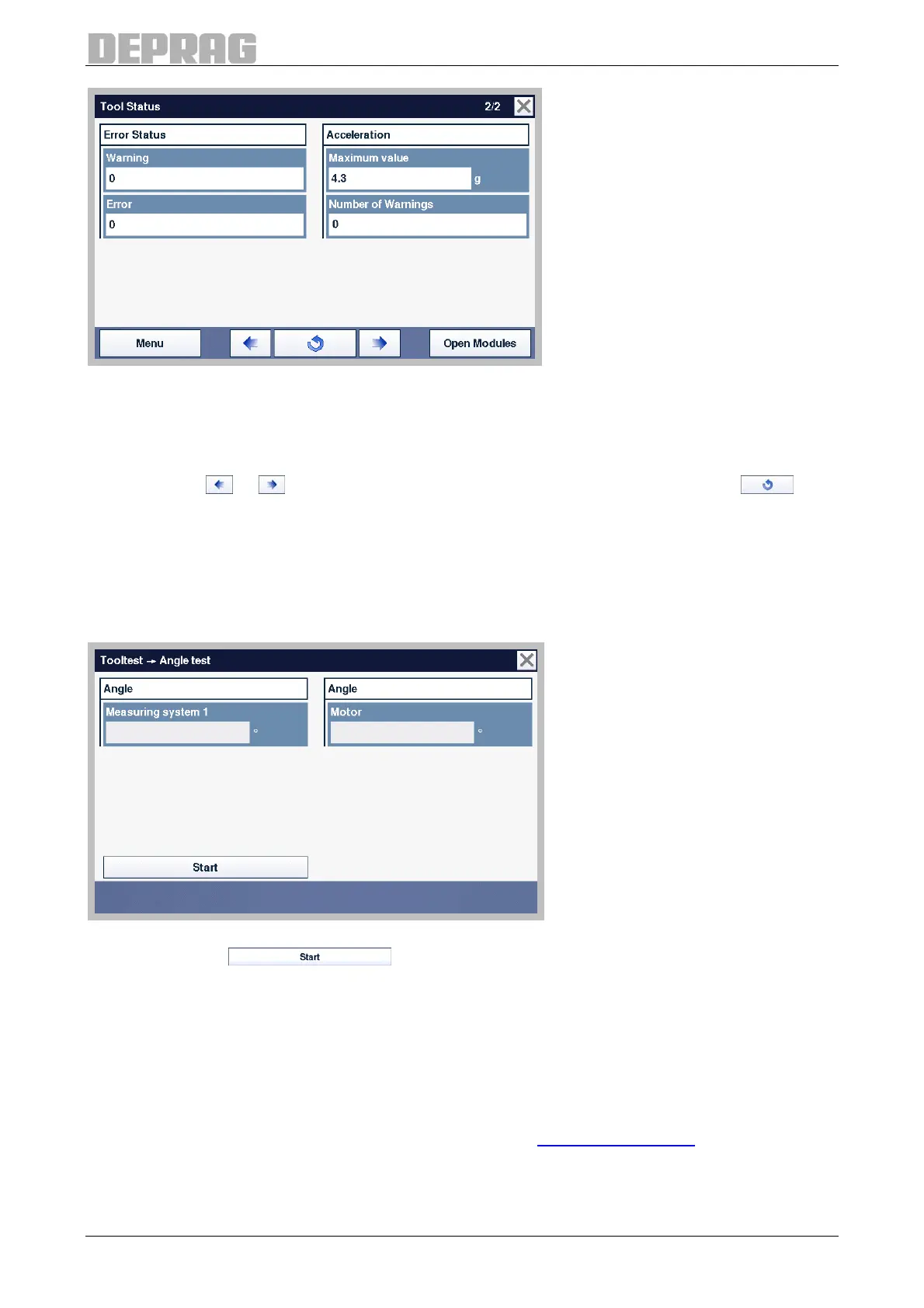
Figure 64: Tool status – Page 2
Any warnings and errors are displayed on the left.
The maximum acceleration to which the MINIMAT–EC-Servo screwdriver was exposed is
displayed on the right.
Press the key
or , to reach the next tool status page. Type on the button , to
update the data.
9.2.7.2 Tool test
In the menu Tool test the angle measurement of the connected MINIMAT–EC-Servo
screwdriver can be checked.
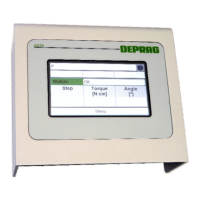
Figure 65: Tooltest
Press the button , to start the angle test. Turn the drive of the
MINIMAT–EC-Servo screwdriver. The real value of the current measurement system and
the real value of the motor measurement will be displayed. To end the task press stop.
9.2.7.3 I/O interface
All the inputs and outputs as well as the voltages at the interfaces SPS1 (GX2) and SPS2
(GX3) for the AST40 sequence controller are tested in the I/O Interface menu. The
complete interface description can be found in section 6.2.7 I/O interfaces.


 To Next Page