Setting the Connection with the Computer
106
4. Useful Functions
D
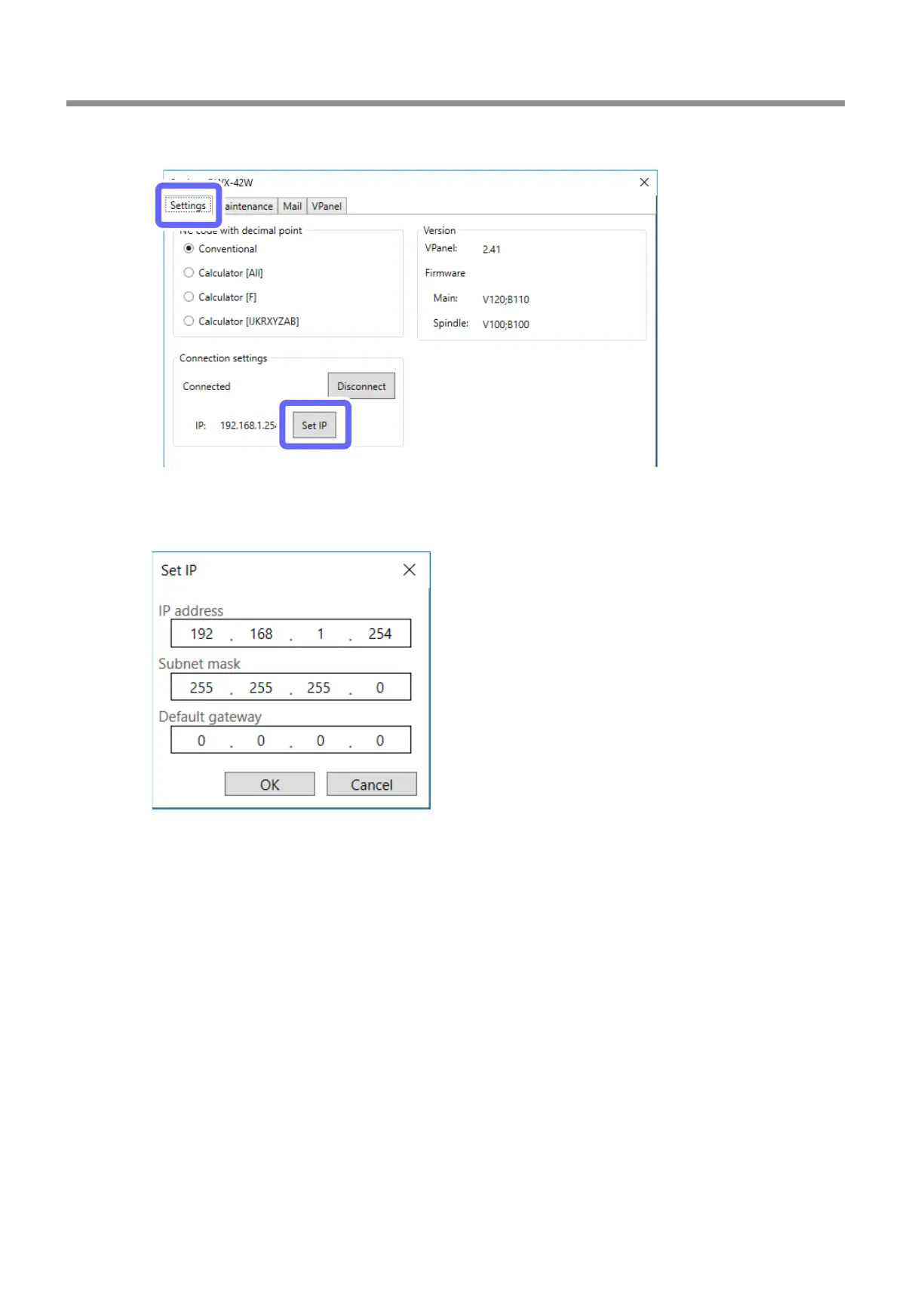
Click the [Settings] tab, and then click [Set IP].
E
Enter the IP address, subnet mask, and default gateway.
Enter arbitrary numbers after checking with your network administrator. The values conrmed in step 2.-
A
are
acceptable.
The input information here is for example use only.
F
Click [OK].



 To Next Page