Manuale operativo
CHORUS
64 Rev. 0 del 06/2012
INSERTION THROUGH MANUAL EDITING
ATTENTION
The Insertion mode must be enabled.
Bar positioned on empty test code
When the selection bar is positioned on a line without a
test code, and the operator wants to insert a test
manually:
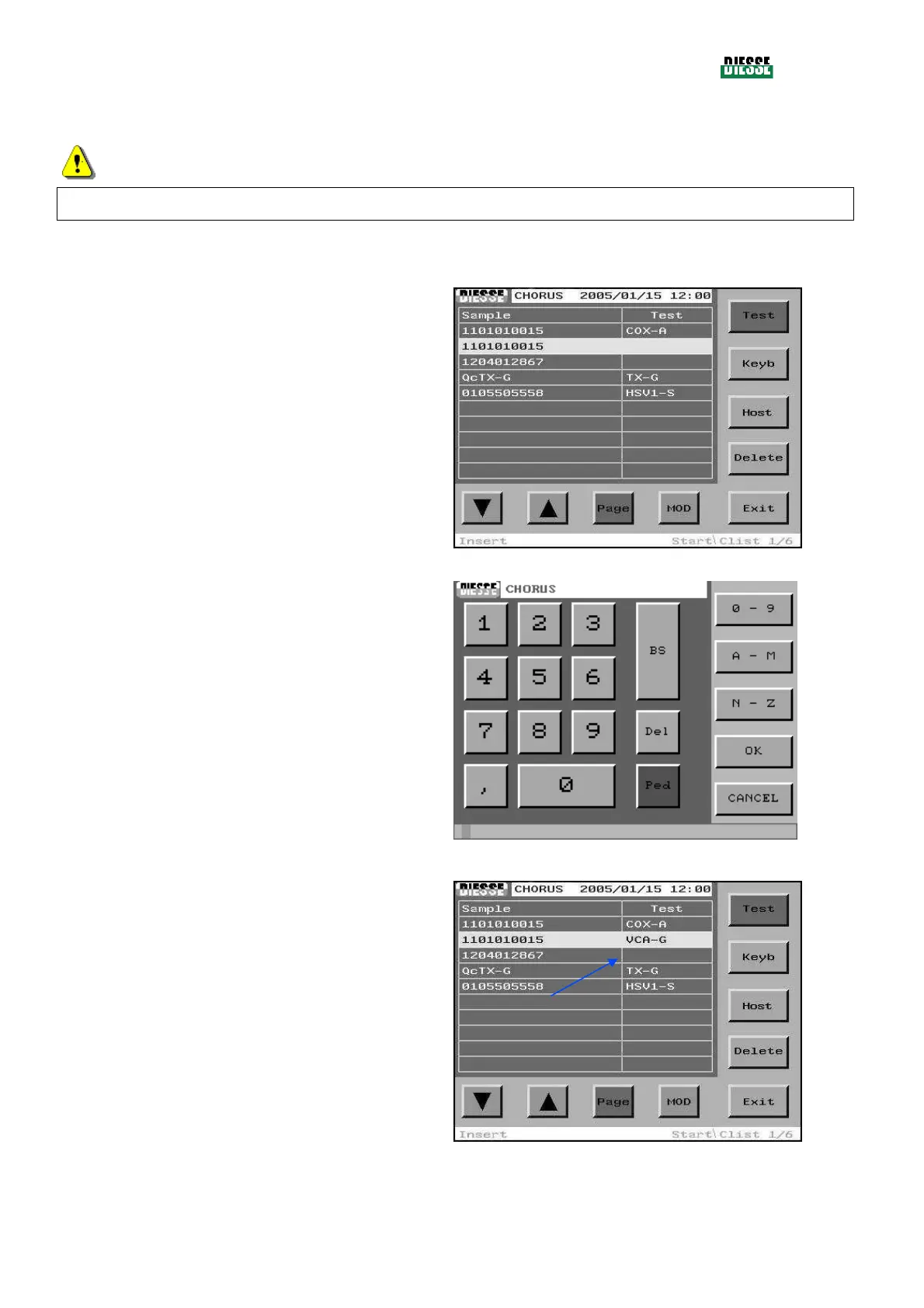
Press the Keyb key.
fig. 62
Insert the code manually in the editing window.
To save and exit, press the OK key (to exit without
saving, press Cancel).
fig. 63
The new test code is introduced in the selected
position.
fig. 64



 To Next Page