Manuale operativo
CHORUS
66 Rev. 0 del 06/2012
INSERTION OF STRIP CODES IN THE HOST MODE
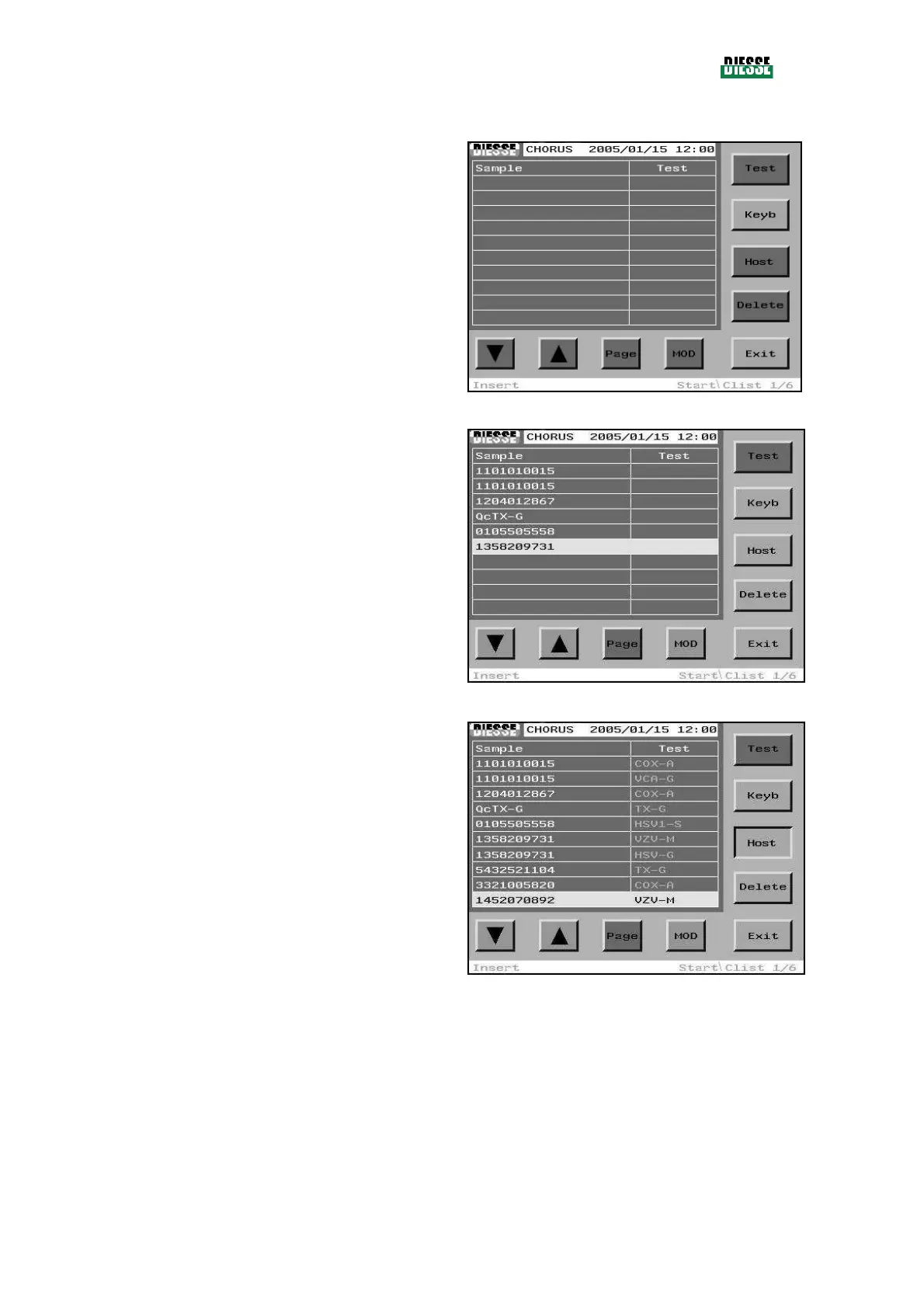
Open the C-list window.
In the example shown in the figure the C-list is
completely empty, but some associations could also be
present (associations already present will not be
considered by the connection to the Host).
fig. 68
Compile the C-list introducing the sample codes (using
the barcode reader or manual editing) and then enable
the connection to the Host Computer, through the Host
command.
fig. 69
After a few seconds the J-list (Job List) will appear, in
which each sample is associated with one or more test
codes to be performed.
The magenta color indicates that the Host has only sent
the test codes (temporary codes).
The blue color indicates a pediatric sample (this
characteristic is not used at the moment, see 4.4.1).
The maximum number of associations allowed in the C-
list is 60 (any associations above this number will not be
considered by the system).
Since the system can not perform more than 30 tests in
a run (as the carousel can contain a maximum of 30
strips), the associations which are not processed in the fig. 70
first run will remain saved in the J-list, to be processed successively; the identification procedure which precedes
the RUN in fact individuates the associations and performs the tests, eliminating the tests performed from the J-
list. After re-opening the J-list, it is clear that the tests already performed have disappeared, and this continues
until its complete execution.



 To Next Page