Technical data
254 Instructions for use Perseus A500 SW 2.0n
Typical data volume:
– Update of the device firmware: typically 50 MB
– Help ticket (system log for service purposes):
typically 3 MB
While using the service functions, the device
typically causes an average network load of up to
150 KB/s. During normal use, the bandwidth used
is negligibly low.
Hazardous situations
RS232 interface
The RS232 interface supports the MEDIBUS.X
protocol. MEDIBUS.X is a communication protocol
for data exchange between Perseus and, e.g., the
following external medical or non-medical
equipment:
– Hemodynamic monitor
– Data management system
– Computer
– RS232 to Ethernet converter
The transferred data include the following
information:
–Settings
– Measured values
– Waveforms
– Text messages
– Alarm status
Take note of the documentation for the following
communication protocols before transferring the
data:
– MEDIBUS.X, Rules and Standards for
Implementation (9052607)
– MEDIBUS.X, Profile Definition for Data
Communication V1.n (9052608)
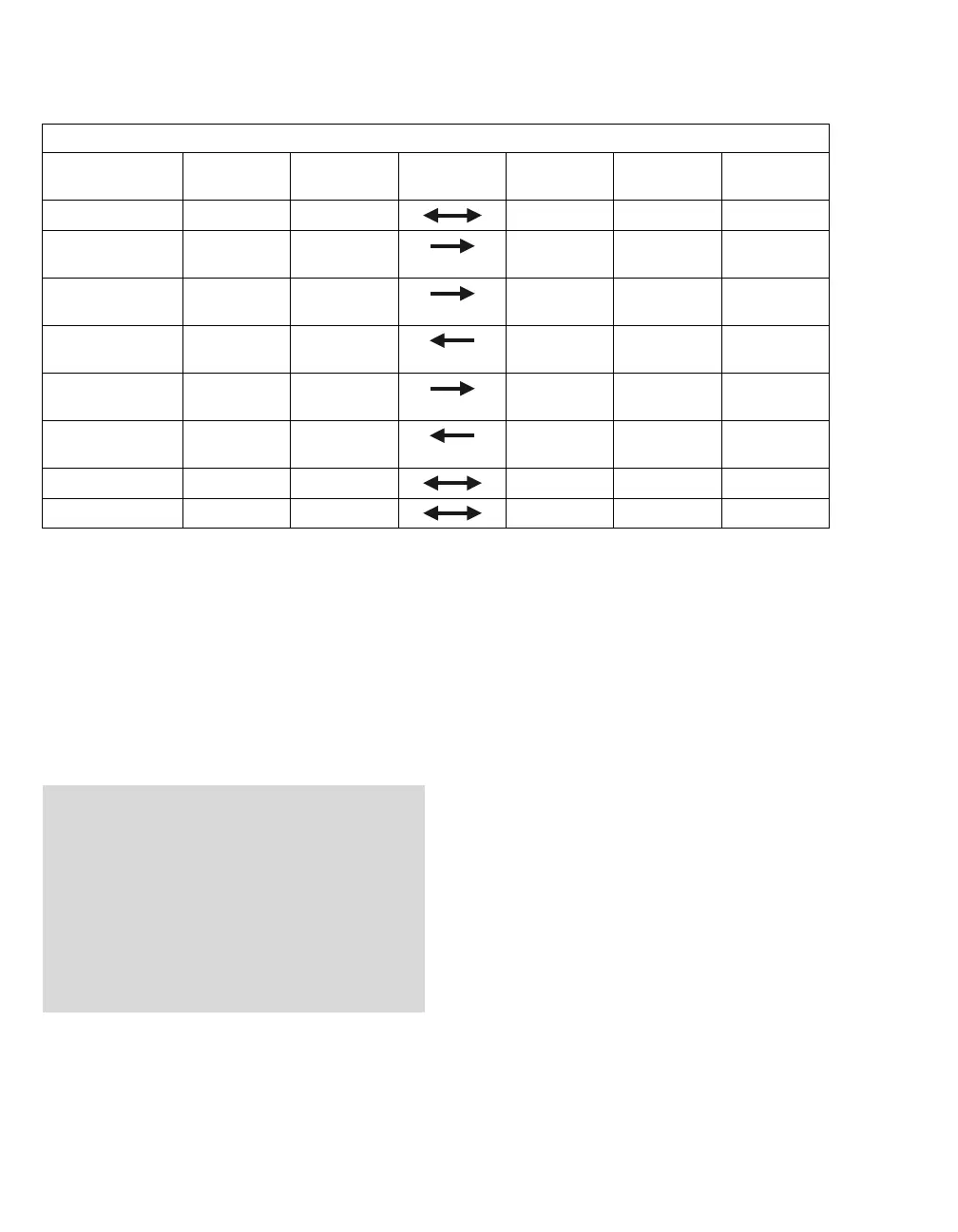
Connections between Perseus and the DrägerService computer or the NTP server
Function Protocol Perseus
port
Direction Remote port Remote
partner
Connection
SNMP V3 UDP 161 >1023 SCG
TCP SNMP V3
(trap)
UDP >1023 162 SCG
FTP
(command)
TCP >1023 21 SCG New, estab-
lished
FTP
(command)
TCP >1023 21 SCG Established
FTP
(data)
TCP >1023 >1023 SCG New, estab-
lished
FTP
(data)
TCP >1023 >1023 SCG Established
SNTP UDP >1023 123 NTP server
DHCP UDP 67 67 DHCP server
NOTE
Risk when using the device in an overloaded
network
An overload of the device due to high network
loading (e.g., caused by denial-of-service
attacks) may lead to a shut-down of the device-
side network interface. The interface will not be
available again until the device is restarted. This
function is used to protect the primary functions
of the device against unauthorized intrusion.















 To Next Page