3-16
Turning Channels On/Off
Turning Channels On/Off
Select channels
to display
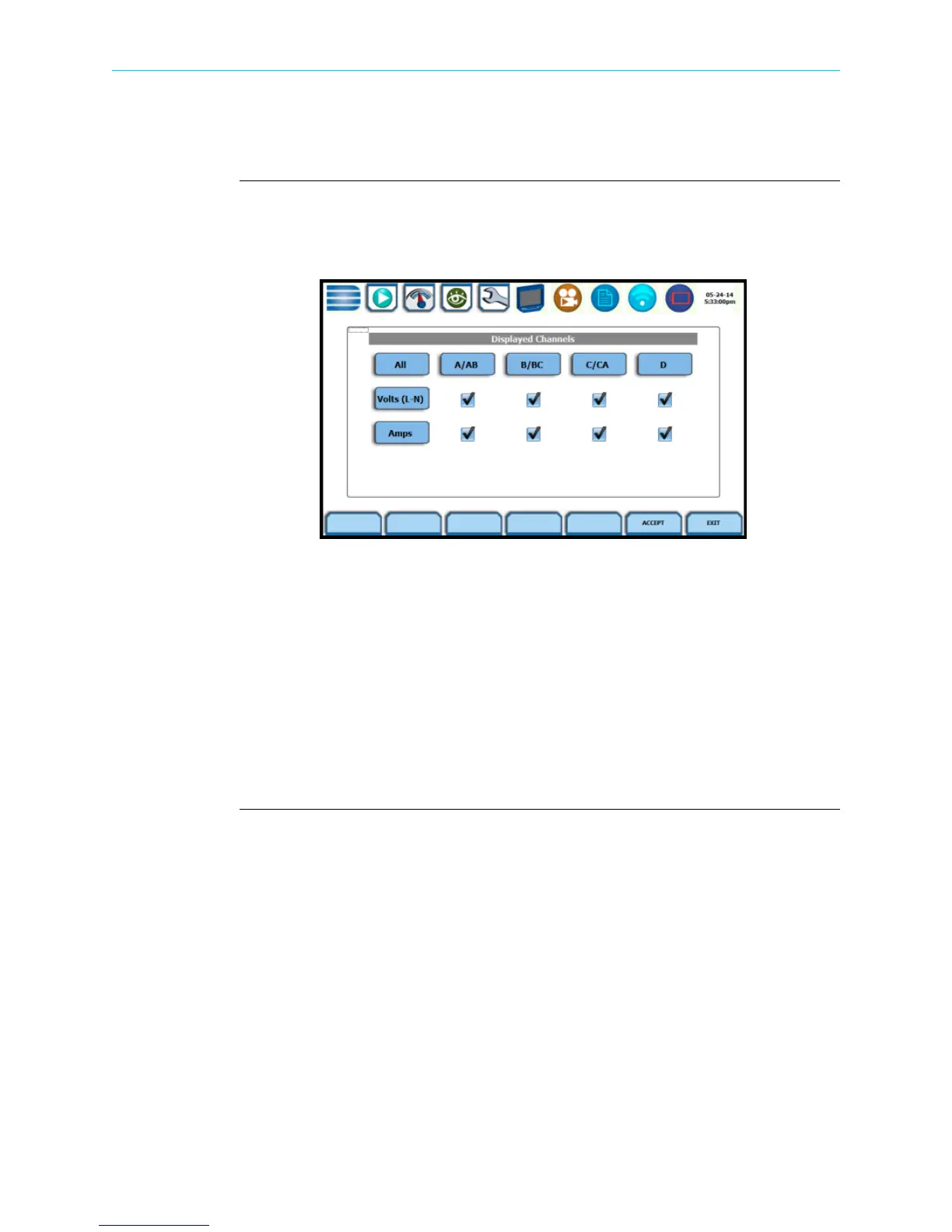
From Scope mode, press Select Channel to turn Volts/Amps channel selection on/off.
The pop-up window lets you select which channels will appear in the Scope mode
display.
Doing any of the following actions will turn channels on/off:
• Press the desired Volts/Amps to turn it on/off.
•Press Volts or Amps to turn on/off all channels of that parameter.
•Press All to turn on/off both the Volts and Amps for all channels.
•Press A/AB, B/BC, C/CA, D to turn on/off both the Volts and Amps for that channel.
Press Accept to save any changes made and return to Scope mode. The channels will
be as displayed in the check boxes.
Press Exit to return to Scope mode without changing any of the displayed channels.
HDPQ-314
Shop for Power Metering products online at:
1.877.766.5412
www.PowerMeterStore.com


 To Next Page