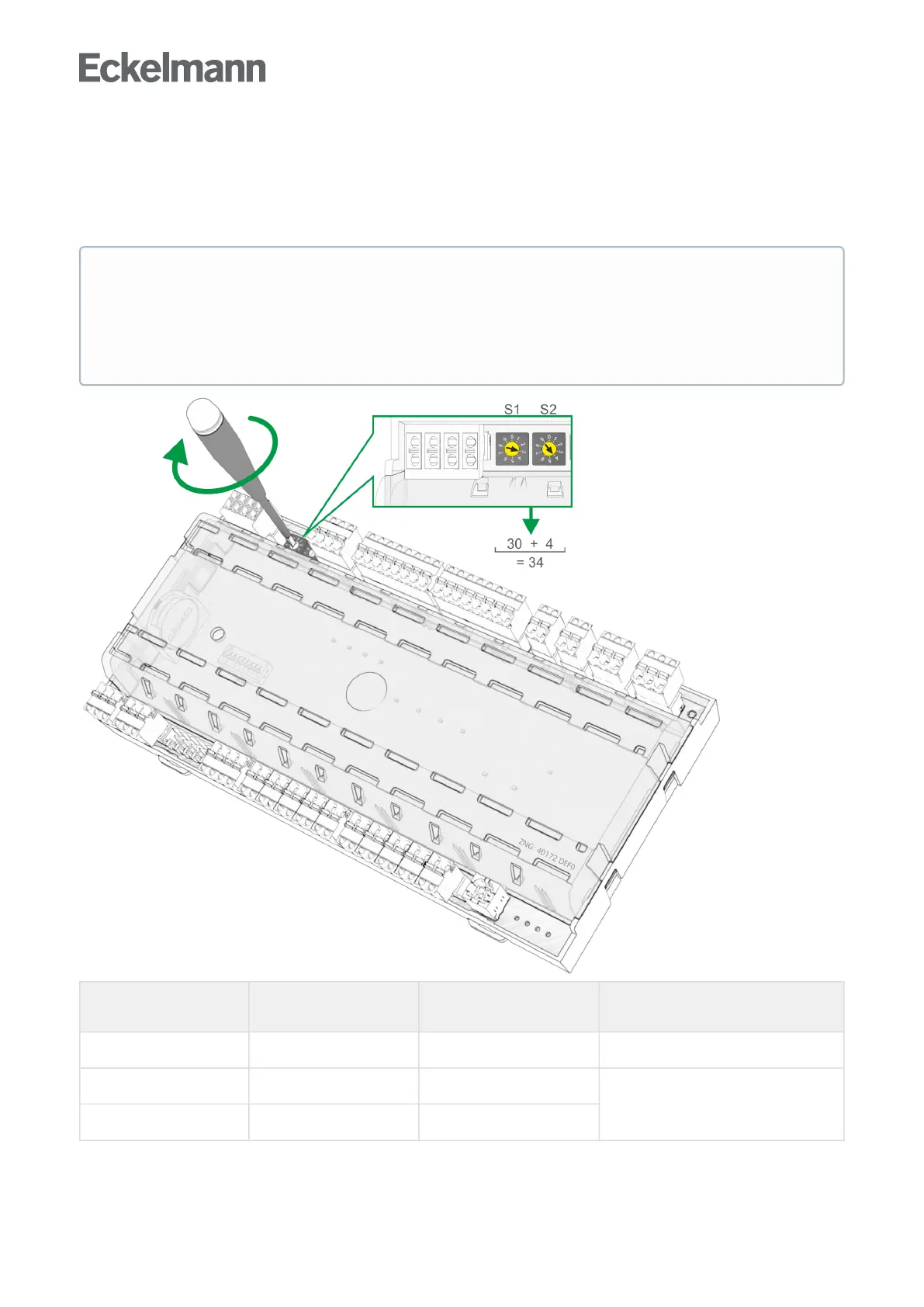
6.2.1 Setting the CAN bus address
Setting of the CAN bus address (Kn.nnn = 1..99) is performed using the two decade switches S1 and S2. An
individual CAN bus address must first be set at the two decade switches on all case controllers that are
installed in refrigerated cases beforecommissioning.
S1
(10 position)
S2
(1 position)
Configured
CAN bus address
Function
0 0 00 CAN bus interface inactive (disabled)
0 1..9 01..09 Case controller: CAN bus address
assigned
1..9 0..9 10..99
ATTENTION
Risk of confusion!Inordertoavoidmix-ups,itisrecommendedtousethepositionnumberofthe
refrigerated case as CAN bus address. A different CAN bus address that must be unique in this system
must be allocated to each refrigeration point. The CAN bus address is inactive if both decade switches
aresetto0(i.e.theaddressis00).Thecontrollerisnotrecognisedasabusnode.



 To Next Page