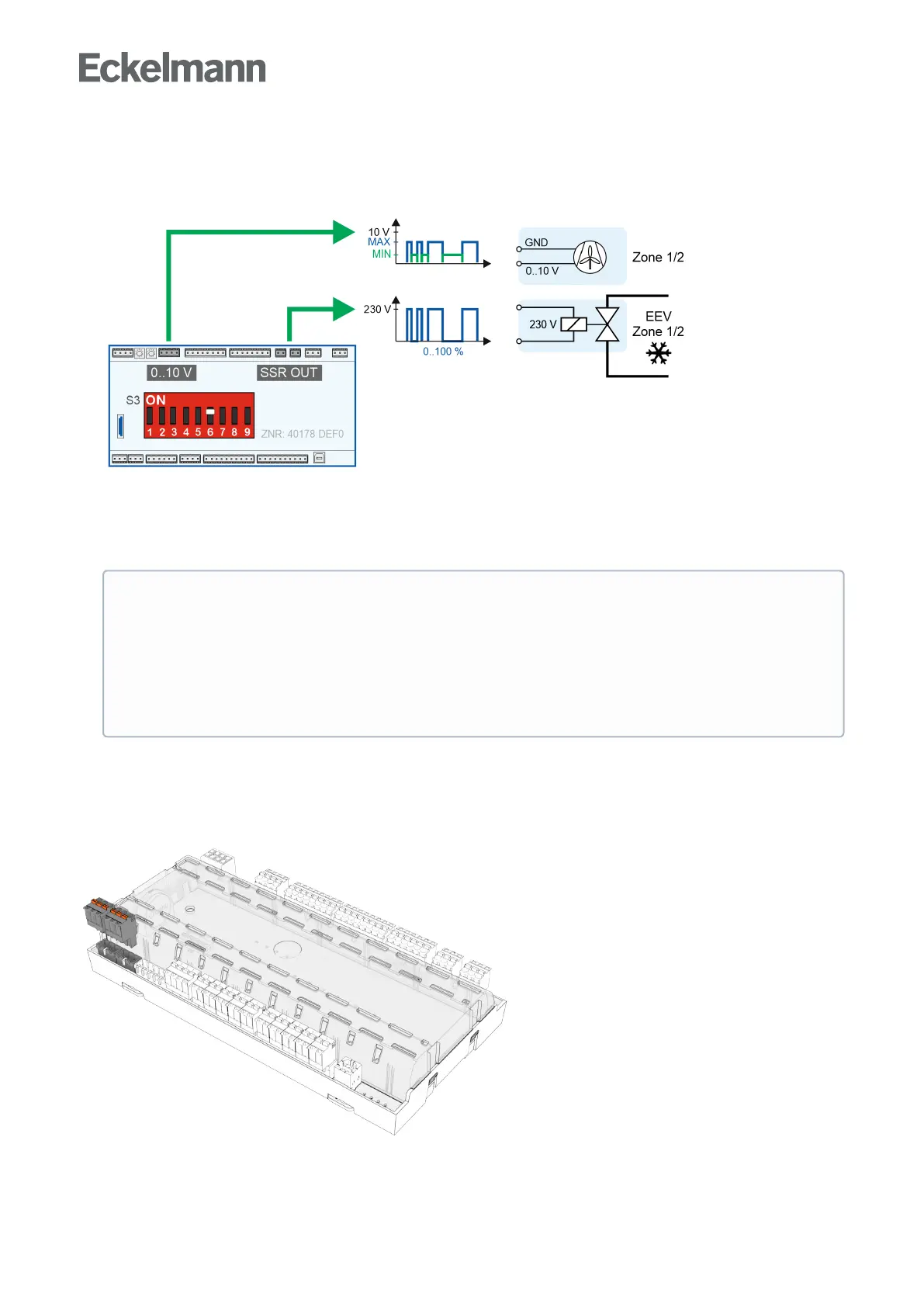
• Output of fixed analogue values (coding switch 6 = ON)
The output of fixed analogue values (0..10 V) at the two analogue outputs for the control, e.g. of a fan speed
of 0..100%:
Analogue values of 0..100% (corresponds to 0..10 V) can be set for each zone in menu 2-1-1 and 2-1-2:
- Parameter Kühl. ein AOUT: cooling switched on; e.g. a high (maximum) fan speed is required during
cooling operation.
- Parameter Kühl. aus AOUT: cooling switched off; e.g. a low (minimum) fan speed is required.
5.13 Light control
The case controller is equipped for activating the case lighting / night blind. Activation is carried out via the
transistor output 1 (terminals 81/82, see chapter Belegung der 24 V DC-Transistorausgänge).
ATTENTION
If a fixed analogue value is required (coding switch 6 = ON), the parameter "Freigaberel." must
also be set to "OFF" so that the two expansion valves for cooling are controlled.
Failure of the cooling: If the parameter "Freigaberel." is set to "ON" (for details, see chapter
Enable relay for motor expansion valves) andthe coding switch 6 = ON, then there is no possibility
for control of the expansion valves!



 To Next Page