•
•
1.
2.
3.
5 Function UA 4xx E
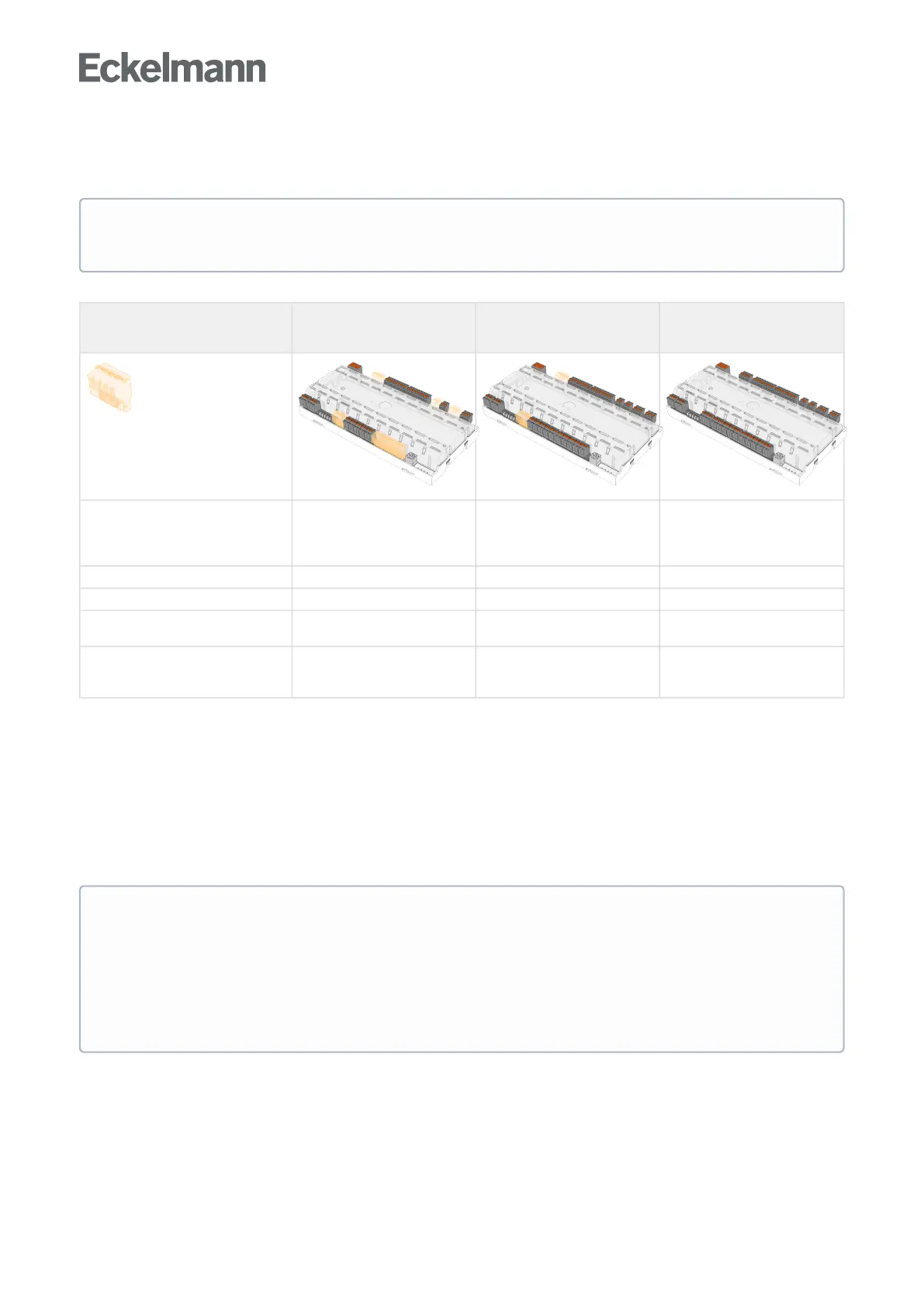
The range of functions provided below describes the complete design UA 410 E AC in two-zone operation; for
more details, see chapter Versions.
Distinguishing features UA 4xx E
UA 401 E CC
UA 400 E CC UA 410 E AC
(complete design)
= terminals not mounted
For details, see chapter Terminal
diagram.
Supported temperature zones
Single-zone operation Single-zone operation
Two-zone operation
Single-zone operation
Two-zone operation
Standalone operation
Number of temperature sensors 5 10 10
Alarm relay - 1 1
Analogue inputs / outputs
-
- 2/2
Real-time clock and archive memory
for data recording
-
- •
5.1 Starting characteristics
The following are distinguished for any start-up of the controller:
First start
Restart
5.1.1 First start- reset controller to factory settings
The first start can be initiated using the following procedure:
Disconnect controller from the power supply for safety reasons (see also chapter Setting the controller type
and other functions) make a note of the DIP switch S3 settings (e.g. OFF-ON-OFF-...).
Adjust settings at the DIP switch S3 (e.g. OFF-OFF-OFF-...).
Power on the controller again and wait approx. 1 minute while the controller starts up.
Functions and parameters that are not available in single-zone operation are (not always) marked
"Only two-zone operation" or similar.
ATTENTION
Caution: data loss!Afirststartcausesallparameterstoberesettothefactorysettings!
A first start is also performed when a different controller version (e.g. UA 400 UA 410 D UA 400 E UA
410 L) is loaded on the controller via firmware update (see chapter Battery replacement). A sensor
scan (Menu 6-1) must be performed during commissioning or after a first start! The sensor scan is the
only possibility to define the sensors to be monitored; see chapter Necessary and optional sensors.



 To Next Page