•
•
•
•
8 Operation UA 4xx E
8.1 Operation possibilities
The controller provides menus and screens for the display and adjustment of values. However, no operation
forthisisprovidedonthecontrolleritself.Theactualoperationofthesemenusisperformedexternallyusing
thefollowingpossibilities:
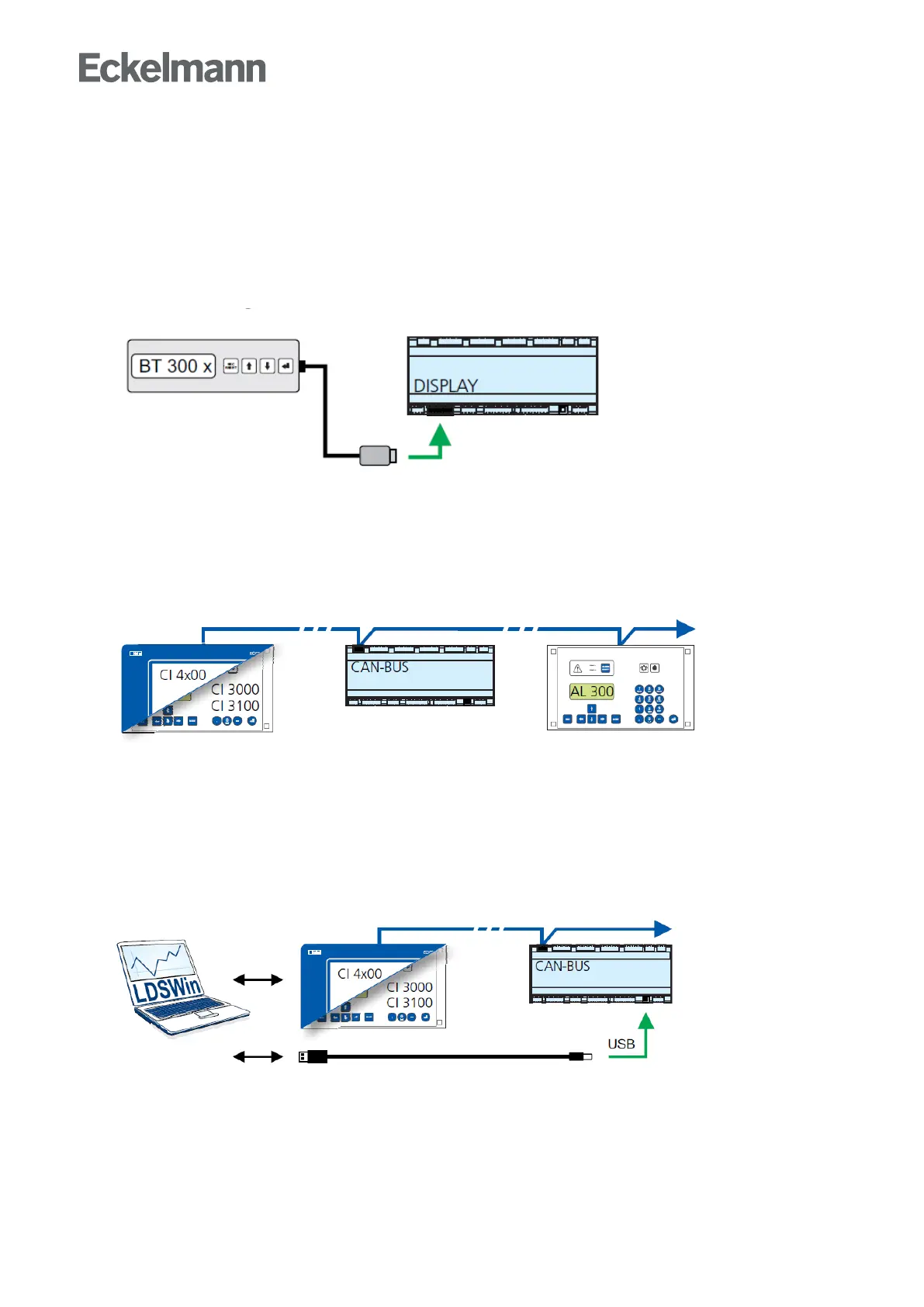
Local operation with a BT 300 x operator interface: The operation is performed directly on-site at the
controllerwithanoperatorinterfaceoftheBT300series.
See chapter Local operation with a BT 300 x operator interfacefordetailsfortheoperation.
Remote control via the terminal: The controller can be operated remotely (e.g. from the machine room)
usingthesystemcentre,astorecomputeroranoperatorterminal.Thecommunicationwiththecontrolleris
performedviatheCANbus
See chapter Remote control via a terminalfordetailsfortheoperation.
Remote control with PC software LDSWin: A PC with LDSWin installed is connected to the system
centreorthestorecomputer.Theconnectioncanbemadehere,forexample,viatheserialinterface,a
modem,anetworkorthePC-CANbusadapter.Inthisway,thecontrollercanbeoperatedveryconveniently
withthePCsoftwareanditspowerfulfunctionssuchascontrolleranalysis,evaluations,storingparameter
sets,creatinglists,etc.
See the LDSWin operating instruction for details about the range of functions.



 To Next Page