8.3.3 Deactivating the input lock-down
Operation via system centre, store computer or operator terminal is only possible for controllers with CAN
busconnection;theremovalofthelock-downisthenapplicableforallcomponentsintheCANbussystem.
Thelock-downisautomaticallyreactivated15minutesafterthelastbuttontap.
Before entering values, the input lock-down must be removed as follows:
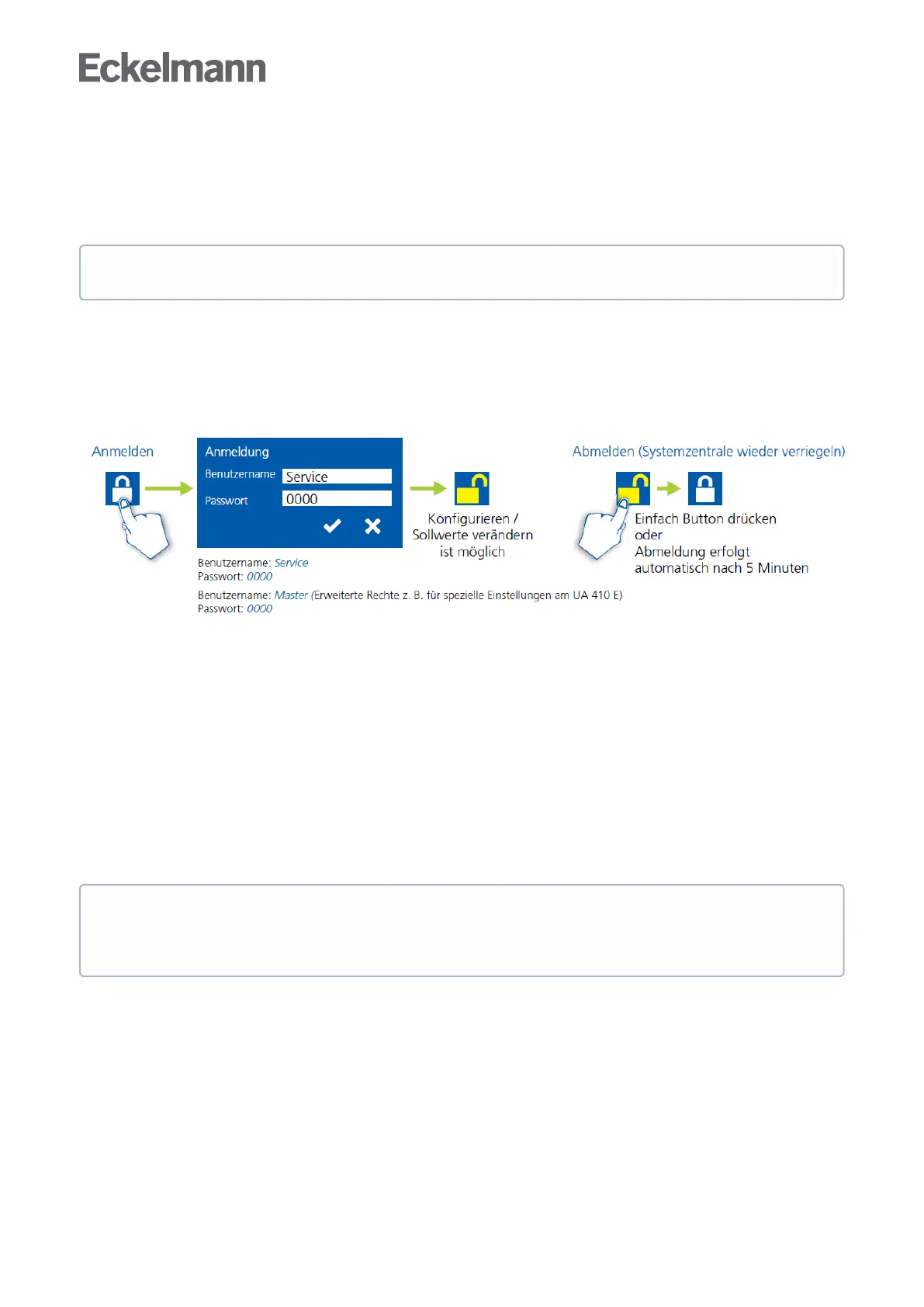
8.3.3.1 System centre CI 4x00..
Login to and logout (unlock and lock-down) of the system centre:
8.3.3.2 Store computer CI 3x00 / operator terminal AL 300
Before entering values, the input lock must be removed from the store computer or operator terminal as follows:
Step 1: Select menu item 9 "Parametrisation" in the main menu.
Step 2: Select menu item 3 "Lock-down" in this menu.
Step 3: A. Unlocking store computer (standard)TaptheENTERbutton(↵)tosetthemarker(√).Thelock-
downhasnowbeendeactivatedanditispossibletomakesettings.orB. Unlocking store computer and
activating Superuser mode (Superuser permissions)Inputcurrentdatebackwards(nothingisshownonthe
display).Example:ThecurrentdateisApril17,2016,i.e.17/04/16;therequiredinputforenablingSuperuser
permissions is then 614071.
Confirm the input with the ENTER button (↵); an "S" is shown on the display.
Step 4: Exit the operating screen and return to the main menu by tapping the ESC button twice.
The release of the lock-down must only be carried out by service personnel.
Tip: If you are already in the user interface of a CAN bus node but have forgotten to release the input
lock-down, you can unlock the input lock-down for this controller using the button combination MODE
and the input lock-down is active again as soon as you exit the user interface of the controller.



 To Next Page