•
•
•
•
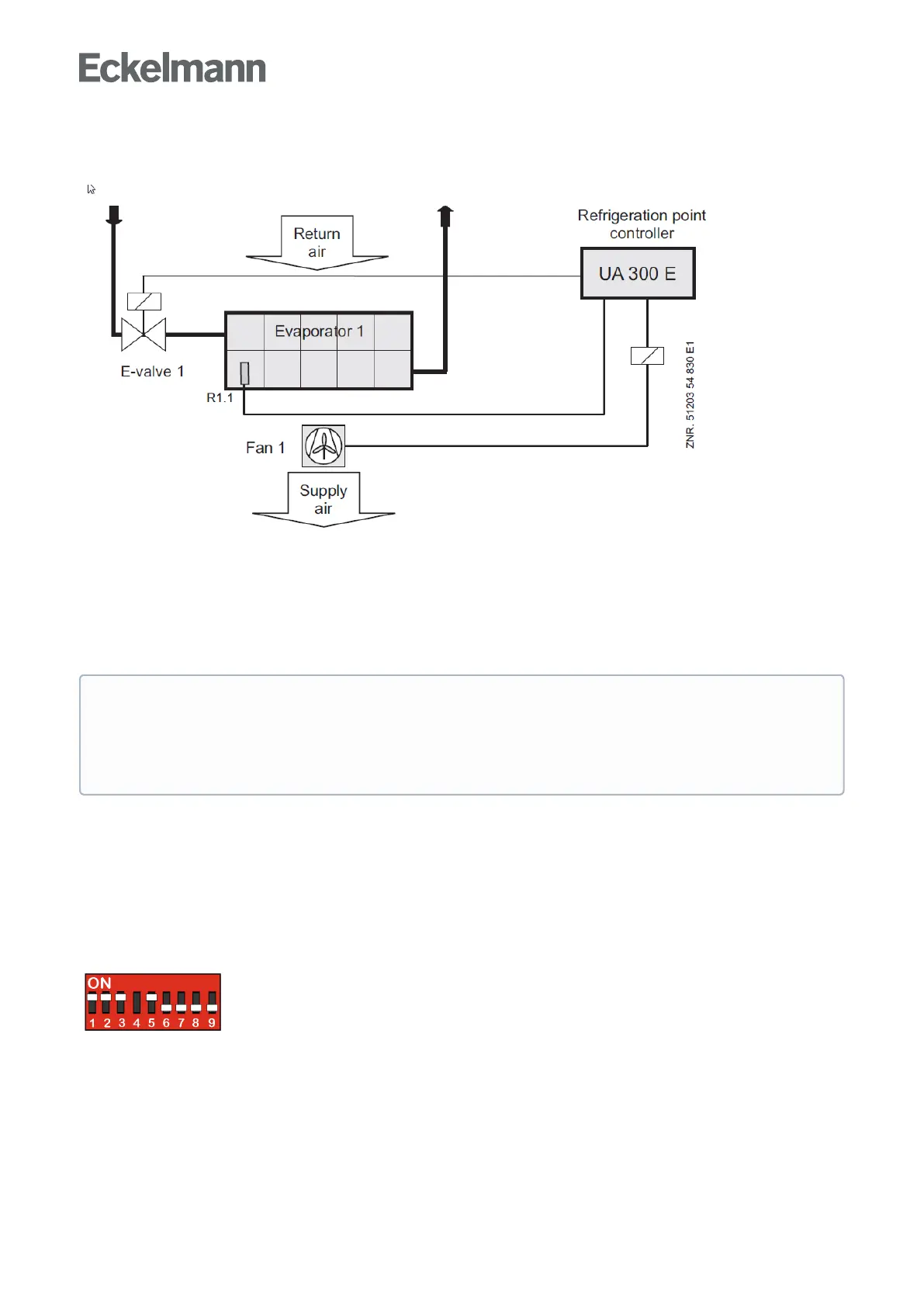
switchingonandoffduringadefrostintwo-zoneoperation.Insingle-zonemodeonlydefrostsensorR1.1
controlsthefanrelay.
R1.1: Defrost sensor (Terminal Z31/Z32)
Expansion valve 1: Expansion valve 1 (Terminal 23/24)
Fan 1: Fan control relay (Terminal 73/74)
When thermal fan start delay is set, the fan does not start for a time after defrosting is terminated so as to
preventwarmairbeingforcedintothedisplaycase.
The fan relay is the inverted type:
when the controller turns on the fan, then the relay contact (73/73) is opened;
when the controller turns off the fan then the relay contact (73/73) is closed.
5.10.3 Fan control - controller type UA 131 E LS with enhanced fan control
The enhanced functions for the fan control must be activated via the DIP switch S3 on the circuit board of the
case controller.
Apart from the terminal assignment of the analogue inputs for temperature sensors, the terminal assignment is
identical to the terminal assignment of the UA 131 E, see chapter Belegung der Analogeingänge für
Temperaturfühler.
The fan relay operates inverted:
if the controller switches on the fan, the relay contact (73/74) is opened;
if the controller switches off the fan, the relay contact (73/74) is closed.
Version 1.10:
IftheFanDelayparameterissetto”--”,thefanwillremaincontinuouslyoff.
From Version 1.11:
IftheFanDelayparameterissetto”--”,thefanwillremaincontinuouslyon.



 To Next Page