1.
2.
3.
4.
5.
6.
Performing the battery replacement
Disconnect case controller and refrigeration point from the power supply. Acknowledge alarm in the higher
level controller if necessary.
Disconnect all plug connectors, remove the device from the DIN rail.
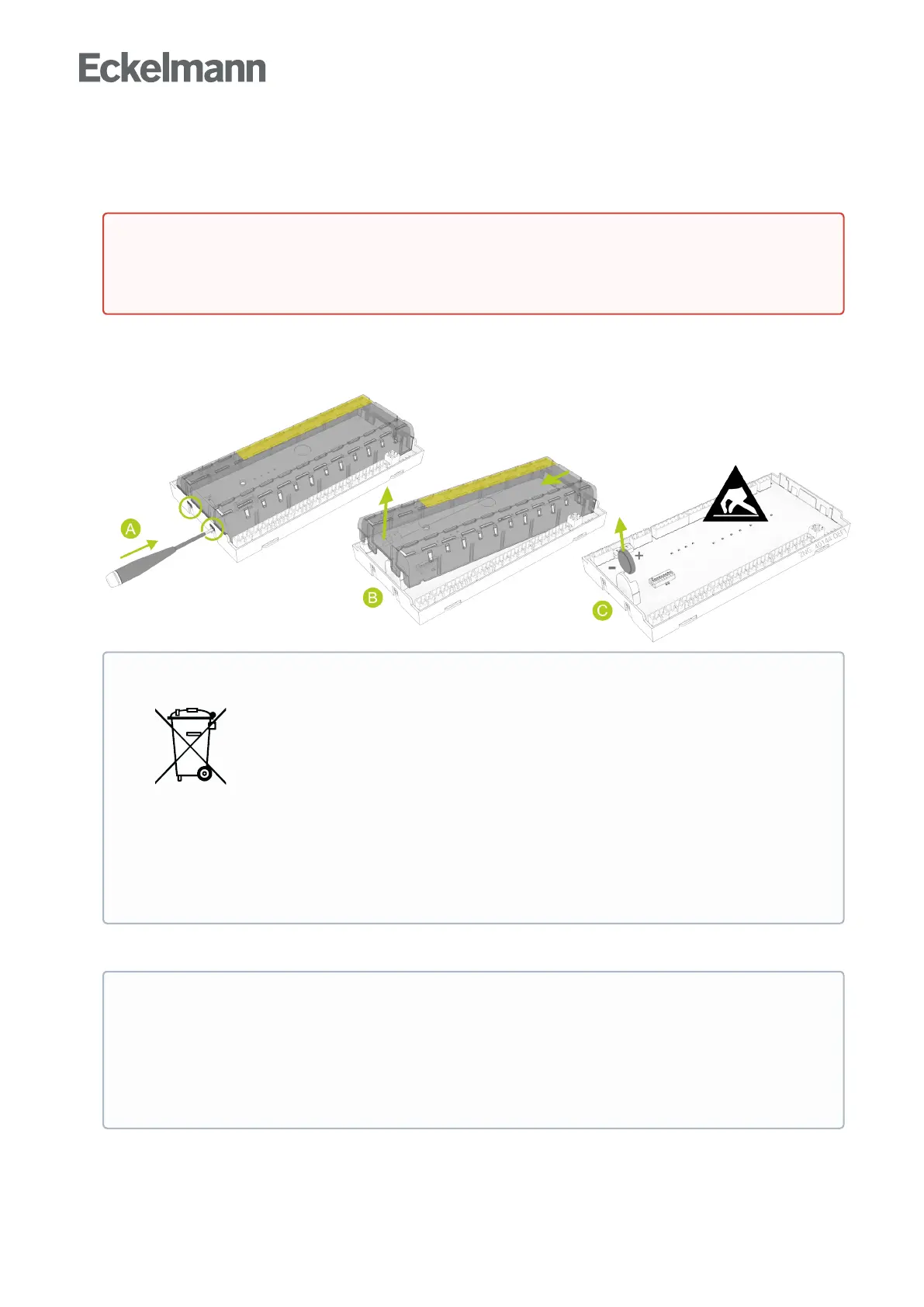
(A)Pushtheplasticlid’stwoleft-handsnaplugsonthesideupwardswithabroadflatbladescrewdriver
and
(B) lift up the lid with a swivelling movement.
(C) Pull the battery (C) upwards out of the battery holder and dispose of it correctly.
Pick up the new battery with a cloth and press it into the battery holder.
Check that the lid is in the correct position and push it down until it clicks into place.
Put device on the DIN rail and attach all connectors again.
DANGER
Warning about dangerous electrical voltage! Danger of electric shock!Avoltageof230VAC
can be present on some connectors.
ATTENTION
The device contains a lithium battery (for
details, see chapter Disposal) that must be
disposed of separately!
Never dispose of this product with other
domestic waste. Please inform yourself about
the local regulations for the separated disposal
of electrical and electronic products and
batteries. The correct disposal of your old
equipment protects the environment and people
against possible negative consequences.
•
•
•
ATTENTION
Do not handle the new battery with metal pliers as the battery can be destroyed by the resulting
short circuit:
wipe with a clean and dry cloth.
do notholdontheedgecontactareas,
observing polarity.



 To Next Page