80
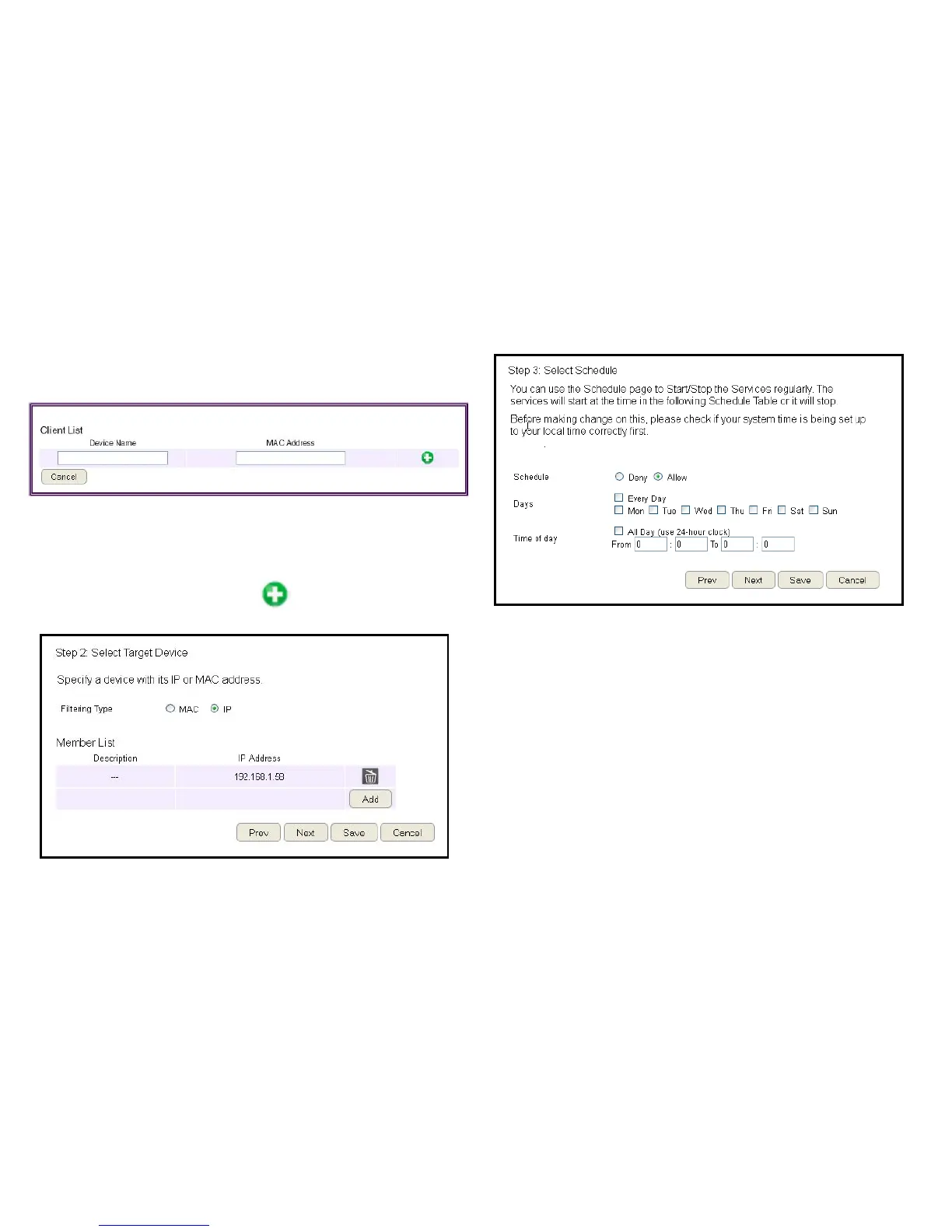
5. Setting up a schedule for the router services.
To set up a Service Schedule,followthesesteps:
a. Select Allow from the Schedule option.
b.Clickthedaysthattheschedulewillbeactive.
c.Enterthetimeperiodthattheschedulewillbeactive.
6.ClickPrev to return to the previous screen, Next to continue
the procedure, Save to save the changes, or Cancel to stop
the procedure.
To add a device to the Member List, follow these steps:
a.ClickMAC or IP from the Filter Type option.
b.ClickAddtoshowtheaddclientdialog.
c. Enter the name of the device in the Device Nametexteld.
d.EntereitheraMACaddressoranIPaddressintheAddress
elddependinguponwhichltertypeyouchose.
e.ClicktheAdd Device Button to close the screen and
addthedevicetotheMemberList.
4.ClickPrev to return to the previous screen, Next to continue
the procedure, Save to save the changes, or Cancel to stop
the procedure.



 To Next Page