Maintenance 6. Maintenance Parts Replacement Procedures
RC620 Rev.8 167
6.4.1.2 BIOS Backup Battery (Normal)
CAUTION
Lithium batteries contain flammable materials such as lithium, organic
solvents, etc. If misused, batteries may generate heat, explode or catch
fire. Observe the following precautions for safe use of lithium batteries.
- Be sure to use the battery supplied as the maintenance parts from
EPSON.
- Do not allow the positive (+) and negative (-) electrodes to short circuit
during maintenance.
- Do not discard batteries into fire or heat them to high temperature.
- Do not disassemble or alter batteries.
- Discarding batteries according to the regulations.
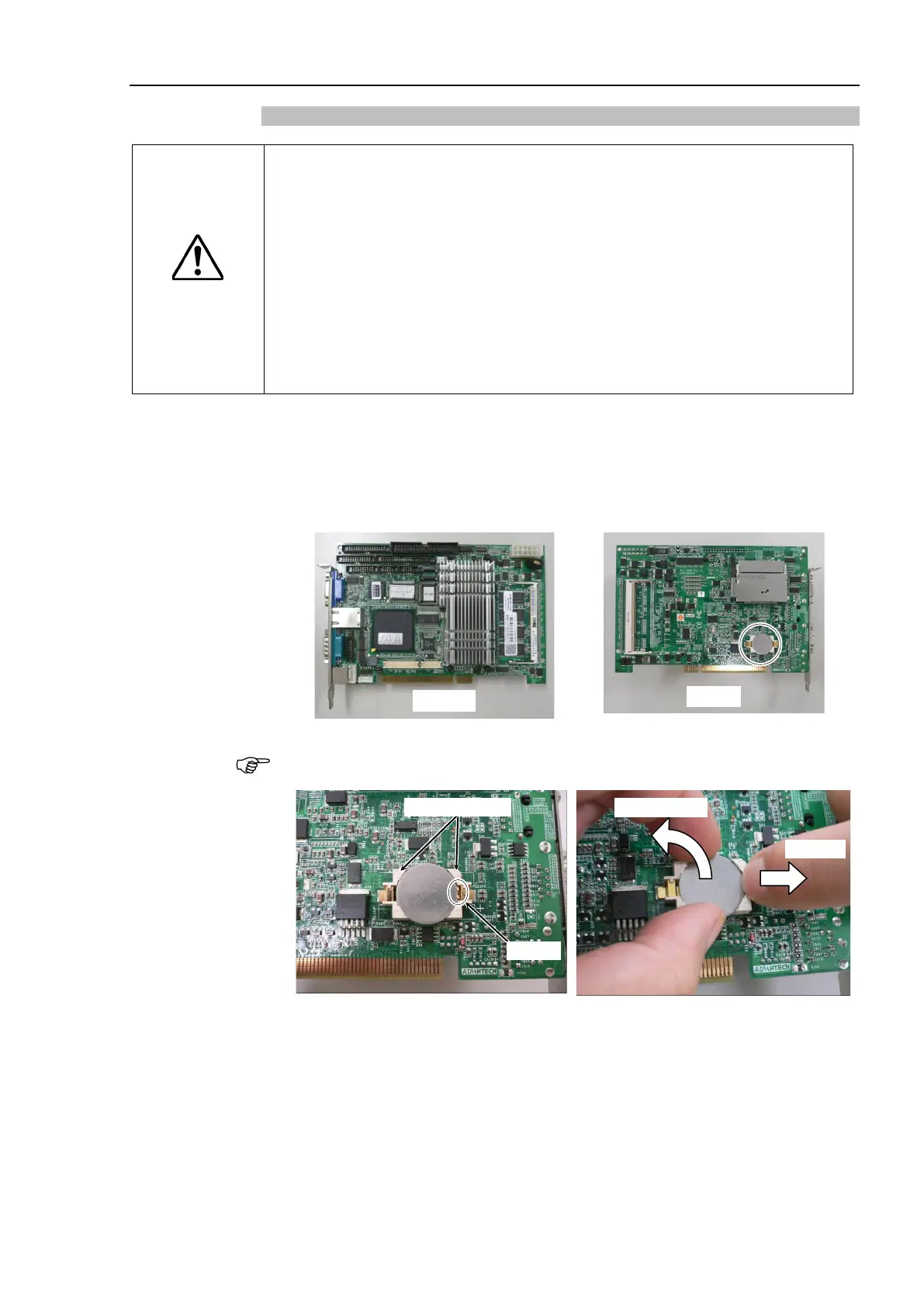
CPU board.
Refer to Maintenance: 6.4.1.1 CPU Board (Normal).
BIOS backup battery placed behind the CPU board.
battery while pressing the latch of battery
holder in the
direction shown in the photo.



 To Next Page