Maintenance 6. Maintenance Parts Replacement Procedures
174 RC620 Rev.8
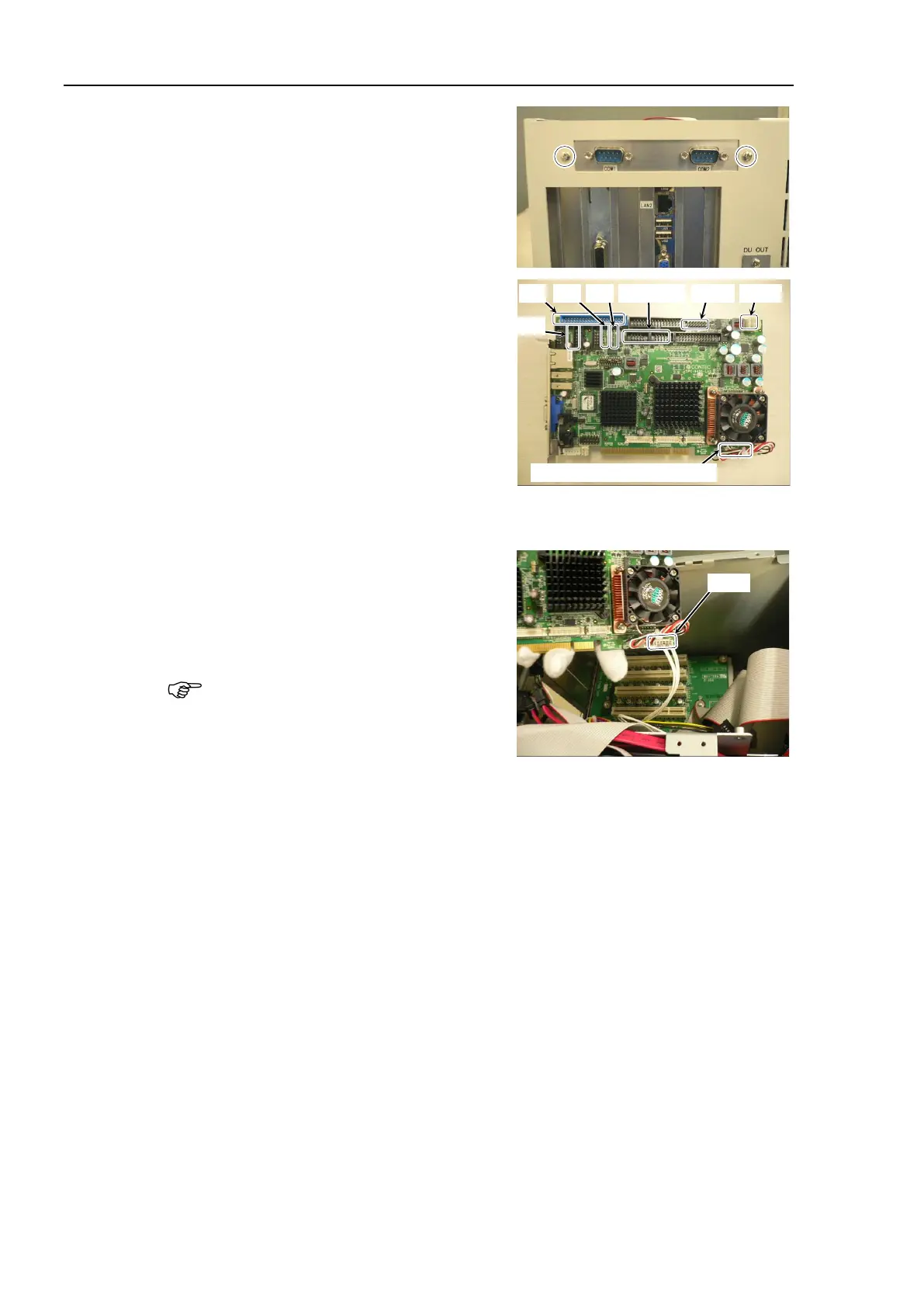
ws for the COM panel
panel.
Remove the following connectors from
the CPU
board (Faster).
Cable No. (21), (22), (23), COM1, 2
Remove Cable No. (24)
If DVD drive is connected:
Remove Cable No. (25)
(22)-3: Remove in step (8)
Refer to Maintenance: 3.2 Diagram of Cable Connections.
Slightly pull out the CPU board (Faster)
from
PCI-BPB slot and while holding
the board with one hand, remove Cable
N
o. (22)-3.
CPU board is connected
PCI-BPB. Be sure to pull the
Make sure all cables are disconnected and remove the CPU board from PCI
-BPB slot.



 To Next Page