Maintenance 6. Maintenance Parts Replacement Procedures
RC620 Rev.8 193
Switching Power Supply
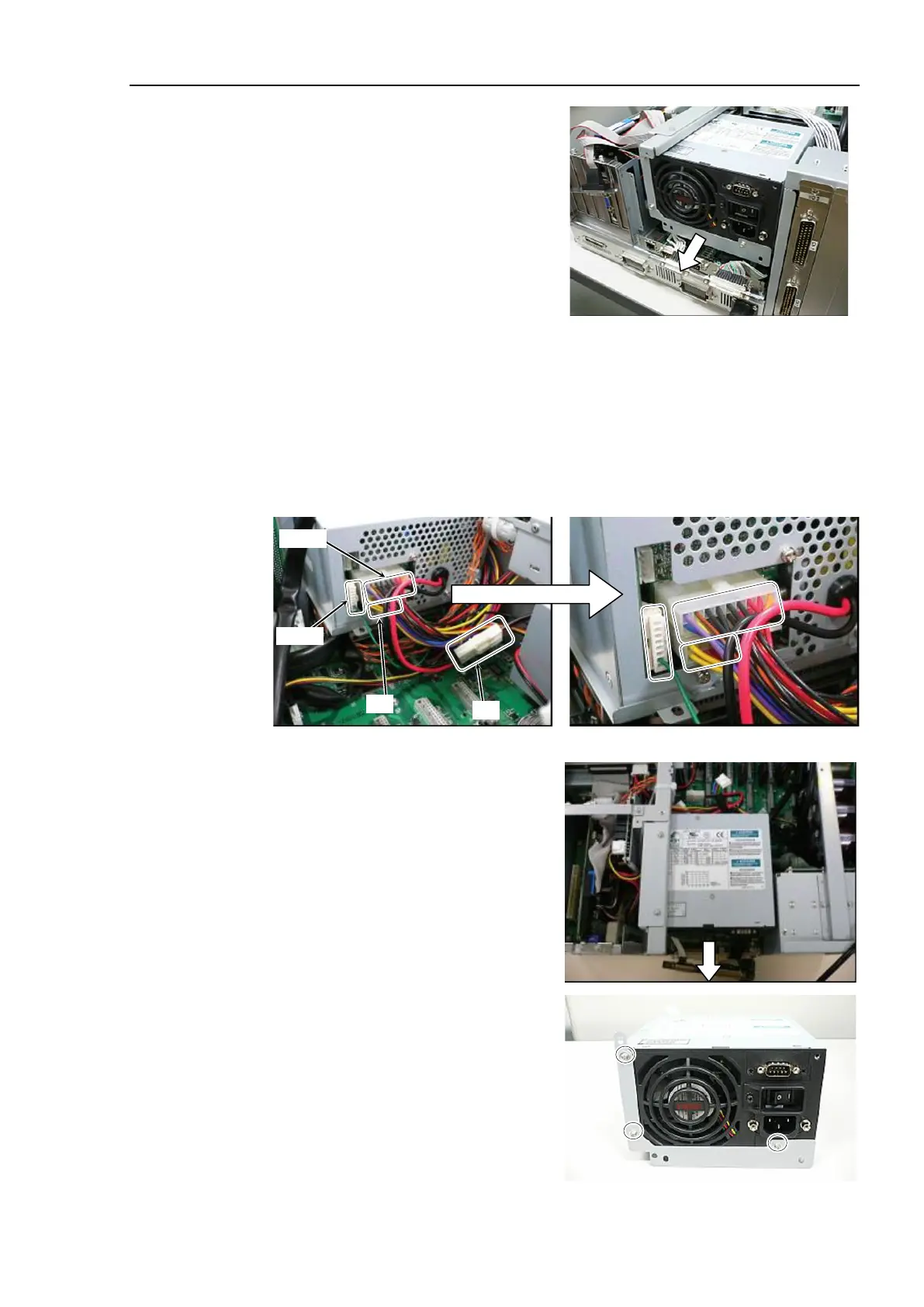
ATX) as shown in the photo.
Remove the 2 connected cables.
Remove the following cables.
Cable No. (12), (14)
Refer to Maintenance: 3.2 Diagram of Cable Connections.
UPS option is mounted:
Remove Cable No. (13).
Push the connector’s latch with your finger to release.
Switching Power Supply
ATX) to the direction shown in the
Remove 3 screws and fixing plate for the
Switching Power Supply
(ATX).



 To Next Page