Maintenance 7. Recovering the HDD
RC620 Rev.8 205
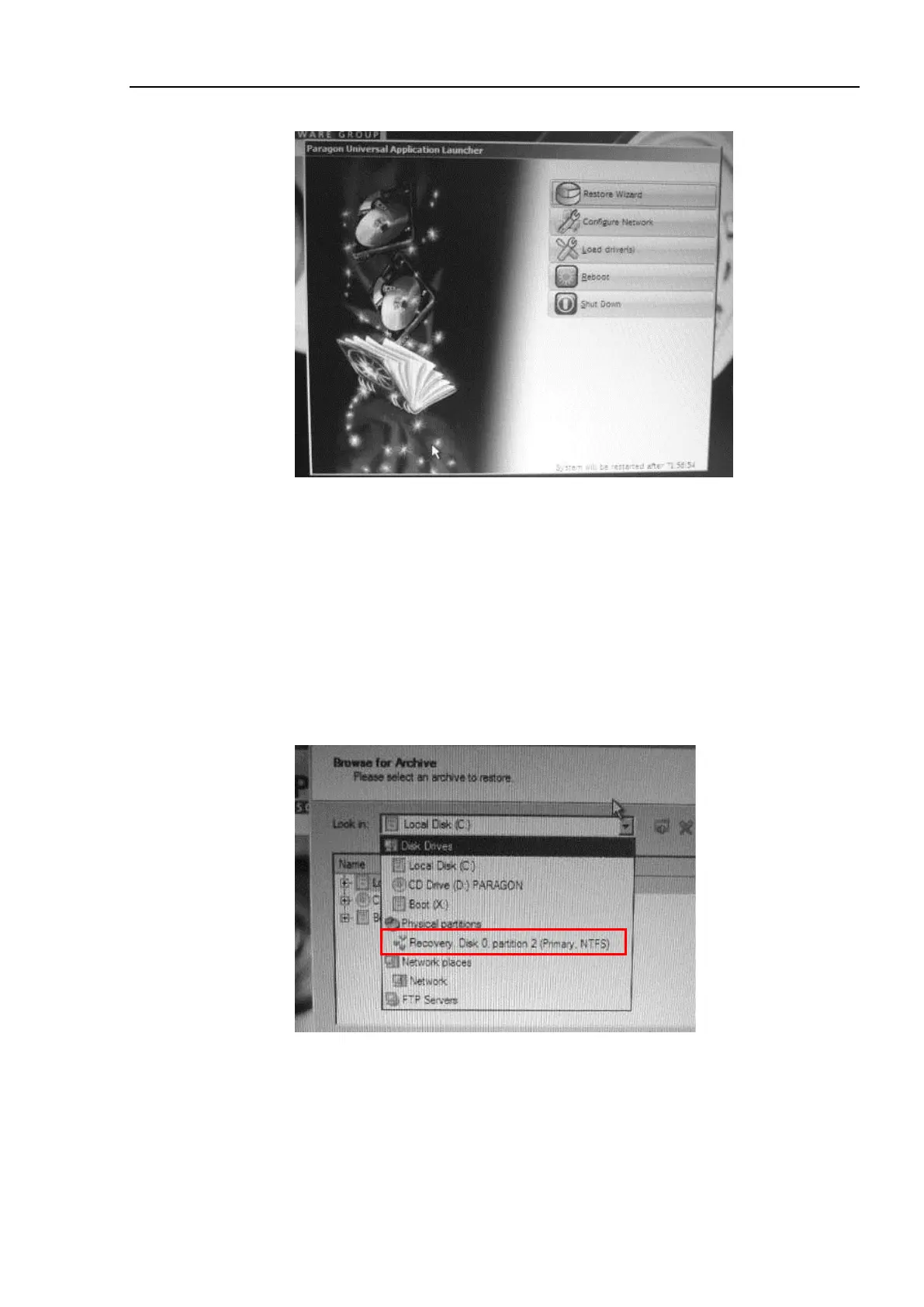
(11) The main menu of the recovery software opens.
At this point, if you select <Reboot> or <Shut Down>, Windows recovery does
not start.
If you accidentally start the RC620 controller while the Recovery Disk is being
inserted, reject the Recovery Disk and click on the <Reboot> or <Shut Down>.
(12) Click the <Restore Wizard>.
(13) The [Welcome to the Restore Wizard] page appears. Click the <Next> button.
(14) The [Browse for Archive] page appears.
Select “Recovery, Disk 0, partition 2 (Primary, NTFS)” from the [Look in] dropdown
list.



 To Next Page