Import a preset from a location on your computer.
Save to Library. Save the current state of the preset as a new preset to the Preset Library.
Turn tempo sync on/off for either preset.
Bypass either preset.
Edit Preset specific parameters, such as mix, delay time, etc.
Edit Preset general parameters, such as the HotKnob, gain levels, tails, and kill dry settings.
Edit Program general parameters, such as the HotKnob, gain levels, tails, and kill dry settings.
Select HotSwitch 1-3, and edit parameters for the selected HotSwitch.
Mapping Parameters.
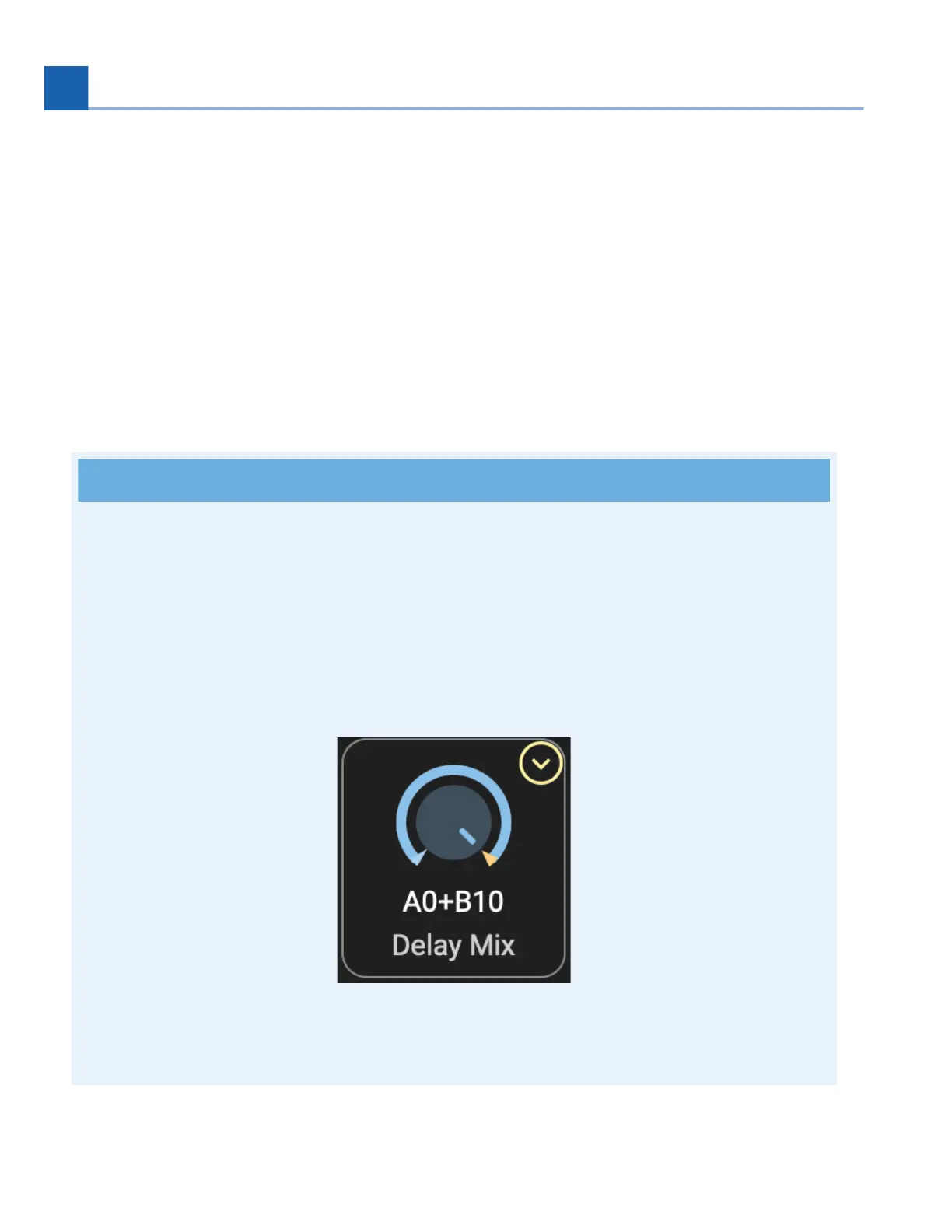
The highlighted ring around the parameter indicates that this parameter is mapped to controller,
such as a HotKnob, expression pedal, aux switch, or MIDI CC.
Click the arrow in the top right corner of the parameter to edit the control source and start/end
points.
You can also edit the start/end points by clicking and dragging the arrow at the ends of the
highlighted ring around the parameter.
Fig. 10.5 The Delay Mix parameter is mapped to the Preset’s HotKnob.
•
•
13.
14.
15.
16.
17.
18.
•
•
10. H90 CONTROL














 To Next Page