Click a preset from the Library to replace the A or B preset.
View only User saved presets.
View only favorited presets.
Hover your mouse to the left of a Preset to expose the heart icon, and click it to favorite a preset.
The lock icon indicates a Factory Preset. This cannot be overwritten.
Click the arrow to show/hide the search bar.
Use the search bar to search for presets by name.
Use the Effect Type filter to search for all presets of a certain effect type.
Use the Algorithm filter to search for all presets from a specific Algorithm.
Click the 3-dot icon for the following options:
Copy the preset.
Export the preset to a location on your computer.
Import a preset from a location on your computer.
Tip
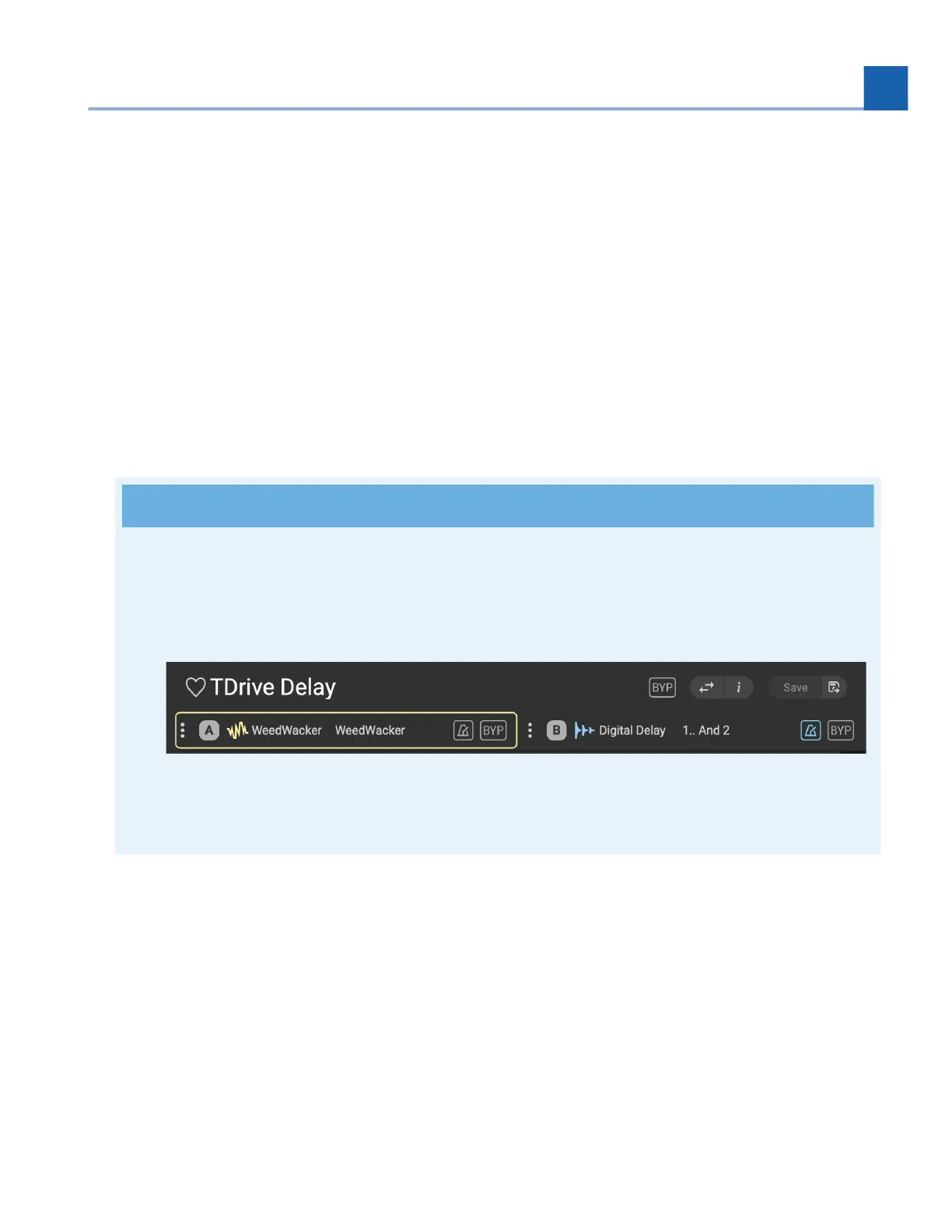
Note that either the A or B preset will be highlighted to indicate it has been selected. When you
select a new preset from the Preset Library, this will replace whichever preset slot is currently
highlighted.
Fig. 10.10 Preset A, Weedwacker, is highlighted in slot A.
10.4. Program Library
The Program Library is where you will manage all of the saved Programs on your H90. It is also used for
organizing your Programs into User Lists.
2.
3.
4.
5.
6.
7.
8.
9.
10.
11.
•
•
•
10. H90 CONTROL














 To Next Page