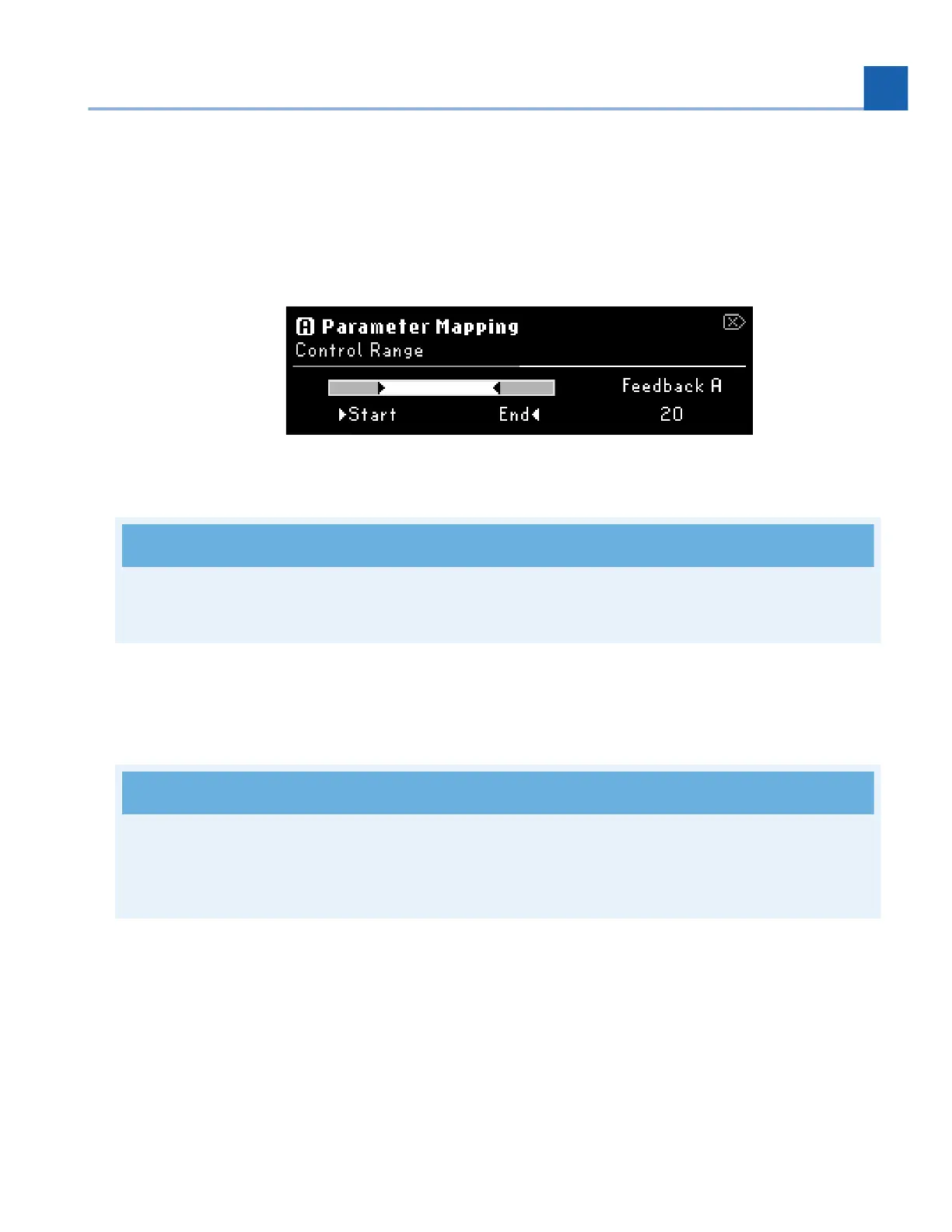
Turn the Select Knob to view the Control Range menu. Turn Quick Knobs 1 and 2 to set the Start/
End or Minimum/Maximum values of the controller.
You can reverse the direction of your external controller by adjusting the End point to be before the
Start point. For example, setting the End point to zero and Start point to 100 will result in the Heel
of your expression pedal being 100 and Toe of your expression pedal being 0.
Fig. 6.29 Control Range menu
Remember!
Begin at the beginning and go on till you come to the end: then stop.
Turn Quick Knob 1 to choose another parameter to map.
To un-map a parameter, set the Control Source to “Off”.
Press the Perform Knob to exit the mapping menu.
Tip
If you’d like to map many Program-level or Preset parameters at once, press the P/A/B LED to
quickly jump to other Preset or Program mapping options without ever leaving the mapping menu.
6.4.2. HotKnob
The HotKnob can be used to map multiple parameters to a single controller, much like the ribbon
controller from the H9. The H90 expands upon this control by giving you three HotKnobs; P, A, and B.
•
•
•
•
•
6. EDIT MODES














 To Next Page