This allows you to have your time based effects always be in sync to the H90’s tempo. For example,
you can specify a 1/4 note triplet delay time, change the H90’s tempo from 120 BPM to 160 BPM,
and you will now have a 1/4 note triplet delay time at 160 BPM.
Preset Tap Tempo: While Tempo Sync is not enabled, assign the Footswitch of Preset A or B to “Tap”.
When you tap this footswitch, the Preset’s time based parameters will be adjusted in mS or Hz
depending on the algorithm. The tapped value will be momentarily displayed next to the “Tap” label.
This allows you to tap in different time based values for Preset A and B, without being synced to the
H90’s tempo.
Note
If either Preset A or B have Tempo Sync enabled, that Preset’s Footswitch tap assignment will
control the H90’s tempo BPM. The Footswitch’s LED will flash in time.
5.3. Quick Knob Assignments
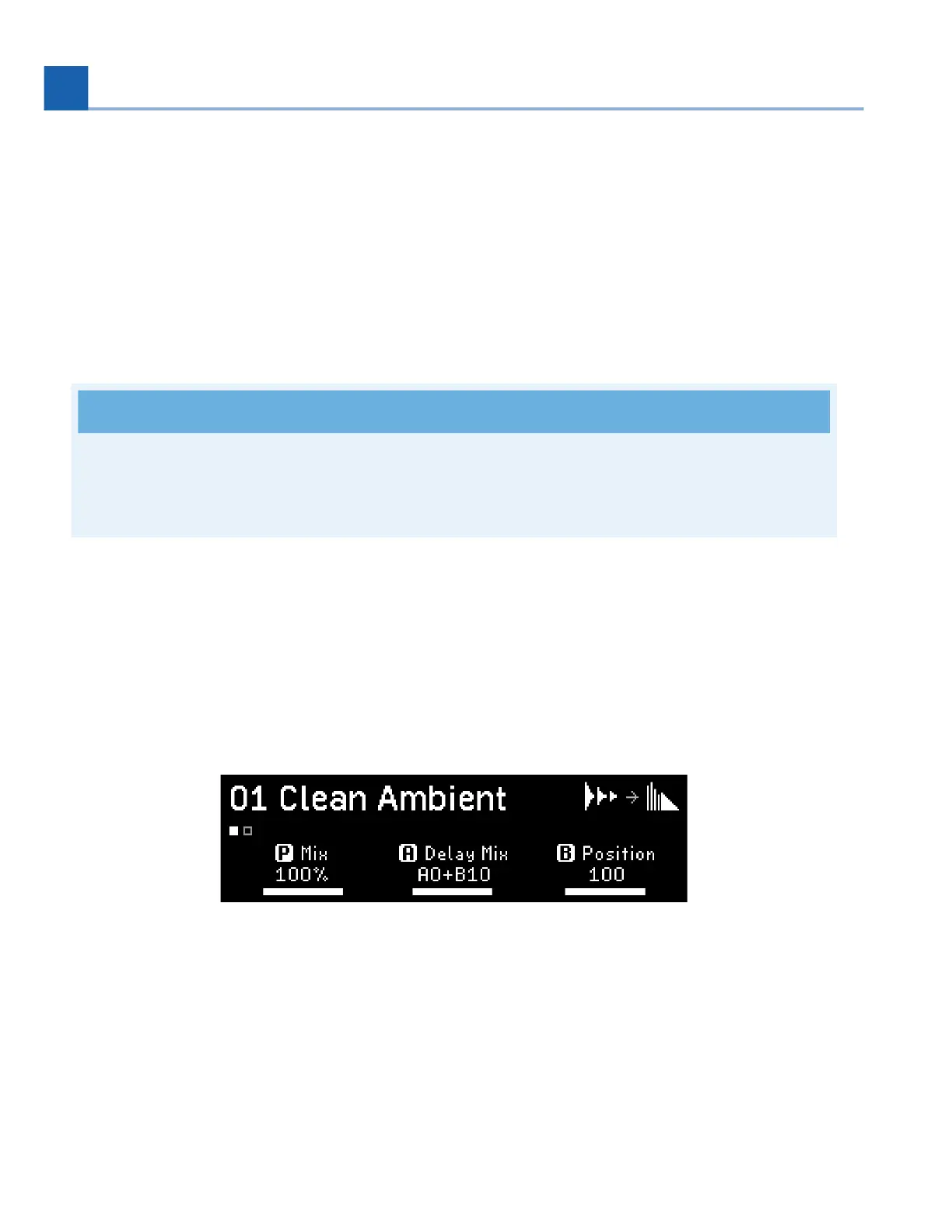
In both Play Modes, the three Quick Knobs are mapped to various parameters within the currently
loaded Program. There are two pages of Quick Knob assignments, which can be toggled by pressing any
Quick Knob.
Fig. 5.7 Quick Knob assignments
The above example demonstrates the range of mappings the H90 is capable of per Program:
Quick Knob 1 is assigned to the Program’s Mix parameters
Quick Knob 2 is assigned to the Delay Mix parameter of Preset A
Quick Knob 3 is assigned to the Position parameter of Preset B
•
•
•
•
5. PLAY MODES














 To Next Page