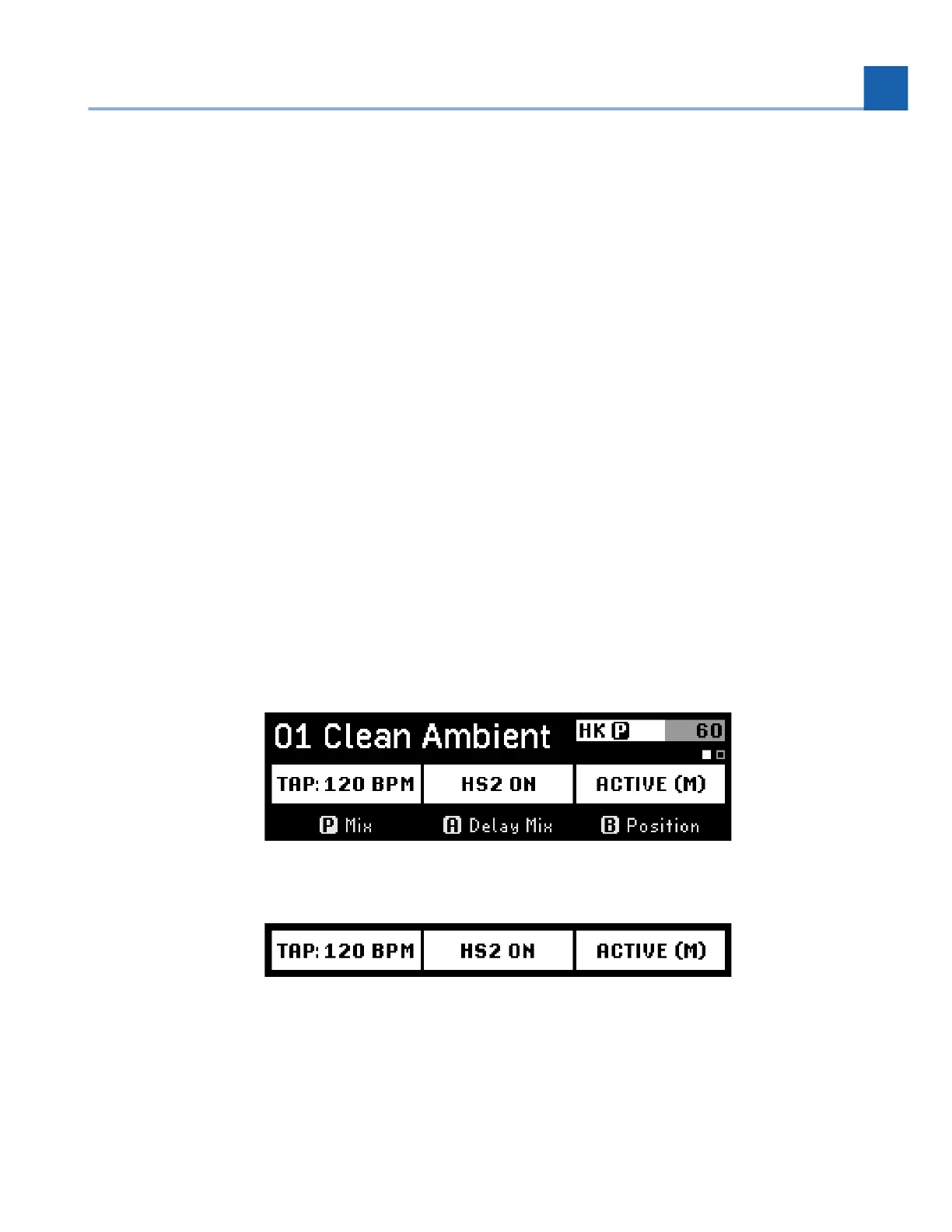
Perform Mode allows you to customize the H90’s interface with two pages of user-programmable
Footswitch assignments such as tap tempo, active/bypass, momentary active, three independent
HotSwitches, and Algorithm-specific parameters.
The H90’s algorithm-specific performance parameters can provide for a wealth of expressive and artistic
tools, right at your feet!
Wormhole’s Warp parameter takes you on a light speed journey through the Universe.
Bouquet Delay’s Pitch Jump allows you to bounce between precise musical intervals with an analog
flavor.
Prism Shift lets your Freeze your signal, or momentarily change your pitch-shifted intervals.
Head Space allows you to Boil or Break your tape echo and create unheard-of sounds.
Furthermore, the three onboard HotSwitches allow you to map a range of parameters within a Program,
it’s like getting three additional Programs for the price of one!
5.2.1. Performance Parameters
In Perform Mode, the P Footswitch is mapped to the Program’s performance parameters, and the A and B
Footswitches are mapped to their respective Presets’ performance parameters.
Press the Perform Knob to toggle between two pages of performance parameter Footswitch assignments.
Fig. 5.3 Perform Mode displaying the first page of the performance parameter assignments
Fig. 5.4 Page one of performance parameter assignments
•
•
•
•
5. PLAY MODES














 To Next Page