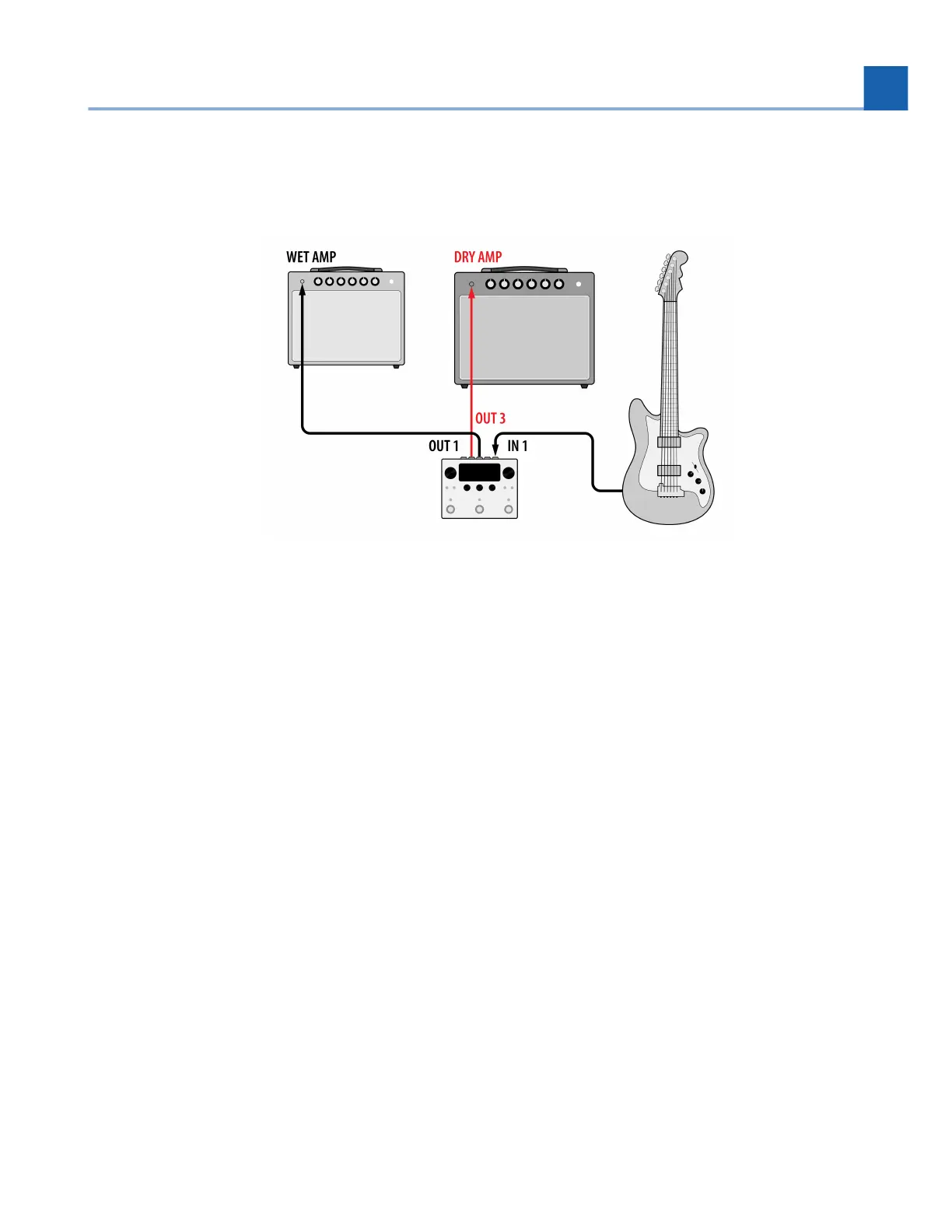
3.4. Wet/Dry Amplifier
Fig. 3.6 Wet/Dry guitar amp configuration
A wet/dry amplifier setup allows you to use two amplifiers and place different types of effects in each
amplifier. Typically, the “dry” amplifier would be used for distortion, EQ, and compression effects, while
the “wet” amplifier would be used for time-based effects, such as modulation, delay, and reverb.
Connect your guitar into H90 Input 1.
Connect H90 Output 1 into the “wet” amplifier’s input.
Connect H90 Output 3 into the “dry” amplifier’s input.
Press the Routing Button and turn Quick Knob 2 to determine where you’d like to tap your signal to
be sent to the dry amplifier.
Depending on your Preset routing and the tap position of your dry amp, you’ll need to adjust the
Insert Mix parameter accordingly. See examples below.
Use the Send Level parameter of Insert 1 to adjust the gain of the signal being sent to the dry
amplifier.
Turn Kill Dry on for whichever Presets are being used with the wet amplifier.
Set Program Bypass Mode to “AB Only”. This will make it so the insert paths are not muted when the
Program is bypassed.
•
•
•
•
•
•
•
•
3. SETUP














 To Next Page