3.3. One Stereo Insert
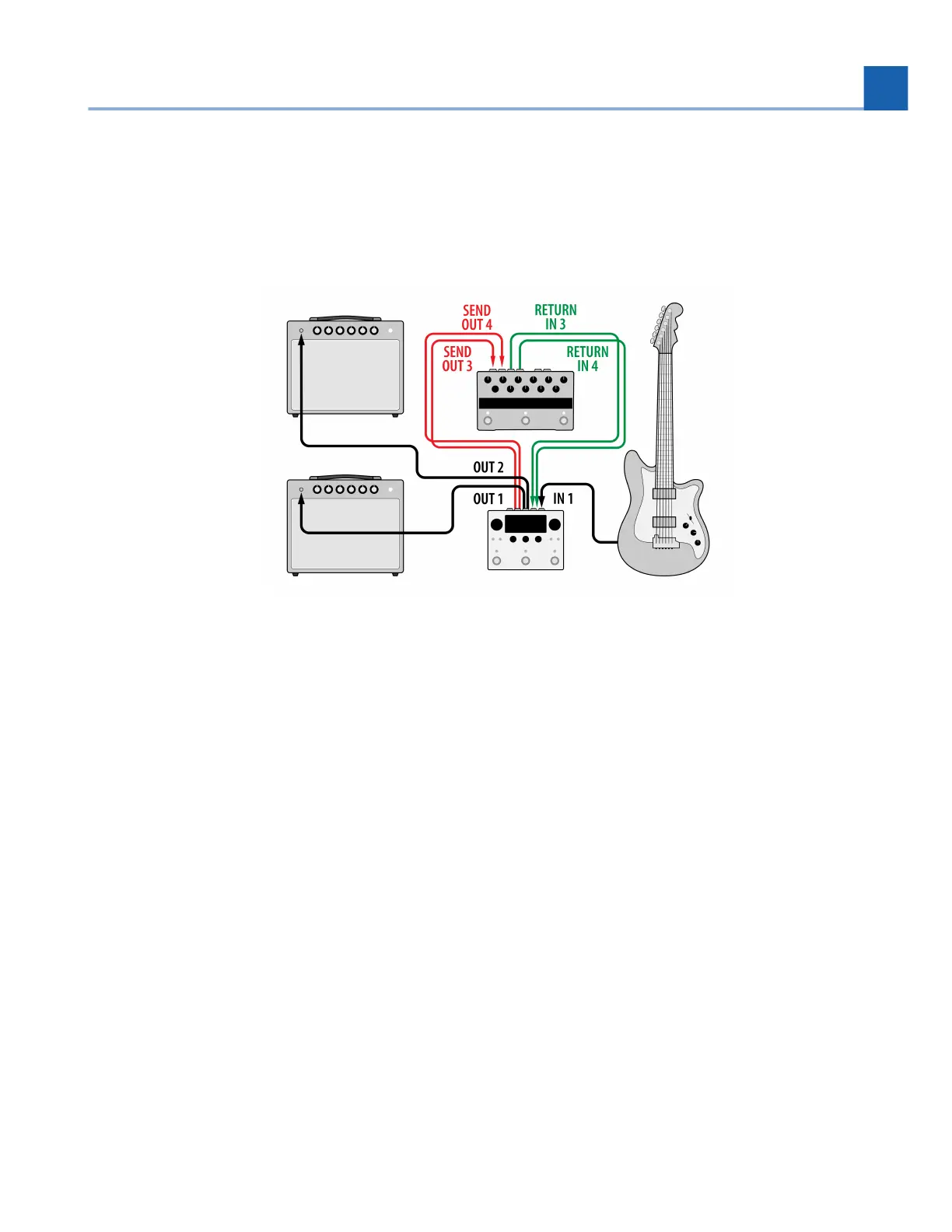
You can also use a single stereo insert, such as an Eventide PitchFactor.
Fig. 3.4 One Stereo Insert
Connect your guitar to H90 Input 1.
Connect H90 Output 1 to guitar amp 1.
Connect H90 Output 2 to guitar amp 2.
Connect H90 Output 3 and 4 to PitchFactor Inputs.
Connect PitchFactor Outputs to H90 Inputs 3 and 4.
Press the Routing Button and turn Quick Knob 3 all the way clockwise to enable the Stereo Insert.
Turn Quick Knob 2 to select where the Stereo Insert will be in the signal path.
•
•
•
•
•
•
3. SETUP














 To Next Page