6.1.1. Saving Programs
Press and hold the Programs Button to save a Program.
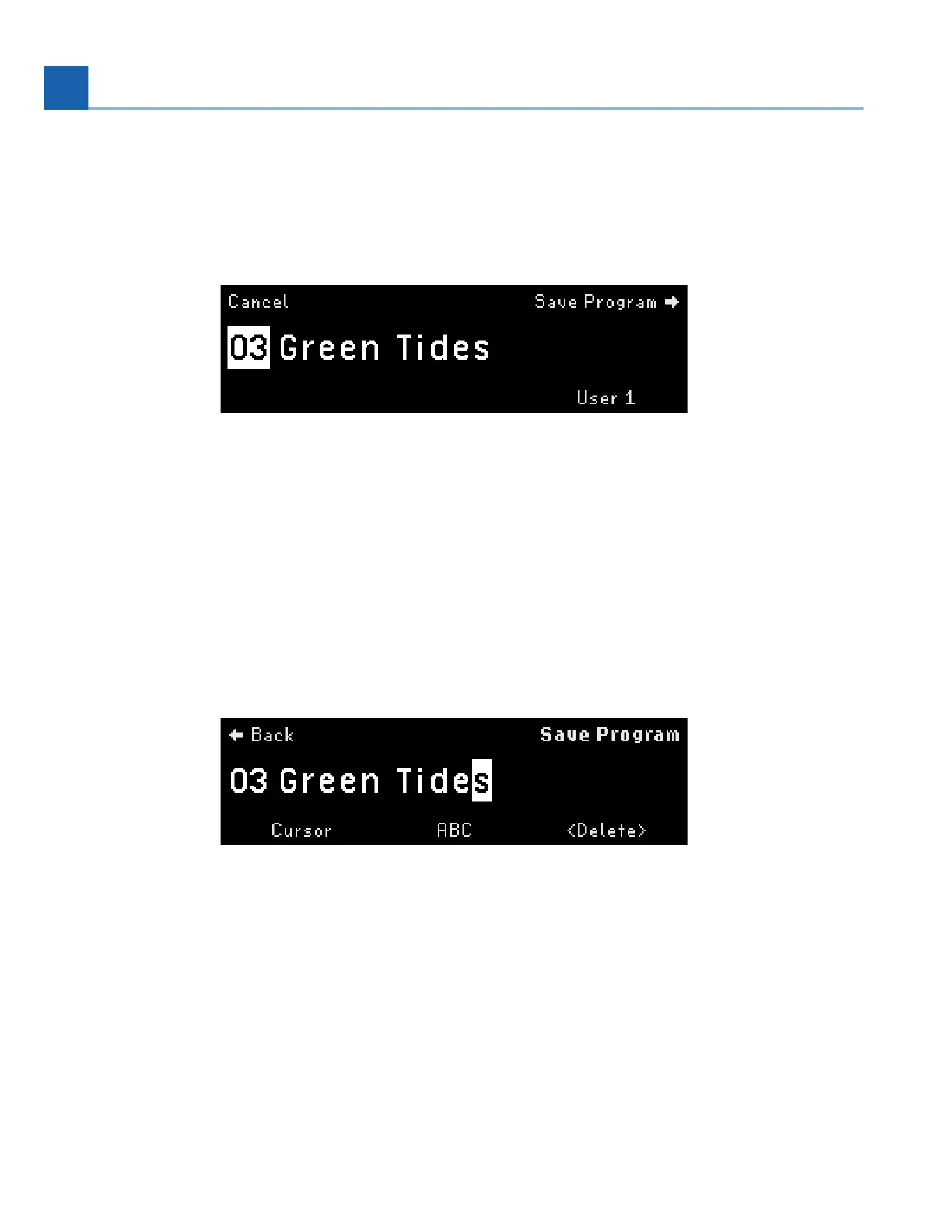
Fig. 6.2 Program save display
Turn Quick Knob 3 to select the List to which you’d like to save it. This defaults to the currently active
Playlist. Note that Programs can be saved to User Lists, but not to Factory Lists.
Turn the Select Knob to pick which slot number to save to. This defaults to the currently loaded slot.
There are 99 slots per List.
Once you’ve selected to which slot to save the Program, press the Perform Knob to begin renaming the
Program.
Fig. 6.3 Program save naming display
Move the cursor by turning the Select Knob or Quick Knob 1. Pressing Quick Knob 1 moves the
cursor to the right.
Select the character by turning the Perform Knob or Quick Knob 2. Pressing Quick Knob 2
switches the character set between lowercase, uppercase, numbers, and symbols.
Delete a character by pressing Quick Knob 3.
Press the Perform Knob to save your Program. Your renamed Program will be saved to the selected
slot in the selected List, and will appear in Programs Edit Mode.
•
•
•
•
6. EDIT MODES














 To Next Page