5. PLAY MODES
The H90 has two Play Modes: Select and Perform. Picking one of these two Play Modes will determine
how you interface with the pedal.
In Select Mode, using Program Select allows you to scroll through the entire Playlist, while Bank Select
organizes your Playlist into Banks of three Programs, giving you quick access to instantly load any three
programs using the Footswitches.
Perform Mode lets you customize how you interact with your Programs, allowing for a variety of
Footswitch and HotSwitch mappings for any situation.
Whether you are loading Programs for each song in a gig, or engaging the perfect effect for that special
moment during your guitar solo, the Play Modes allow you to easily navigate and control your H90.
5.1. Select Mode
To enter Select Mode, press the Select Knob.
Select Mode allows you to queue up and load Programs from your Playlist, which is configured in the
System Menu’s Global page. Select Mode has two views: Program Select, and Bank Select. Press and hold
the Select Knob to toggle between the two.
5.1.1. Program Select
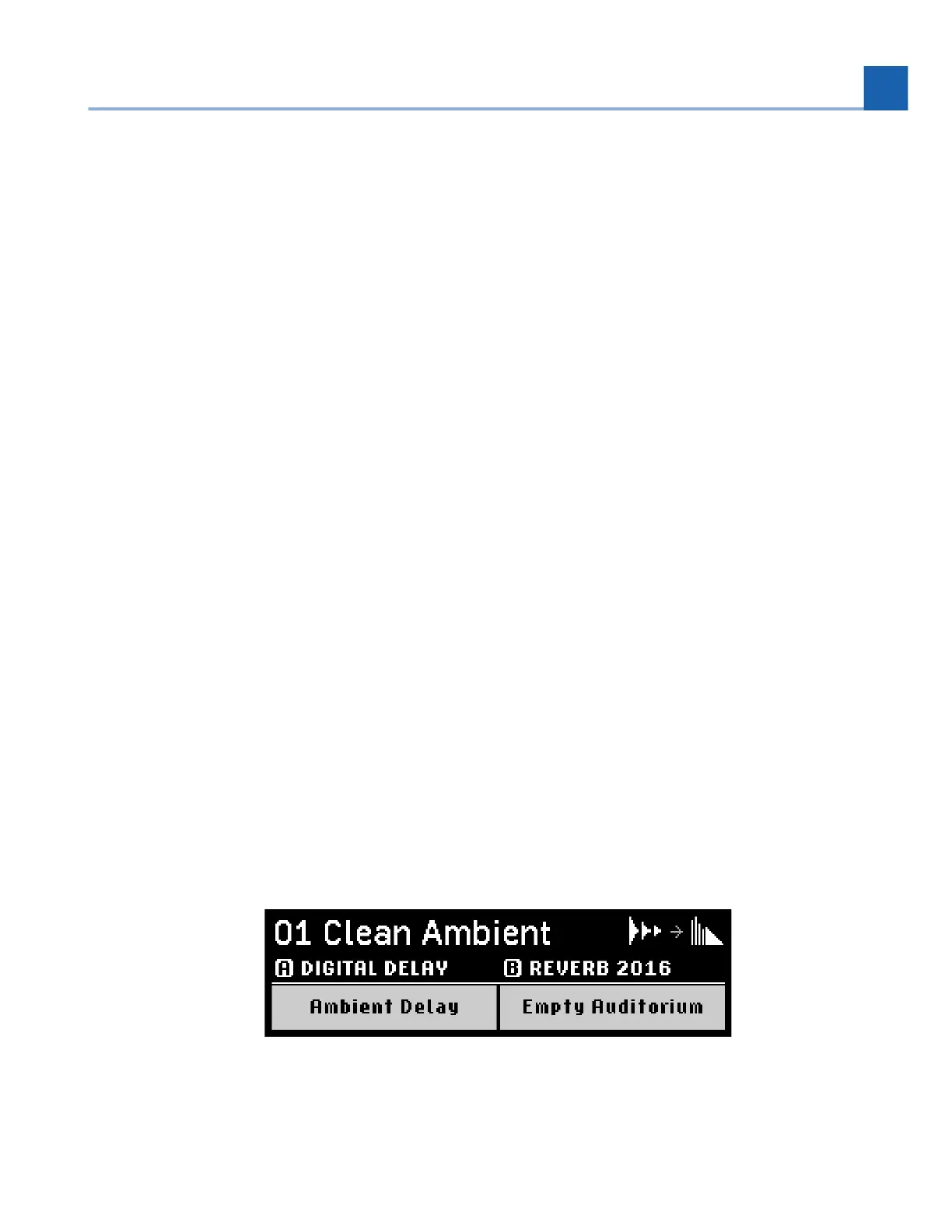
Program Select Mode displays one Program at a time. The Program’s two Algorithm and Preset names
will be displayed while scrolling through the Playlist.
Fig. 5.1 Program Select display
5. PLAY MODES














 To Next Page