Turn Kill Dry on for whichever presets are in the amp’s effects loop.
Check out Dual Routing (Section 6.2.2) for more info.
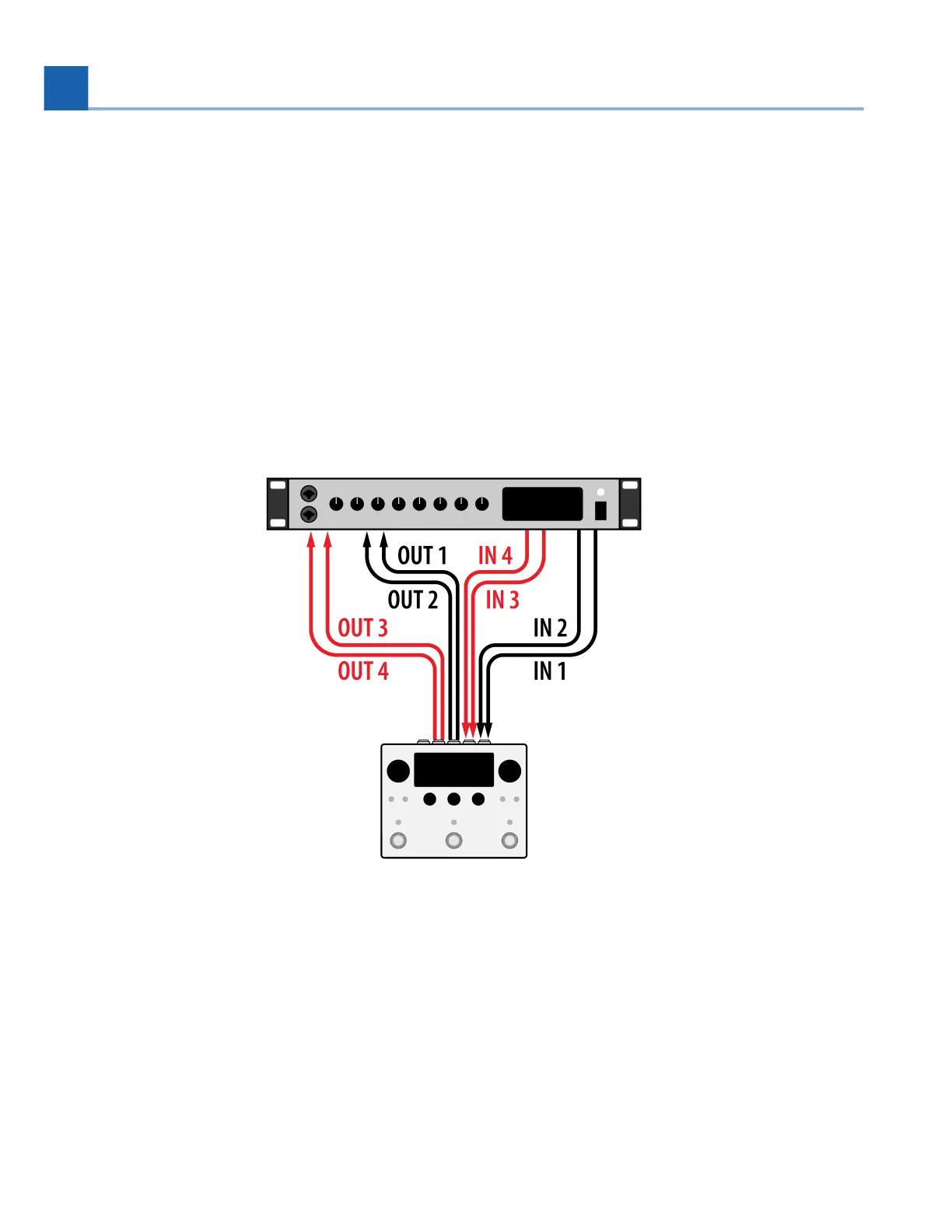
3.8. Dual Inserts with a DAW or Mixing Console
The H90 is well suited to be used as an outboard effects processor for a mixing console or your DAW.
Using Dual Routing allows you to use the H90 as two separate signal processing paths, so Path 1 can be
your reverb bus, and Path 2 can be your delay bus.
Fig. 3.12 Dual Inserts are connected to an audio interface
Configure your H90’s Global Routing Configuration (Section 7.1) to use Dual Routing from the
System Menu.
Connect a stereo pair of Outputs from your mixing console or audio interface to H90 Input 1 and 2.
•
•
•
•
3. SETUP














 To Next Page