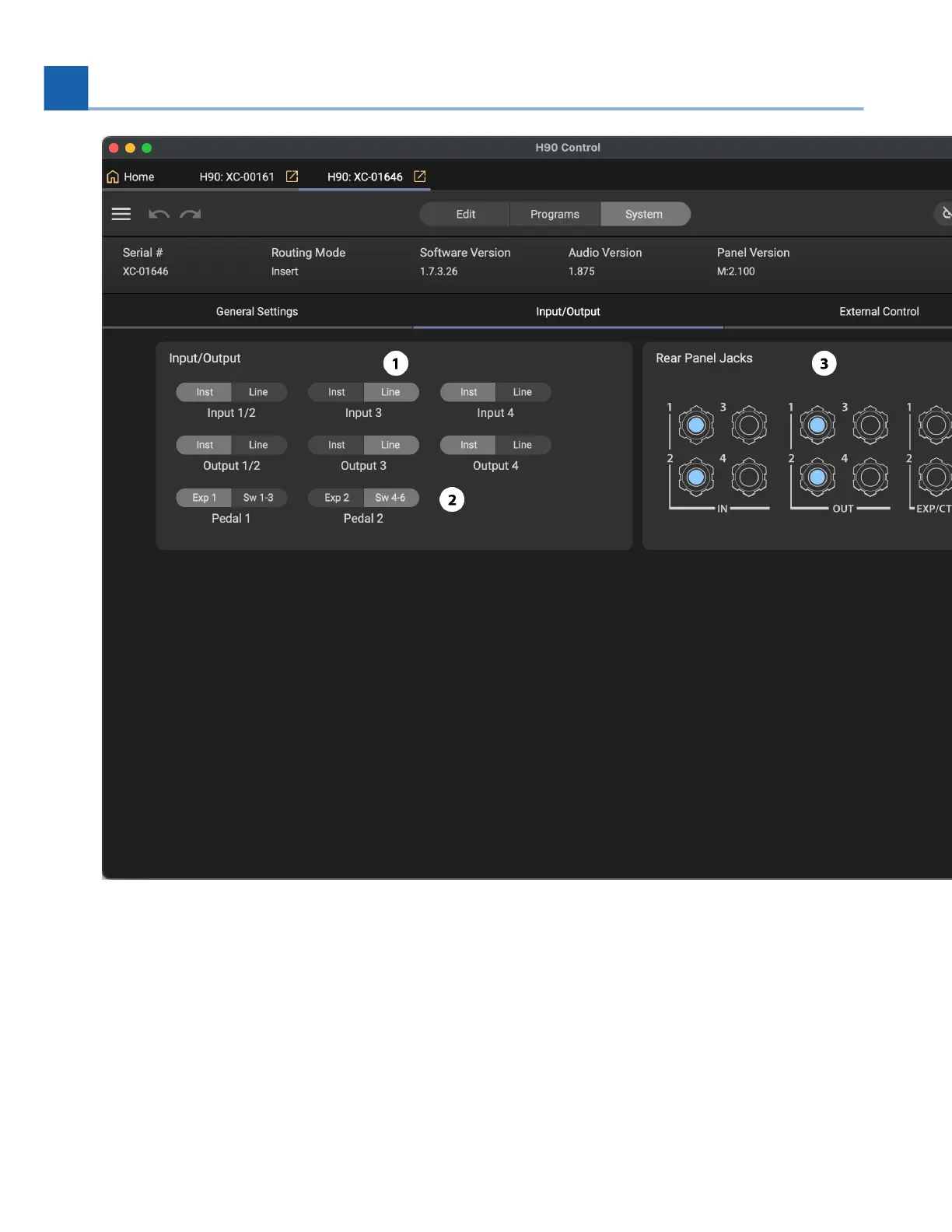
Fig. 10.14 Input/Output Settings menu.
Set the input/output levels of the H90 from instrument to line level.
Set the exp/ctl inputs to be either an expression pedal or a switch. Note that you must calibrate the
connected device using the H90, you cannot calibrate using H90 Control.
The Rear Panel Jack icons will be highlighted when a cable is connected to the respective jack.
Global Control
1.
2.
3.
10. H90 CONTROL














 To Next Page