If you turn your Mac’s Bluetooth off, or disconnect the H90 from the Bluetooth Configuration
menu, this will break the Bluetooth connection and turn the H90’s Bluetooth off. Turn it on again
in the H90’s Bluetooth menu to reconnect.
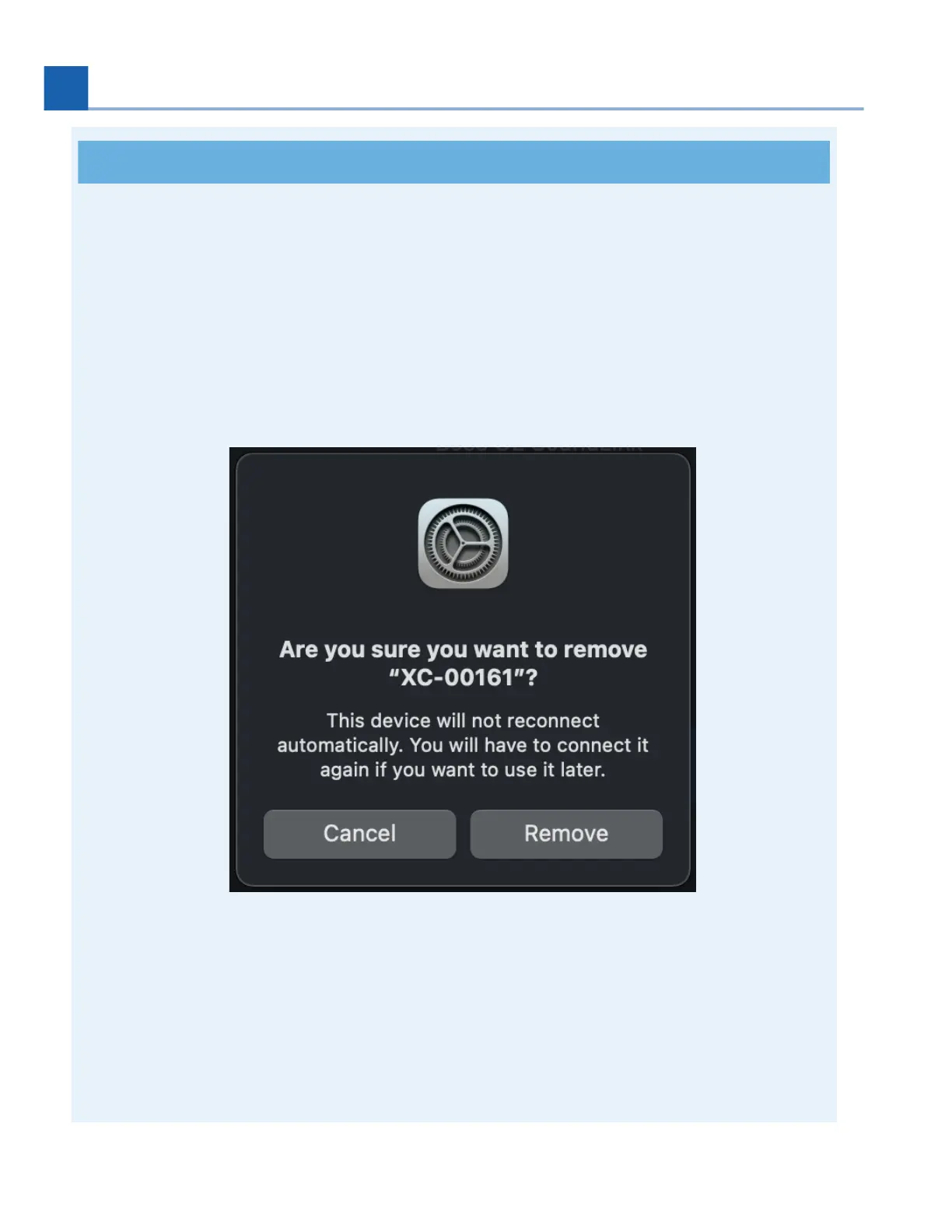
If you choose to “forget” the Mac your H90 is paired with, you must also remove the H90
Bluetooth device from the Mac Bluetooth settings before your H90 can reconnect. To do this, go
to the Mac “Bluetooth Preferences” menu, locate the H90 Bluetooth device, right-click it and
select “Remove”. After this, repeat the instructions to pair using H90 Control.
Fig. 7.21 Remove the H90 from your Mac’s Bluetooth settings before pairing again.
Depending on your OS version, you may or may not need to manually reconnect your H90 for it
to be available in H90 Control. This will be apparent if your device shows up as “Not Available”. If
you need to connect again, simply click the Bluetooth button in H90 Control and press “connect”
on the device. This should make the device available once connected.
1.
2.
3.
7. SYSTEM MENU














 To Next Page