112
MB1 User Manual
© 2016 Expert Electronics
MAIN SCREEN DESCRIPTION
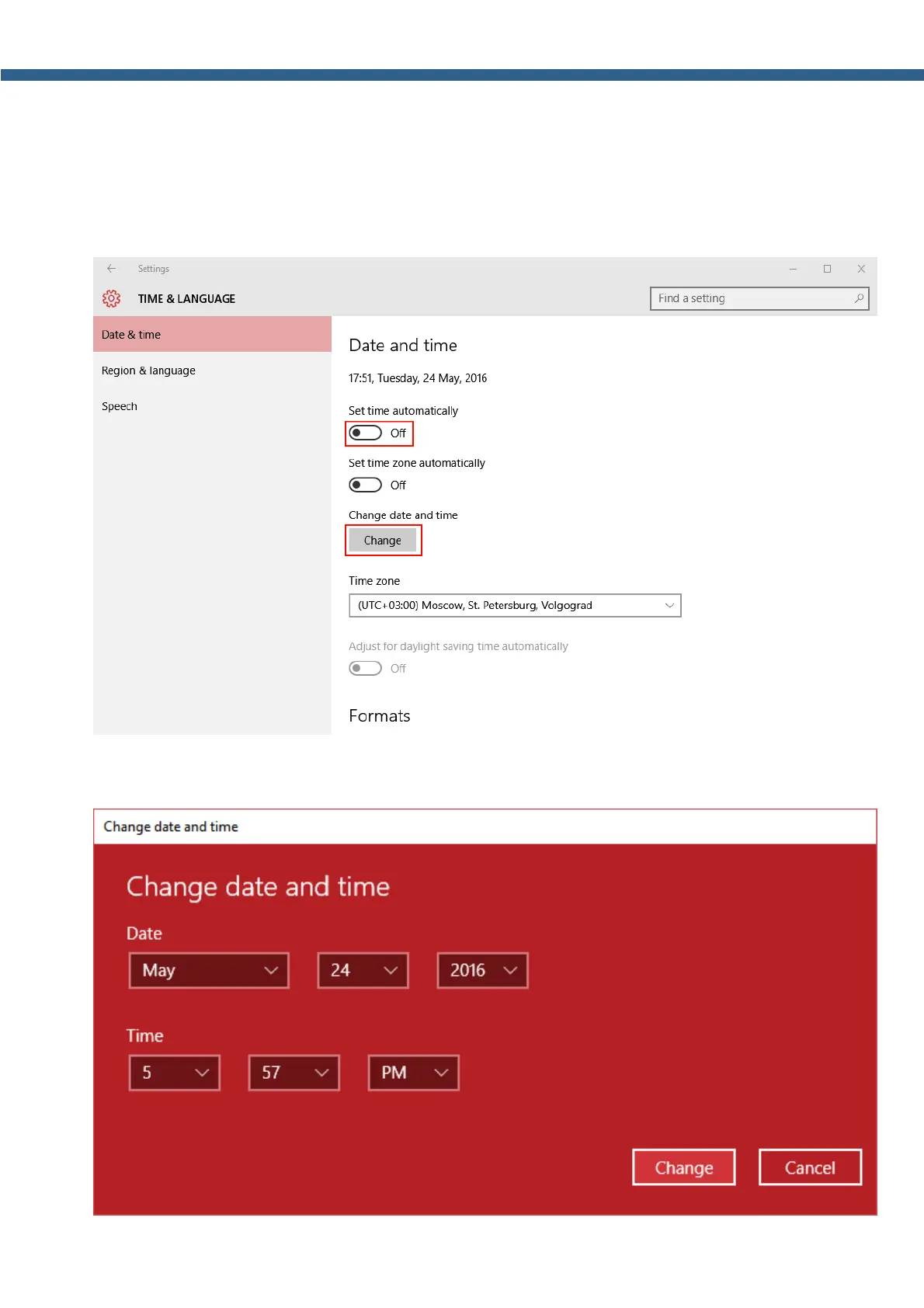
3. In the appeared settings window switch off Set time automatically (marked with a red
rectangle on the picture below).
4. Select your current Time zone.
5. Press the Change button (marked with a red rectangle on the picture below).
6. In the Change date and time menu set current date and time.



 To Next Page