50
MB1 User Manual
© 2016 Expert Electronics
MAIN SCREEN DESCRIPTION
5.1.2 Section 2
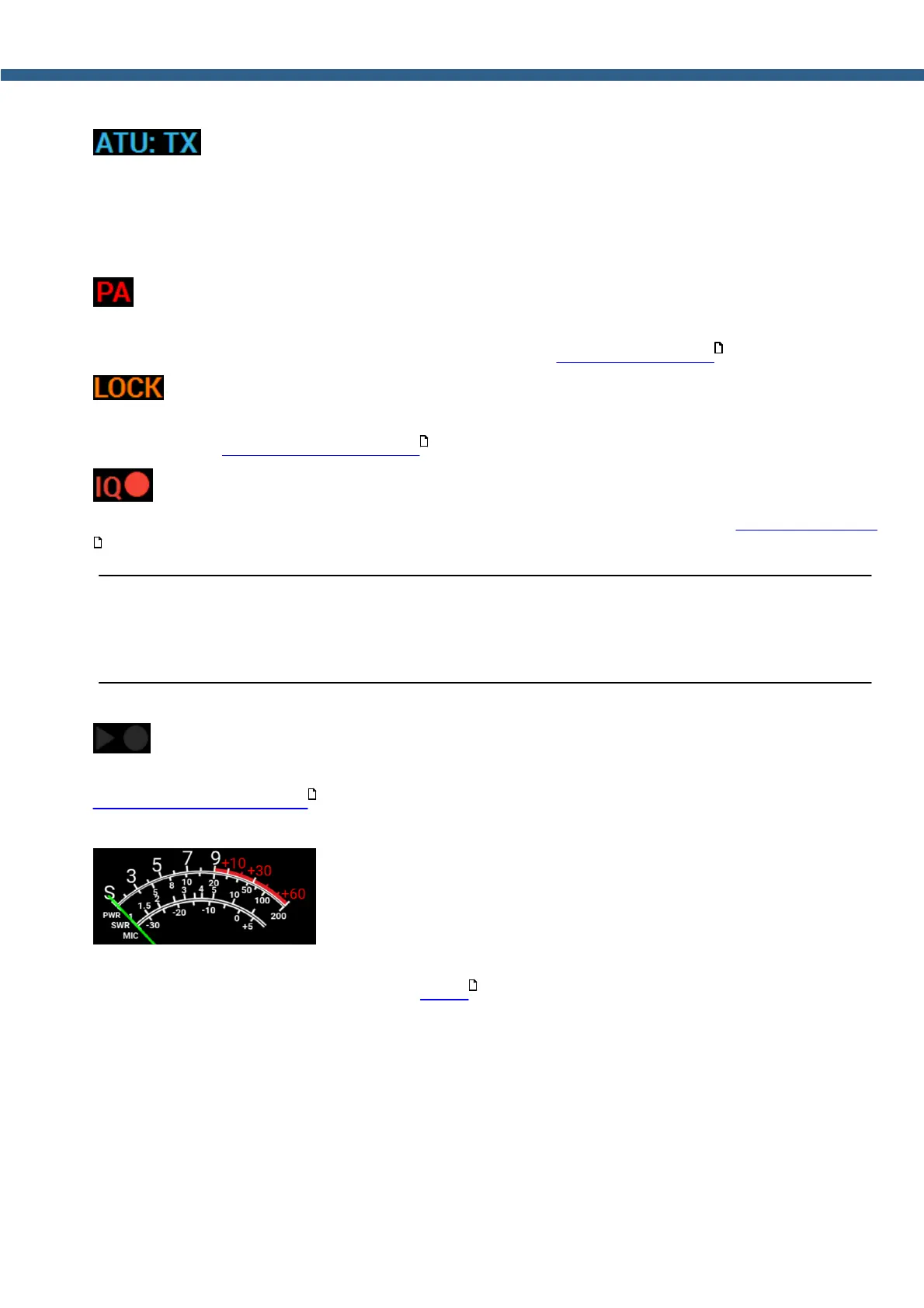
- Automatic Tuner Unit (ATU or Tuner) mode indicator.
ATU indicator shows current mode.
BPS - Bypass. Tuner is not used in TX and RX modes.
TX - TX mode. Tuner used in the TX mode.
RX - RX mode. Tuner used in the RX mode.
- PTT keys indicator.
If PA indicator shines with a red light, then PTT keys could be triggered in TX mode. For keys to
trigger, they should be preliminary set up (more details in External PA control ).
- Frequency tuning locked indicator.
If LOCK indicator shines with an orange light, then frequency tuning is impossible by any means
(more details in Frequency tuning LOCK ).
- IQ-file record indicator.
If IQ indicator shines with a red light, then you record an IQ-file (more details in IQ-files recording
).
Warning!
i IQ-files may require a huge amount of space! Continuous recording of IQ-files,
could lead to using all available free disk space on your PC!
- Voice recorder play/record indicator.
If record indicator (circle) shines with a red light, then you record a voice signal (more details in
Voice Recorder Operation ).
If play indicator (triangle) shines with a green light, then you play a voice signal.
- Signal level measurement.
Signal level indicator displays in different modes level of: received signals, transceivers output
power, SWR, Mic signal (more details in Meter ).
178
159
166
176
165



 To Next Page