49
MB1 User Manual
© 2016 Expert Electronics
REAR PANEL DESCRIPTION
5
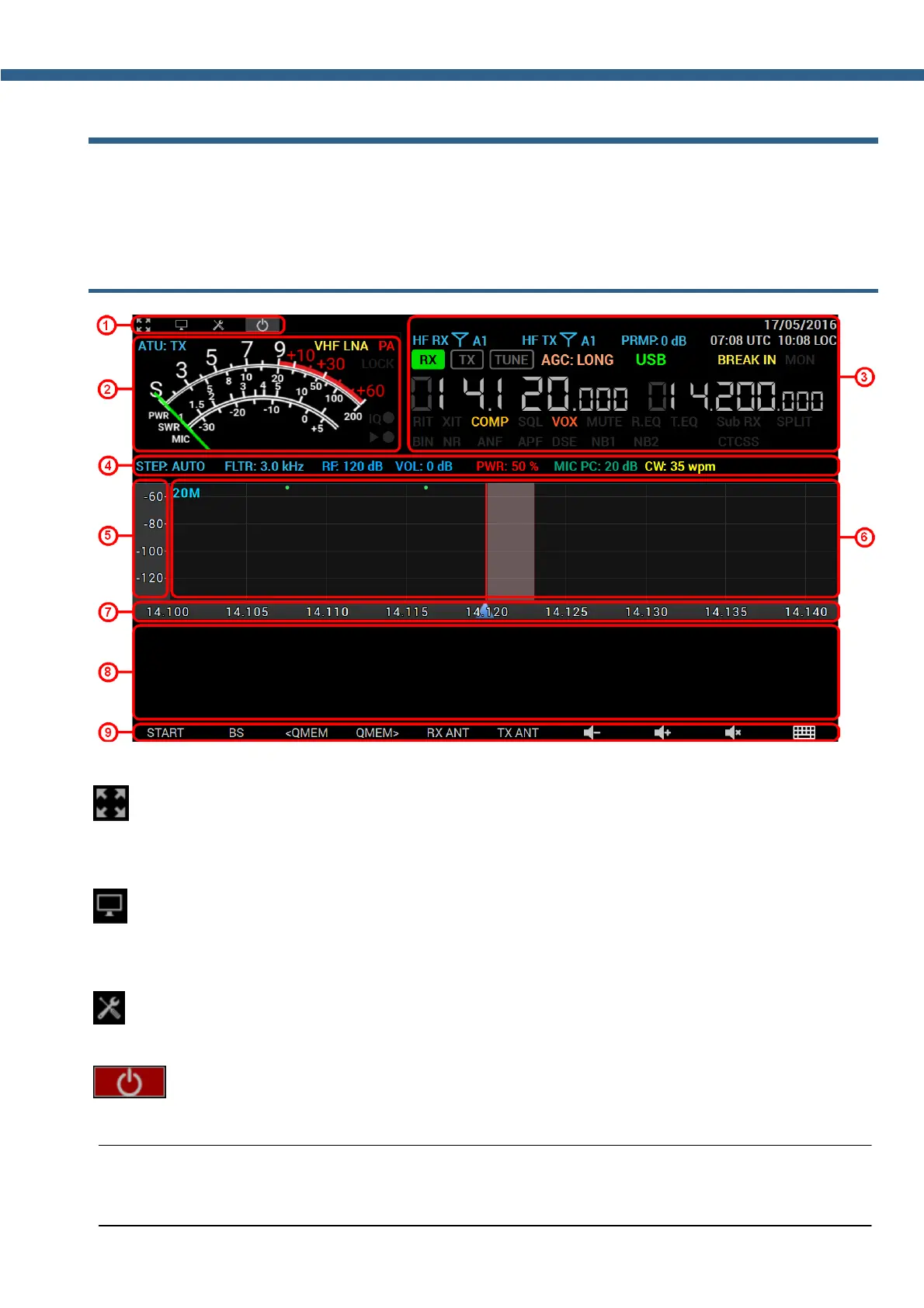
MAIN SCREEN DESCRIPTION
There is a touch screen display on the front panel of the MB1. On the screen you can see the
software main window. You can control the transceiver by manipulations with the software
window on the touchscreen display.
5.1 Main Window
5.1.1 Section 1
- Full screen button.
Press the button to switch software main window to the full screen mode. Press again to disable
full screen mode.
- Switch view button.
Press the button to change ExpertSDR2 to classic PC view. We recommend to use external
display at least 19" for this view.
- Options button.
Press the button to open Options window.
- Start button.
Press the button to begin to listen to the air.
Note:
( Auto-start is set by default after the launch of the software, no need to press the button.



 To Next Page