57
MB1 User Manual
© 2016 Expert Electronics
MAIN SCREEN DESCRIPTION
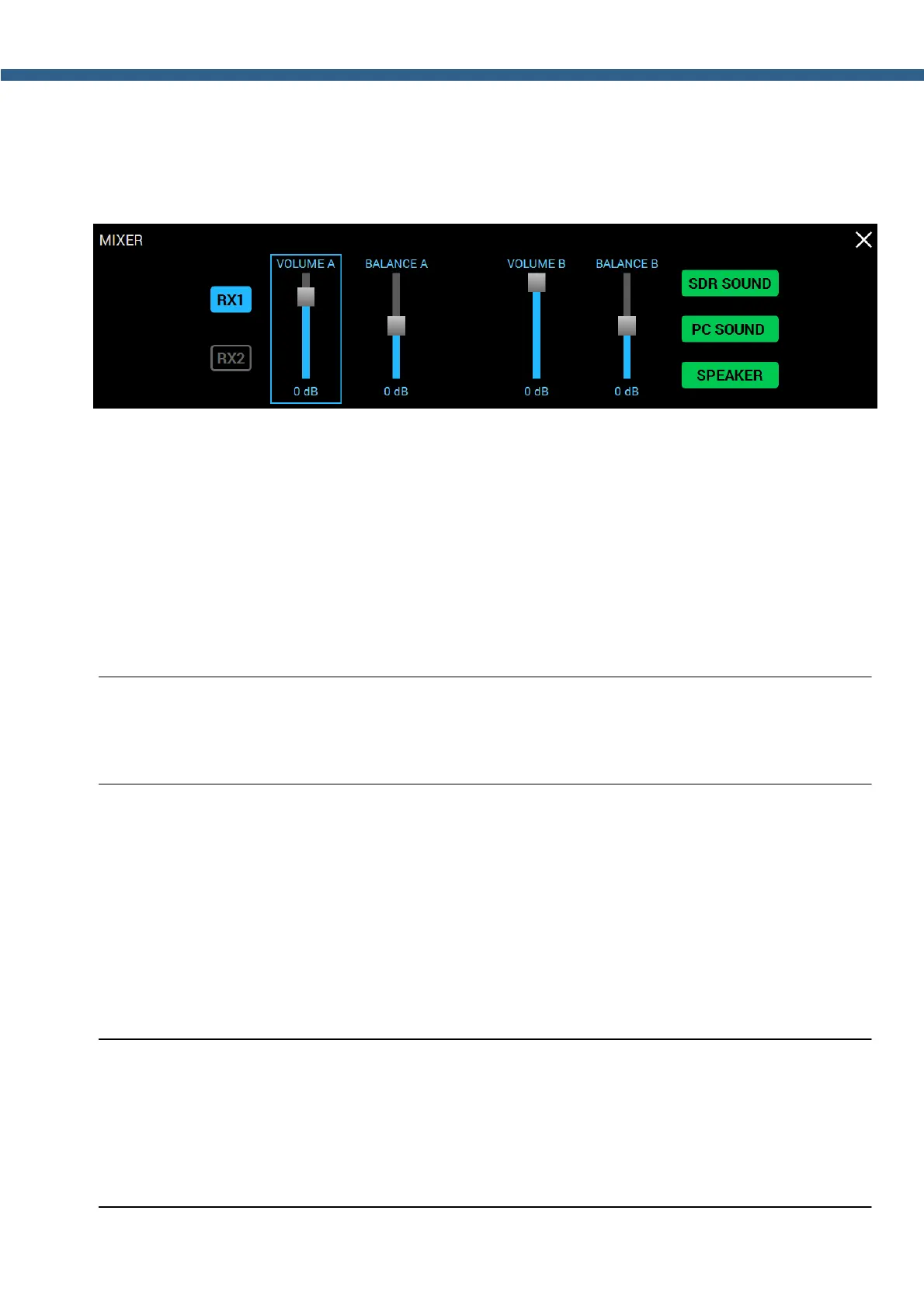
5.2.2 MIXER
Press and hold the MUT button on the front panel of the transceiver to open/close the local
panel.
RX1 - Enable RX1 volume and balance controls.
Press the RX1 to enable volume and balance control for VFO A, VFO B of the RX1.
RX2 - Enable RX2 volume and balance controls.
Press the RX2 to enable volume and balance control for VFO A, VFO B of the RX2.
VOLUME A - VFO A volume control.
BALANCE A - VFO A volume balance control between left and right channels.
VOLUME B - VFO B volume control.
BALANCE B - VFO B volume balance control between left and right channels.
Note:
(
Described above volume and balance settings are active when the sub-receiver is active. If
you use only VFO A (the sub-receiver is disabled) the global volume control is active.
SDR SOUND - Audio output from the transceiver.
Press the SDR SOUND to listen to the transceiver's received signals.
PC SOUND - Audio output from the PC.
Press the PC SOUND to listen to the audio from PC, e.g. audio, video files, web browsing,
SKYPE etc.
SPEAKER - Audio output to the speaker.
Press the SPEAKER to listen to the audio via the speaker.
Note:
(
Audio output to the speaker is only available with the active SPEAKER button, in this menu.
It doesn't matter whether the headphones are plugged in the PHONES jack or not.
(
There is a constant audio output to the phones via PHONES jack, SPEAKER button state
doesn't matter.



 To Next Page