80
MB1 User Manual
© 2016 Expert Electronics
MAIN SCREEN DESCRIPTION
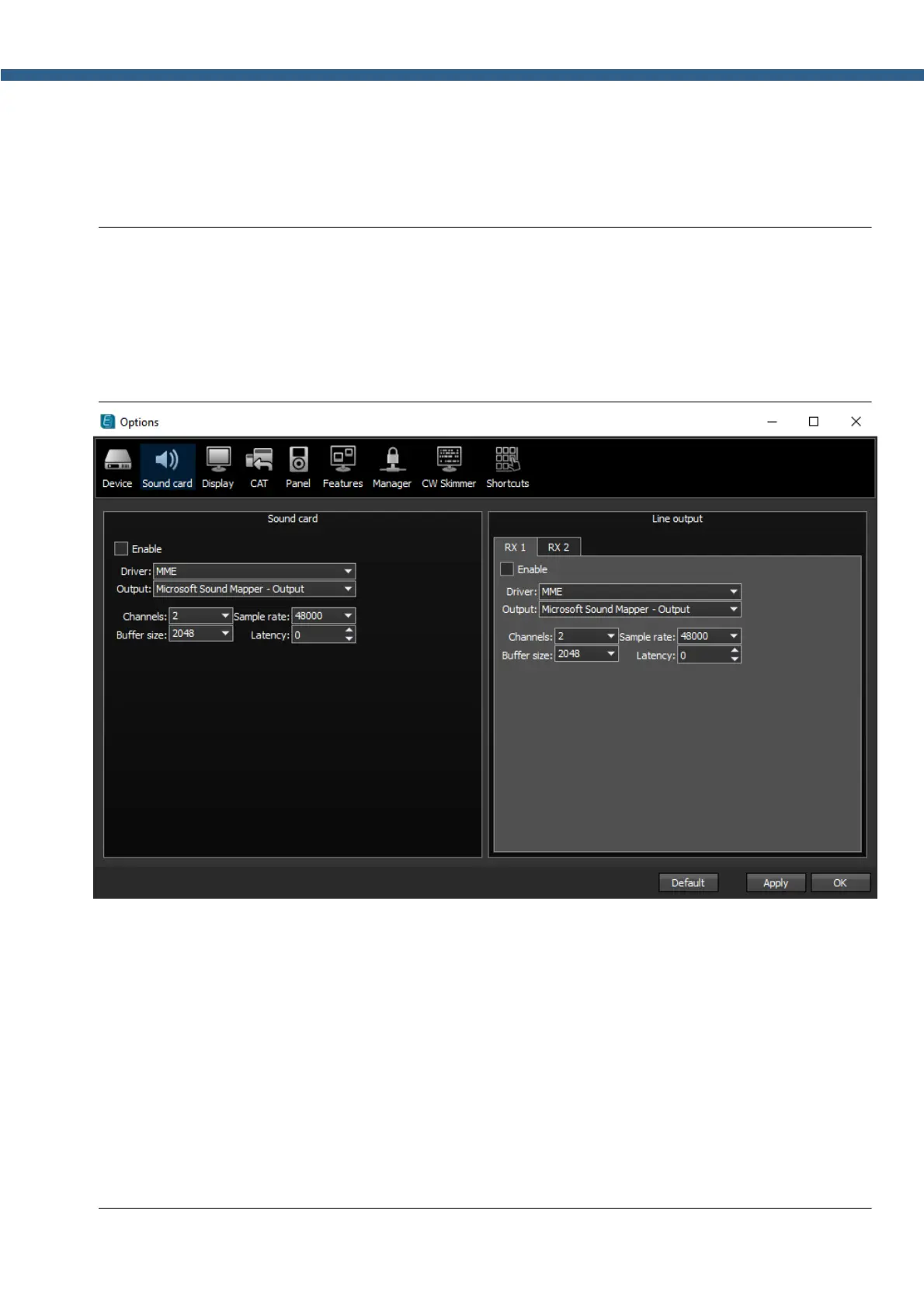
5.3.2.1 Sound card
In the Sound card category you can see the settings of the sound card, which can be used for
sound output in the RX mode.
Note:
(
Sound output via the Sound card will be simultaneous with the sound from the transceiver
via the sound codec, placed in the SDR module.
(
Sound card volume is adjusted by rotating the AF knob on the front panel of the transceiver.
(
Delay for the signal output via the sound card could reach 30-500 ms.
· Enable - Checkbox to enable PC's sound card.
Set the Enable checkbox to enable sound output via the sound card.
· Driver – Choose the sound card's driver type.
· Output – Choose the sound card's physical output.
· Channels – Choose the amount of active sound card's channels.
· Sample rate – Sampling frequency.
· Buffer size – Buffer size.
· Latency – signal delay time.



 To Next Page