182
MB1 User Manual
© 2016 Expert Electronics
TRANSCEIVER OPERATIONS
Press and hold the MD or MU mode button on the front panel of the transceiver to open/close
the NFM local panel.
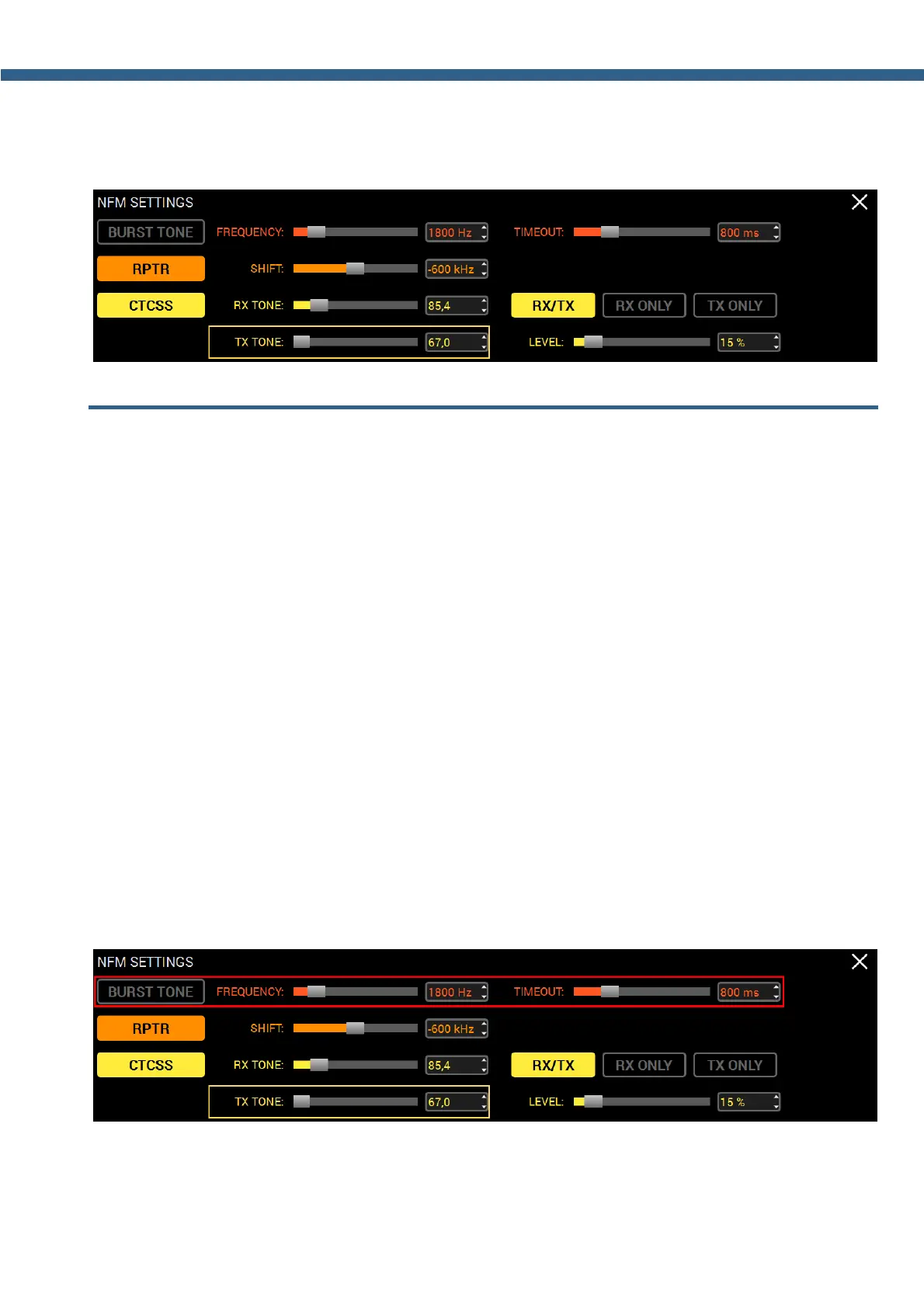
7.44 Burst Tone using
In some cases repeater stops working after some time - goes to "sleep" mode.
To wake it from the "sleep" mode you need to send the Burst tone of the exact frequency for
some time.
To form a Burst tone:
1. Set the NFM mode.
2. Open the NFM local panel and set the tone frequency with the FREQUENCY slider or enter
the required number from the keyboard.
Common value for tone frequency 1800 Hz, but can vary in some repeaters.
3. Set the required tone TX time, enough for the used repeater, with the TIMEOUT slider or
enter the required number from the keyboard.
4. Press the BURST TONE button.
The transceiver will send the FM signal with the tone, frequency from the FREQUENCY value
and TX time from the TIMEOUT value.
Press and hold the MD or MU mode button on the front panel of the transceiver to open/close
the NFM local panel.



 To Next Page