68
MB1 User Manual
© 2016 Expert Electronics
MAIN SCREEN DESCRIPTION
gain.
· Hang time – signal recovery time.
· Threshold – AGC trigger threshold.
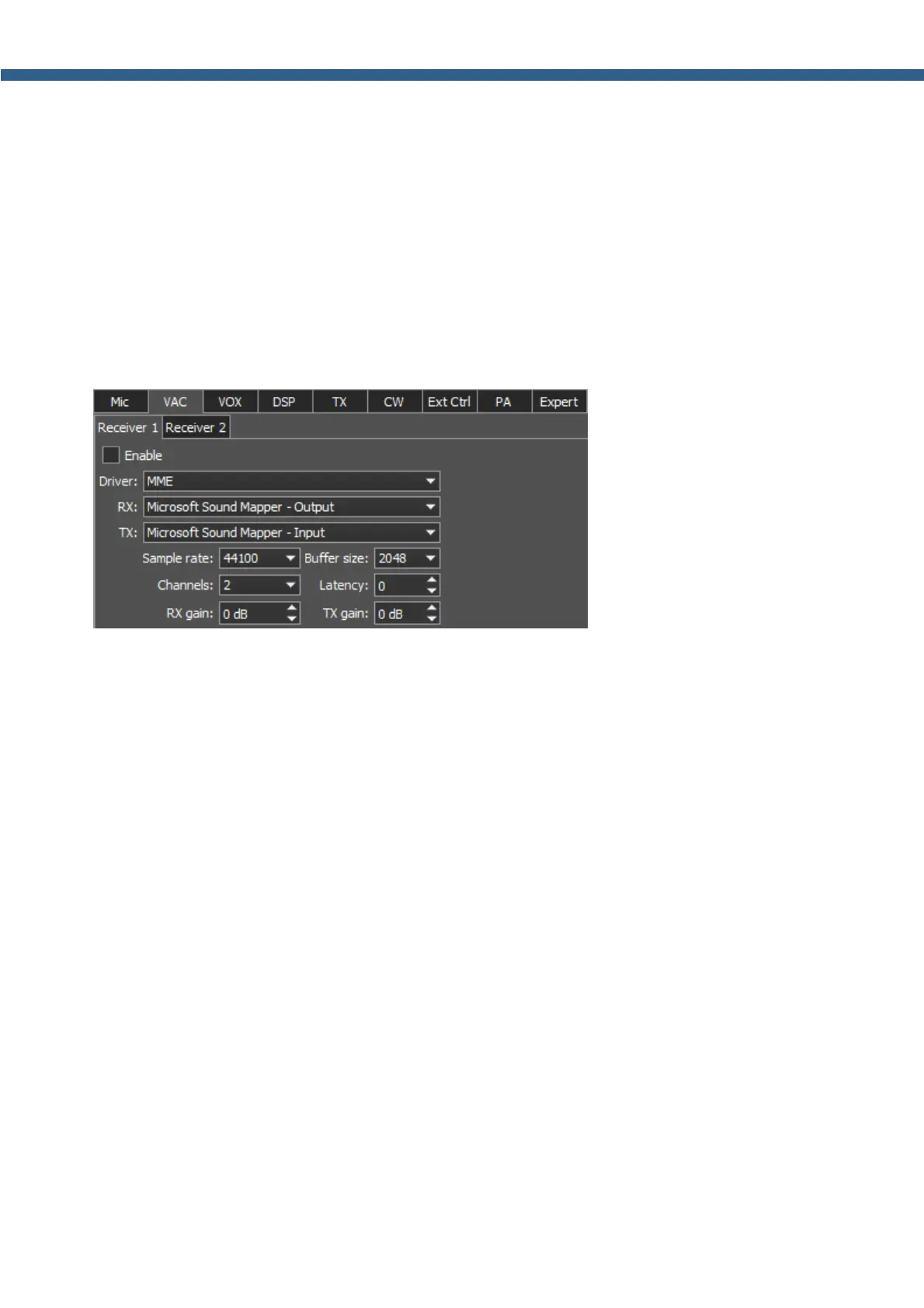
5.3.1.3 VAC
On the VAC tab you can see the settings of the audio device, which is used for operating with
digital modes.
For each program receiver (RX1, RX2) you can set the virtual audio cable on the corresponding
tab Receiver 1 and Receiver 2.
Enable - Enable virtual audio cable checkbox.
Set the Enable checkbox to enable virtual audio cable.
VAC category consists of the following items:
· Driver – choose the audio cable's or sound card driver type.
· Input – choose the sound card's physical input or the virtual audio cable's number.
· Channels – choose the amount of the sound card's or virtual audio cable used channels.
· Sample rate – sampling frequency.
· Buffer size – buffer size.
· Latency – signal delay time.
· RX gain – additional signal amplifying in the virtual audio cable's RX path in dB.



 To Next Page