84
MB1 User Manual
© 2016 Expert Electronics
MAIN SCREEN DESCRIPTION
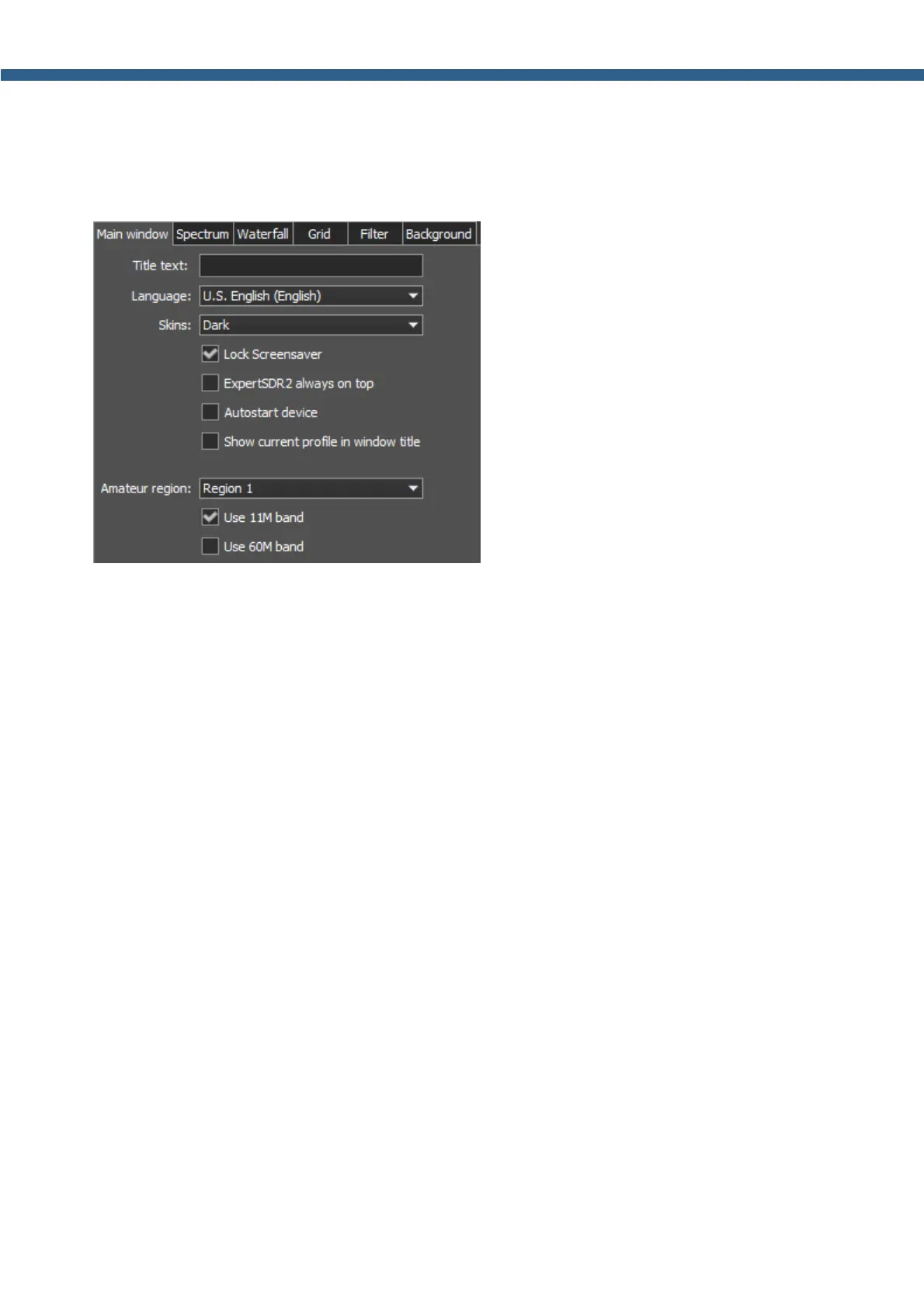
5.3.3.1 Main window
On the Main window tab you can see the settings of the transceiver's software main window
display.
· Title text - Input box to enter the title.
Enter in theTitle text box - your call-sign or other information, it will always be displayed in the
software title.
· Language - Interface language menu.
Choose the required language from the list.
· Skins - Software color theme menu.
Choose the required software color theme from the list.
· Lock Screensaver - Lock screensaver checkbox.
Set the Lock Screensaver checkbox to block the display turn off by the Windows OS.
Recommended checkbox setting - on.
· ExpertSDR2 stays on top - On top checkbox.
Set the ExpertSDR2 stays on top checkbox to see ExpertSDR2 window constantly on top
of other windows.
Recommended checkbox setting - off.
· Autostart device - Receiver's autostart checkbox.
Set the Autostart device checkbox to automatically start the receiver after the launch of the
software.
Recommended checkbox setting - on.
· Show current profile in window title - Display the current profile in the software window
title.
Set the Show current profile in window title checkbox to display the current profile (if the
profile is on) in the software window title.



 To Next Page